Batch Effect Correction Strategies for Zero-Inflated Microbiome Data: A Comprehensive Guide for Biomedical Research
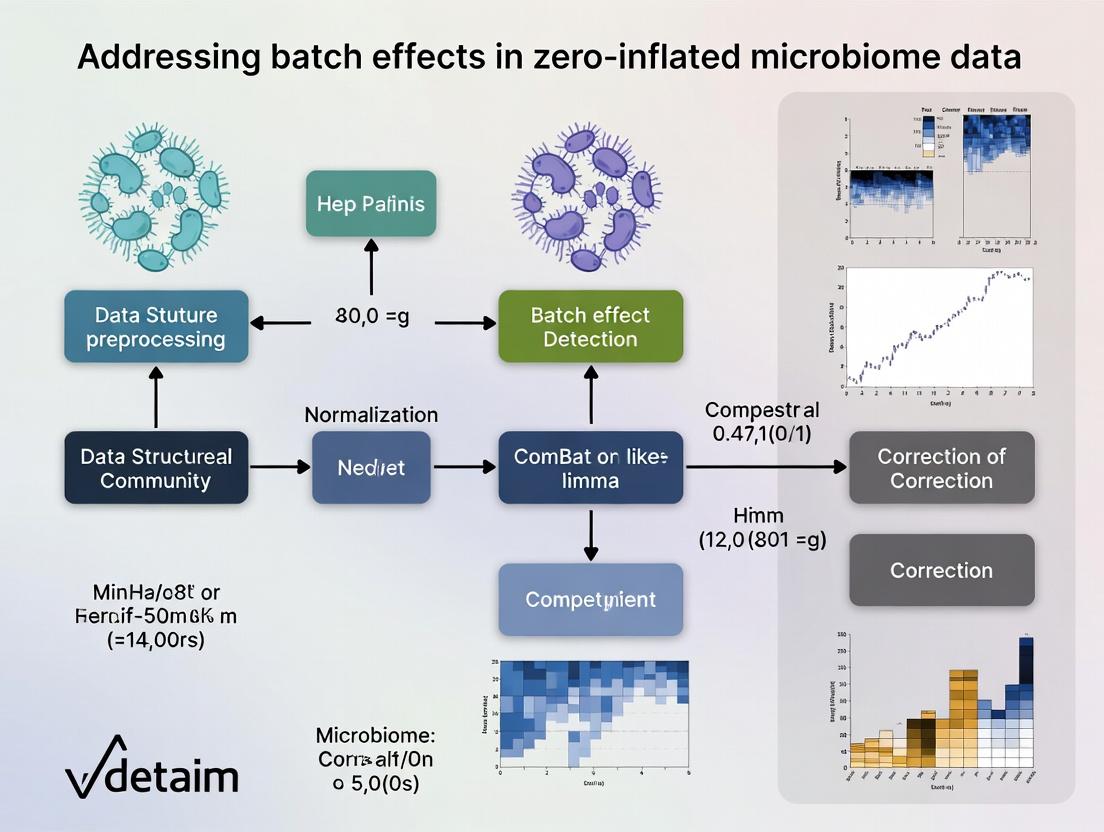
This article provides a complete framework for understanding and addressing batch effects in microbiome data, which is characterized by excessive zeros and high dimensionality.
Batch Effect Correction Strategies for Zero-Inflated Microbiome Data: A Comprehensive Guide for Biomedical Research
Abstract
This article provides a complete framework for understanding and addressing batch effects in microbiome data, which is characterized by excessive zeros and high dimensionality. We first establish the fundamental challenges of zero-inflation and technical variation, then detail the latest methodological approaches for detection and correction. We offer practical troubleshooting advice for common pitfalls and systematically compare the performance of leading tools. Designed for researchers and drug development professionals, this guide bridges statistical theory with practical application to ensure robust, reproducible findings in microbial ecology and biomarker discovery.
Understanding the Dual Challenge: Zero-Inflation and Batch Effects in Microbiome Profiling
Technical Support Center
Troubleshooting Guides & FAQs
Q1: My PERMANOVA results show a significant batch effect. What are the first steps to confirm and address this?
A: First, visualize your data using a PCoA plot colored by batch. If batches cluster separately, confirm with a PERMANOVA test (adonis2 in R) using batch as a predictor. For initial correction, consider using batch-effect correction tools like ComBat-seq (for raw counts) or RUVSeq after careful consideration of their impact on compositionality.
Q2: After rarefaction, I've lost many low-abundance taxa. Is this necessary, and what are the alternatives? A: Rarefaction is a traditional method to handle uneven sequencing depth but amplifies sparsity. Alternatives that better preserve data include:
- For Differential Abundance: Use compositionally aware tools like
ANCOM-BC,ALDEx2, orDESeq2with a zero-inflated Gaussian (ZIG) model. - For Diversity Analysis: Use diversity metrics that account for compositionality, such as robust Aitchison distance, implemented in
DEICODEorQIIME 2.
Q3: How do I choose between a compositional (e.g., ALDEx2) and a count-based model (e.g., DESeq2) for my zero-inflated data? A: This decision is critical. See the table below for a structured comparison based on your data characteristics and research question.
Q4: My negative controls show contaminant reads. How should I incorporate them into my model? A: Contaminants are a key source of technical variation. You must model them. Methods include:
- Subtraction: Using the
decontampackage (prevalence or frequency method) to identify and remove contaminants. - Inclusion as a Covariate: Include the abundance of contaminant taxa (aggregated from control samples) as a covariate in your statistical model (e.g., in a
ZINQmodel) to account for their influence.
Q5: What is the minimum sample size needed for reliable zero-inflation modeling?
A: There is no universal minimum, but power is a major concern. As a rule of thumb, for methods like ZINQ or GLMMs, you need at least 15-20 samples per group for stable parameter estimation. For complex models with multiple covariates, more samples are required. Always perform power analysis using tools like HMP or simulation-based approaches prior to data collection.
Table 1: Comparison of Common Statistical Models for Microbiome Data
| Model/Tool | Data Type Input | Handles Compositionality? | Handles Sparsity/Zeros? | Batch Effect Correction Integration | Best Use Case |
|---|---|---|---|---|---|
| DESeq2 (Wald test) | Raw Counts | No (Assumes independence) | Moderate (Uses regularization) | Can include as covariate in design | DAA when counts are not extremely sparse; large sample sizes. |
| ANCOM-BC | Relative Abundance | Yes (Uses log-ratio) | Yes (Uses pseudo-counts) | Can include as covariate | DAA with a focus on controlling FDR; robust to compositionality. |
| ALDEx2 | Relative Abundance | Yes (CLR transform) | Yes (Monte-Carlo Dirichlet instance) | Can include as covariate | DAA for small sample sizes; emphasizes effect size over significance. |
| MaAsLin 2 | Various | Optional (CLR transform) | Yes (Generalized linear models) | Directly in model formula | Flexible DAA with complex, multi-factorial metadata. |
| ZINQ | Raw Counts | No | Yes (Explicit zero-inflation model) | Must be addressed prior | Explicitly modeling excess zeros due to detection limits. |
| MMUPHin | Raw/Relative | Yes (Meta-analysis framework) | Yes | Primary function for batch correction | Correcting batch effects across multiple studies. |
Table 2: Impact of Sequencing Depth on Data Sparsity (Simulated Data)
| Mean Sequencing Depth | Total ASVs Detected | % of ASVs with >10 reads | % Zero Entries in OTU Table | Recommended Analysis Approach |
|---|---|---|---|---|
| 5,000 reads/sample | 500 | 45% | ~85% | Compositional methods (ALDEx2, ANCOM-BC) essential. |
| 20,000 reads/sample | 800 | 60% | ~75% | Mixed models or zero-inflated models become more stable. |
| 100,000 reads/sample | 1,200 | 75% | ~65% | Count-based models (DESeq2) more reliable; batch effects remain critical. |
Experimental Protocols
Protocol 1: Batch Effect Diagnosis and Correction with MMUPHin Objective: To diagnose and adjust for batch effects in multi-study or multi-batch microbiome datasets.
- Data Preparation: Create a feature (ASV/Genus) abundance table and a metadata table with
batchandstudycolumns. - Diagnosis: Run
MMUPHin::fit_adjust_batchin diagnostic mode to calculate the variance explained by batch versus biology. - Correction: If batch variance is high, run the correction function. Choose
"compositional"=TRUEfor relative abundance data. - Validation: Re-run PERMANOVA and PCoA visualization on the corrected data to confirm reduction in batch clustering.
Protocol 2: Differential Abundance Analysis with ANCOM-BC (Accounting for Batch) Objective: Identify differentially abundant taxa between conditions while adjusting for batch effects and compositionality.
- CLR Transformation: The tool internally uses a bias-corrected log-ratio (CBC) transformation.
- Model Fitting: Use the
ancombc2function with formula~ batch + primary_condition. Thebatchterm will be adjusted out. - Zero Handling: The method uses pseudo-counts and is robust to sparse data.
- Output: Obtain log-fold changes, standard errors, and p-values for the
primary_condition, adjusted for compositionality and batch.
Visualizations
Diagram 1: Microbiome Data Analysis Workflow with Batch Control
Diagram 2: Sources of Zeros in Microbiome Data
The Scientist's Toolkit: Research Reagent Solutions
Table 3: Essential Materials for Controlled Microbiome Studies
| Item | Function in Addressing Data Challenges |
|---|---|
| Mock Community Standards (e.g., ZymoBIOMICS) | Contains known, fixed ratios of microbial cells. Used to diagnose batch effects in wet-lab steps, assess sequencing accuracy, and calibrate bioinformatic pipelines. |
| Negative Extraction Controls | Sterile water or buffer taken through the DNA extraction process. Critical for identifying contaminant taxa (kit/lab-borne) which contribute to sparsity and false positives. Must be sequenced alongside samples. |
| Positive Process Controls | A homogeneous sample (e.g., from a mock community) split across all extraction/sequencing batches. Allows direct quantification of technical vs. biological variation and batch effect magnitude. |
| Uniform Storage Reagents (e.g., DNA/RNA Shield) | Preserves microbial community structure at collection. Reduces pre-analytical variation, a major hidden source of batch effects and spurious zeros. |
| Indexed Sequencing Primers with Balanced Dual-Indexing | Unique combinatorial barcodes for each sample. Minimizes index hopping (crosstalk) between samples and batches, which can create false low-abundance signals and increase sparsity. |
Welcome to the Technical Support Center. This resource is designed within the context of addressing batch effects in zero-inflated microbiome data research. Here you will find troubleshooting guides and FAQs to help identify and mitigate batch effects stemming from technical variation across sequencing runs, distinguishing them from true biological variation.
Frequently Asked Questions & Troubleshooting
Q1: After merging two 16S rRNA gene sequencing datasets from different runs, my beta diversity PCoA shows separation by run, not by treatment. Is this a technical batch effect?
A: Yes, this is a classic sign of a pronounced technical batch effect. In zero-inflated data, this can be exacerbated by run-specific differences in library preparation efficiency or sequencing depth, causing artifactual "missingness" patterns. Before analyzing, apply a batch-correction method like ComBat-seq (for count data) or use a model that includes batch as a covariate (e.g., in DESeq2). Crucially, include a positive control (mock microbial community) in each run to quantify technical variation.
Q2: My negative controls show high reads in one sequencing run but not in others. How do I handle this contamination?
A: This indicates a reagent or cross-contamination batch effect. First, do not simply subtract control reads from samples. For each run independently, apply a prevalence-based filtering tool like decontam (using the "prevalence" method with your negative controls as input). This identifies and removes contaminant ASVs/OTUs. Document the contaminants and the run they originated from. This step must be performed prior to merging datasets or attempting batch correction.
Q3: How can I determine if an observed shift in a specific taxon is biological or an artifact of different sequencing kits? A: You need to disambiguate the sources of variation. Follow this experimental and analytical protocol:
- Experimental Design: If possible, re-sequence a subset of the same sample extracts using the different kits/on different runs.
- Statistical Analysis: Use a linear mixed model. For a given taxon, model its abundance as:
Abundance ~ Treatment + (1 | Batch/Run) + (1 | SampleID)WhereSampleIDis the random effect for repeated measures of the same biological sample. A significantTreatmenteffect after accounting for batch (Batch/Run) suggests a biological signal. For zero-inflated counts, use a model likeglmmTMBwith a zero-inflated negative binomial family.
Q4: What is the minimum number of samples per batch for reliable batch effect correction in microbiome studies? A: There is no universal minimum, but statistical power for correction drops sharply with small batch sizes. The following table summarizes recommendations based on current methodological literature:
| Correction Method | Recommended Minimum Samples Per Batch | Key Consideration for Zero-Inflation |
|---|---|---|
| ComBat-seq | 10-15 | Assumes negative binomial distribution. May not fully model excess zeros. Best applied after aggressive low-count filtering. |
| MMUPHin | 5-10 | Designed for meta-analysis. Includes a step to adjust for batch in microbial prevalence and abundance. More robust with multiple batches. |
| Linear Model Covariate Adjustment (e.g., in DESeq2) | 3-5 | Requires careful model specification. Can struggle with very small batches and high inter-sample variation. |
| Positive Control Spiking (e.g., Spike-in) | N/A (Uses controls) | Requires adding a known quantity of foreign cells/DNA to all samples. Corrects for technical variation directly, independent of sample batch size. |
Q5: I have no positive controls. Can I still diagnose batch effects from my sample data alone? A: Yes, using unsupervised methods. Perform the following diagnostic workflow:
- Calculate beta diversity (e.g., Bray-Curtis or Weighted Unifrac).
- Visualize via PCoA, coloring points by Batch/Run, Extraction Date, Sequencing Lane, and Treatment Group.
- Statistically test for associations between these metadata factors and community distances using PERMANOVA (
adonis2function in R'sveganpackage), conditioning on treatment if needed. - Examine the distribution of read counts per sample (library size) by batch; large median differences suggest a normalization-critical batch effect.
Key Diagnostic Workflow for Batch Effect Identification
The Scientist's Toolkit: Research Reagent Solutions
| Item | Function in Batch Effect Mitigation |
|---|---|
| Mock Microbial Community (e.g., ZymoBIOMICS) | A defined mix of known microbes. Sequenced in every run as a positive control to quantify technical variation in composition and abundance. |
| External Spike-in DNA (e.g., SNAP Assay) | Non-biological synthetic DNA spikes added in known quantities to each sample post-extraction. Normalizes for variation in library prep efficiency and sequencing depth. |
| Extraction Kit Negative Control | Sterile water or buffer taken through the DNA extraction process. Identifies reagent/lab contamination specific to each extraction batch. |
| Sequencing Library Negative Control | Sterile water taken through the library preparation process. Identifies contamination introduced during PCR and indexing. |
| Duplicate Sample Reagents | Aliquots from the same biological sample extract, processed in different library prep batches or sequenced across multiple runs. Serves as an internal technical replicate. |
Protocol: Implementing a Spike-in Based Normalization for Zero-Inflated Data
Objective: To correct for technical variation in sequencing depth and efficiency across batches using externally added spike-in molecules. Materials: Synthetic spike-in oligonucleotides (e.g., from SNAP Assay kit), your sample DNA, library prep reagents. Method:
- Spike-in Addition: For each sample, add an identical, precise mass (e.g., 0.5 ng) of spike-in DNA after genomic DNA extraction but before PCR amplification.
- Library Preparation & Sequencing: Proceed with standard library prep (e.g., 16S rRNA gene amplification with barcoded primers) and sequence all batches.
- Bioinformatic Processing:
a. Process raw sequences through your standard pipeline (DADA2, QIIME2).
b. In the resulting ASV table, identify the rows corresponding to the spike-in sequences (by matching to reference).
c. Calculate the total read count for spikes in each sample:
Spike_i. - Normalization Calculation:
a. Compute the median spike count across all samples:
Median(Spike). b. For each samplei, calculate a size factor:SF_i = Spike_i / Median(Spike). c. Normalize the non-spike microbial counts in sampleiby dividing bySF_i. This scales counts based on technical recovery, not microbial load.
Disentangling Technical and Biological Sources of Variation
Technical Support Center: Troubleshooting Zero-Inflation in Microbiome Data Analysis
Frequently Asked Questions (FAQs)
Q1: How can I distinguish between a true biological absence of a microbe and a technical dropout in my 16S rRNA sequencing data? A: True biological absence is often supported by congruent absence across multiple technical replicates and sequencing runs, and may align with known physiological or environmental constraints (e.g., an obligate aerobe in an anaerobic sample). Technical dropouts are stochastic and more likely to appear as sporadic zeros in samples with low sequencing depth or low biomass. Implement a prevalence filter (e.g., retain features present in >10-20% of samples within a group) as a first pass, but be cautious of removing rare but real taxa.
Q2: My negative controls contain reads. How do I handle contamination-induced zeros?
A: Reads in negative controls indicate reagent or environmental contamination. This contamination can cause zeros in your true samples if the contaminant sequences outcompete or mask low-abundance real taxa. Use dedicated decontamination tools (e.g., decontam in R) which leverage prevalence or frequency methods to identify and remove contaminant ASVs/OTUs. This step is critical before assessing other sources of zeros.
Q3: What is the impact of library size (sequencing depth) on zero-inflation, and how do I correct for it? A: Undersampling due to low library size is a primary technical driver of zeros. A taxon present at low abundance may simply not be sampled in a given run. The table below summarizes the relationship.
| Sequencing Depth (Reads/Sample) | Approximate % of Zeros Attributable to Undersampling* | Recommended Action |
|---|---|---|
| < 5,000 | High (>60%) | Increase depth; use rarefaction or depth-based scaling. |
| 5,000 - 20,000 | Moderate (30-60%) | Statistical models (e.g., ZINB) that account for depth. |
| > 20,000 | Lower (<30%) | Focus on biological/contamination sources. |
*Hypothetical estimates for illustrative purposes based on common community profiles.
Q4: Which statistical model should I choose for zero-inflated microbiome data? A: The choice depends on the suspected source of zeros. For batch-correlated technical zeros, a Zero-Inflated Negative Binomial (ZINB) model with batch as a covariate is often suitable. For zeros assumed to be primarily biological or due to undersampling, a hurdle model (e.g., Presence/Absence + Truncated Count) or a Negative Binomial (NB) model with appropriate normalization may be sufficient. Always compare model fit using AIC/BIC.
Q5: How do I design an experiment to minimize batch effects that cause technical zeros? A: Follow these key protocols:
- Reagent Batching: Use a single lot of all critical reagents (extraction kits, PCR master mix) for the entire study.
- Randomization: Randomize samples from different experimental groups across DNA extraction plates, PCR plates, and sequencing lanes.
- Controls: Include both positive controls (mock microbial communities) and negative controls (blank extractions) in every batch.
- Metadata Tracking: Meticulously record all potential batch variables (extraction date, operator, sequencer lane, kit lot number).
Detailed Experimental Protocols
Protocol 1: Validating Biological Absence via qPCR Purpose: To confirm if a zero count from sequencing represents a true biological absence. Methodology:
- Design species- or genus-specific primers for the target taxon of interest.
- Perform quantitative PCR (qPCR) on the original DNA extracts from the samples showing zeros and on positive control samples.
- Use a standard curve generated from cloned amplicons or synthetic gBlocks.
- Compare Cq values. A Cq value at or beyond the limit of detection (e.g., >35-40 cycles) in the context of well-amplified internal controls supports true biological absence.
Protocol 2: Assessing Technical Dropout with Replicate Sequencing Purpose: To quantify the stochasticity of zeros and identify dropouts. Methodology:
- Select a subset of samples (n=10-20) representing high, medium, and low biomass.
- Re-amplify and sequence these samples in triplicate from the PCR stage onward on the same sequencing platform.
- Process data through the same bioinformatics pipeline.
- Create a presence-absence matrix for replicates. A feature (ASV) present in 1 or 2 out of 3 replicates for the same sample is likely a technical dropout. Calculate the dropout rate per sample.
Protocol 3: Correcting for Undersampling via In Silico Rarefaction Purpose: To evaluate if increased sequencing depth would resolve zeros. Methodology:
- Using a high-depth dataset, perform in silico rarefaction with tools like
veganin R. - Rarefy the data to multiple depths (e.g., 1k, 5k, 10k, 20k reads) with 100 iterations each.
- For each depth, calculate the mean number of observed features (ASVs/OTUs) and the mean proportion of zeros in the feature table.
- Plot rarefaction curves and a curve of zero proportion vs. depth to visualize the point of diminishing returns.
The Scientist's Toolkit: Research Reagent Solutions
| Item | Function in Mitigating Zero-Inflation |
|---|---|
| Mock Microbial Community (e.g., ZymoBIOMICS) | Serves as a positive control to assess sequencing efficiency, dropout rates, and batch-to-batch variability in technical steps. |
| UltraPure BSA or Skim Milk | Added during DNA extraction from low-biomass samples to reduce adsorption to tube walls, improving yield and reducing false zeros. |
| Duplex-Specific Nuclease (DSN) | Used to normalize eukaryotic host (e.g., human) DNA in host-associated microbiome studies, increasing sequencing depth for microbial taxa. |
| PCR Inhibitor Removal Beads (e.g., OneStep PCR Inhibitor Removal Kit) | Improves PCR amplification efficiency from complex samples (soil, stool), reducing stochastic dropouts of challenging taxa. |
| Unique Molecular Identifiers (UMIs) | Incorporated during library prep to correct for PCR amplification bias and chimera formation, providing more accurate absolute abundances. |
Visualizations
Diagram 2: Batch Effect Correction Workflow for Zero-Inflated Data
Troubleshooting Guide: Data Transformation & Normalization Issues
Q1: After using standard Z-score normalization, my sparse microbiome count data shows distorted cluster separation in my PCA plot. What went wrong and how do I fix it?
A: This is a classic symptom of applying Gaussian assumptions to sparse data. Z-score normalization (subtracting mean, dividing by standard deviation) assumes a symmetric, non-sparse distribution. Microbiome data, with its many zeros, is highly skewed. This forces the mean and variance to be heavily influenced by the zeros, distorting the true biological signal from the few non-zero counts.
Fix: Use a variance-stabilizing transformation designed for counts, such as the Centered Log-Ratio (CLR) transformation after adding a pseudocount, or a zero-inflated model-based normalization.
Protocol: CLR Transformation with Pseudocount
- Input: Raw count table (OTU/ASV table) with samples as columns and taxa as rows.
- Add a uniform pseudocount of 1 to all counts to handle zeros.
- For each sample (column), calculate the geometric mean of all taxa counts.
- Divide each taxon count in the sample by the sample's geometric mean.
- Take the natural logarithm of all resulting ratios.
- Output: A CLR-transformed matrix suitable for Euclidean-based statistical methods.
Q2: My differential abundance analysis yields unreliable p-values and inflated false positives when I try to use parametric tests (like t-tests) on normalized data. Why?
A: Parametric tests rely on assumptions of normality and homoscedasticity (equal variance). Standard normalization does not correct for the inherent mean-variance relationship in count data, where taxa with higher counts often have higher variance. Furthermore, the presence of excessive zeros violates normality. This combination leads to incorrect error rate estimation.
Fix: Employ statistical tests explicitly designed for zero-inflated count data.
Protocol: DESeq2 Workflow for Microbiome Count Data
- Data Input: Load raw, untransformed integer count matrix into DESeq2 using the
DESeqDataSetFromMatrix()function. - Model Design: Specify your experimental design formula (e.g., ~ batch + condition).
- Estimate Size Factors: DESeq2 calculates a per-sample size factor using the
estimateSizeFactors()method, which normalizes for library size differences via the median-of-ratios method. - Estimate Dispersions: Model the taxa-specific dispersion (variance) relative to the mean using
estimateDispersions(). This step is critical for handling the mean-variance relationship. - Fit Model & Test: Fit a negative binomial generalized linear model (NB-GLM) and perform hypothesis testing for differential abundance using the Wald test (
nbinomWaldTest()) or likelihood ratio test (LRT). - Results: Extract results with
results()function, which provides adjusted p-values controlling for false discovery rate (FDR).
FAQs on Batch Effect Correction for Sparse Data
Q3: Can I use ComBat to remove batch effects from my microbiome dataset?
A: Traditional ComBat, which assumes an empirical Bayes framework on normally distributed data, is not directly suitable for raw or standard-normalized count data. Applying it to CLR-transformed data can be effective if the transformation adequately handles zeros and sparsity. For robust correction, use methods that integrate the count model.
Recommended Alternative: Batch-correction incorporated into the NB-GLM model (e.g., including "batch" as a covariate in DESeq2 design) or specialized tools like MMUPHin (Meta-analysis Module with Uniform Pipeline for Heterogeneity in microbiome studies), which models batch effects within a zero-inflated mixture framework.
Q4: What is the best practice for visualizing zero-inflated data before and after correct normalization?
A: Avoid standard PCA on Euclidean distance for raw or poorly normalized data. Use distance metrics and ordination methods suited for compositional and sparse data.
Protocol: Principal Coordinates Analysis (PCoA) with Aitchison Distance
- Preprocess: Apply CLR transformation (see Protocol above) to your count matrix.
- Calculate Distance: Compute the Euclidean distance between all sample pairs in the CLR-transformed space. This is mathematically equivalent to the Aitchison distance for compositional data.
- Ordination: Perform PCoA (also known as Metric Multidimensional Scaling, MDS) on the resulting distance matrix.
- Visualize: Plot the first two PCoA axes. You can color points by batch and condition to visually assess batch effect removal and biological clustering.
Table 1: Comparison of Normalization Methods for Sparse Count Data
| Method | Underlying Assumption | Handles Zeros? | Preserves Compositionality? | Recommended For |
|---|---|---|---|---|
| Z-Score (Standard) | Gaussian Distribution | No, distorts distribution | No | Normally distributed continuous data |
| Total Sum Scaling | None (simple scaling) | Yes, but creates artifacts | Yes, but sensitive to outliers | Initial exploratory analysis |
| Centered Log-Ratio (CLR) | Compositional Data (Aitchison geometry) | Requires pseudocount | Yes | PCA, Euclidean-based methods |
| DESeq2 Median-of-Ratios | Negative Binomial Model | Yes, within model framework | Yes, via size factors | Differential abundance testing |
| CSS (MetagenomeSeq) | Cumulative Sum Scaling | Yes, model-based | Yes | Differential abundance in highly sparse data |
Table 2: Common Artifacts from Incorrect Normalization
| Artifact | Likely Cause | Diagnostic Plot |
|---|---|---|
| Clustering driven by library size | Using raw counts or TSS without addressing sparsity | PCA colored by sequencing depth |
| Inflated false positives in DA | Applying t-tests to normalized, non-normal counts | P-value histogram (should be uniform under null) |
| Masking of true biological signal | Over-correction or inappropriate assumption of symmetry | PCoA where batch explains more variance than condition |
| Skewed PERMANOVA results | Using Bray-Curtis on data with global zeros | Distance boxplot by group showing non-separation |
Experimental Workflow Diagram
Workflow: Standard vs. Correct Normalization for Sparse Data
The Scientist's Toolkit: Research Reagent Solutions
| Item / Software | Function & Application |
|---|---|
| DESeq2 (R/Bioconductor) | Primary tool for differential abundance analysis using Negative Binomial GLM. Correctly models count distribution and variance. |
| MMUPHin (R package) | Meta-analysis and batch effect correction tool specifically designed for microbiome compositional data. |
| ALDEx2 (R/Bioconductor) | Uses CLR transformation and Dirichlet-multinomial sampling for differential abundance inference, robust to compositionality. |
| QIIME 2 / DEICODE plugin | Incorporates Aitchison distance and Robust PCA for compositional, sparse data ordination and analysis. |
| ANCOM-BC (R package) | Accounts for compositionality and zeros in testing for differentially abundant taxa using a linear model framework with bias correction. |
| MaAsLin 2 (R package) | Flexible multivariate association analysis that can handle zero-inflated, over-dispersed microbiome data with fixed/random effects. |
| Phyloseq (R/Bioconductor) | Data structure and toolkit for organizing, visualizing, and applying diverse analyses to microbiome data. |
| Songbird (QIIME 2 plugin) | Multinomial regression framework for modeling microbial gradients, accounting for compositionality and sparsity. |
Technical Support Center: Troubleshooting Batch Effects in Zero-Inflated Microbiome Data
FAQ 1: Why do my alpha diversity measures (e.g., Shannon, Chao1) show significant batch-to-batch variation, even after rarefaction?
Answer: Batch effects introduce technical variation in library size and detection efficiency, which disproportionately impacts zero-inflated data. Rarefaction only equalizes sequencing depth but does not correct for batch-specific differences in composition or detection of low-abundance taxa. This skews diversity estimates, making biological comparisons unreliable.
Troubleshooting Guide:
- Diagnostic: Generate a Principal Coordinate Analysis (PCoA) plot using Bray-Curtis dissimilarity, colored by batch. If samples cluster strongly by batch, technical variation is present.
- Solution: Apply a batch-effect correction method designed for compositional count data before calculating diversity metrics. Recommended: Use
mmn(Meta-Neighborhood) orConQuR(Conditional Quantile Regression) which handle sparsity well. Avoid methods like ComBat that assume a normal distribution.
Experimental Protocol for Diagnostic PCoA:
- Input: Normalized or rarefied OTU/ASV table.
- Tool: Use the
vegdistfunction in R (veganpackage) with method="bray" to compute the Bray-Curtis dissimilarity matrix. - Visualization: Perform PCoA using
cmdscaleand plot withggplot2, mapping thefillaesthetic to your batch covariate. - Validation: Perform a PERMANOVA (
adonis2function) with formula~ Batch + Groupto quantify variance explained by batch vs. biological group.
FAQ 2: How can I distinguish a false association driven by batch from a true microbiome-disease association?
Answer: False associations arise when the batch variable (e.g., sequencing run, DNA extraction kit) is confounded with the biological variable of interest (e.g., disease status). A taxa may appear significant because it is differentially abundant between batches, not between disease states.
Troubleshooting Guide:
- Diagnostic: For any significantly associated biomarker, plot its abundance (or prevalence) across groups, stratified by batch. If the trend is consistent within each batch, association is more credible.
- Solution: Include batch as a covariate in your differential abundance or association model. Use models robust to zeros:
- For differential abundance:
ANCOM-BC2,corncob, orLinDA. - For multivariate association:
MMUPHinin meta-analysis mode orMaAsLin2with a random effect for batch.
- For differential abundance:
Experimental Protocol for Stratified Visualization:
- Input: CLR-transformed or proportion data for the target taxon.
- Tool: In R, use
ggplot2to create a boxplot or violin plot.x-axis: Disease Group (e.g., Case/Control)fill: Batch ID- Use
facet_wrap(~Batch)to create individual sub-plots per batch.
- Interpretation: Look for consistent direction of effect across all batch panels.
FAQ 3: My previously published microbiome biomarker fails to validate in a new cohort/study. Could batch effects be the cause?
Answer: Yes, irreproducible biomarkers are a major consequence of uncorrected batch effects. If the original biomarker was partially driven by technical artifacts specific to the first study's experimental conditions, it will not generalize.
Troubleshooting Guide:
- Diagnostic: Apply the original biomarker model (e.g., a specific taxon's abundance threshold) to the new data before any batch correction. Then, apply it after using a cross-platform correction method.
- Solution: Employ batch-effect adjustment before biomarker discovery. For cross-study validation, use methods that perform harmonization:
- For integrating multiple studies:
MMUPHinis specifically designed for this. - For a single study with batches:
SVA(Surrogate Variable Analysis) orRUV4(Remove Unwanted Variation) can estimate latent batch factors.
- For integrating multiple studies:
Experimental Protocol for Cross-Study Harmonization with MMUPHin:
- Input: Raw feature tables and metadata from all studies to be integrated.
- Tool: In R, use the
MMUPHin::fit_adjustfunction with arguments:feature_abd: List of feature tables.batch: Study or batch identifier.covariates: Biological variables of interest (e.g., disease status).
- Output: A harmonized feature table where batch-specific biases are reduced, enabling pooled analysis.
Data Presentation
Table 1: Comparison of Batch Effect Correction Methods for Zero-Inflated Microbiome Data
| Method | Underlying Model | Handles Sparsity (Zeros) | Maintains Compositionality | Recommended Use Case | Key Limitation |
|---|---|---|---|---|---|
| ComBat | Empirical Bayes, Gaussian | Poor | No | Normalized, non-sparse data (e.g., after CLR) | Assumes normal distribution; distorts compositional structure. |
| MMUPHin | Fixed-effects meta-analysis | Good | Yes | Harmonizing multiple studies (meta-analysis) | Requires multiple batches/studies. |
| ConQuR | Conditional Quantile Regression | Excellent | Yes | Strong, non-linear batch effects within a single study | Computationally intensive for very large feature sets. |
| ANCOM-BC2 | Linear model with bias correction | Good | Yes (via log-ratio) | Differential abundance testing with batch covariate | Primarily a testing tool, not a harmonization tool. |
| mmn | Metagenomic Neighborhood | Excellent | Yes | Single-study correction with a reference batch | Requires a designated "reference" batch. |
Visualizations
Diagram 1: Workflow for Diagnosing & Correcting Batch Effects
Diagram 2: Confounding Leading to False Association
The Scientist's Toolkit
Table 2: Research Reagent Solutions for Robust Microbiome Analysis
| Item | Function | Example/Product Note |
|---|---|---|
| Mock Community (Standard) | Acts as a positive control and calibration standard across batches/runs. Essential for diagnosing technical variation. | BEI Resources HM-278D (ZymoBIOMICS) - Defines expected composition to quantify batch-specific deviations. |
| Internal Spike-In DNA | Added prior to DNA extraction to control for and correct biases in extraction efficiency and sequencing depth. | SERC Spike-in Control (SERC) - Synthetic sequences not found in nature for absolute quantification. |
| Uniform Extraction Kit | Minimizes batch variation at the wet-lab stage. Critical for multi-site studies. | MoBio PowerSoil Pro Kit (QIAGEN) - Widely adopted standard for soil/stool; use same lot across project if possible. |
| Library Prep Negative Control | Identifies contamination introduced during library preparation (kitome). | Nuclease-free Water - Processed alongside samples through all steps post-extraction. |
| Bioinformatic Standardized Pipeline | Ensures computational reproducibility and reduces analysis-based batch effects. | QIIME 2, DADA2, or Snakemake Workflow - Fix software versions and parameters for entire project. |
A Practical Toolkit: Methods for Detecting and Correcting Batch Effects in Sparse Data
Troubleshooting Guides & FAQs
Q1: My PCA/PCoA plot shows tight clustering by batch, not by treatment. What is this and what are my first steps? A: This is a classic sign of a dominant batch effect. Your first step is Detection First: visually confirm the artifact.
- Re-plot: Color and shape points by batch ID, experimental run, and technician.
- Validate: Run a Permutational Multivariate Analysis of Variance (PERMANOVA) on your distance matrix using batch as a factor.
- Action: If batch is statistically significant (p < 0.05), proceed to batch effect correction methods after this diagnostic phase. Do not ignore it.
Q2: After rarefaction or normalization, my hierarchical clustering dendrogram still separates samples purely by sequencing depth. Why? A: Zero-inflated data often has depth variation correlated with batch. Common normalizations (e.g., CSS, TSS) may not overcome this.
- Solution: Apply a variance-stabilizing transformation (VST) designed for count data, such as the one used in
DESeq2oredgeR, before calculating the distance matrix for clustering. - Protocol: Convert your OTU/ASV table to a
DESeqDataSetobject, estimate size factors, applyvarianceStabilizingTransformation, and use the resulting matrix for Euclidean distance calculation and clustering.
Q3: In PCoA, my control samples are scattered widely while treated samples cluster tightly. Is this a problem? A: Yes. This indicates heteroskedasticity—uneven variances between groups—common in zero-inflated data. It violates assumptions of many downstream statistical models.
- Diagnostic: Use beta-dispersion tests (e.g.,
betadisperin R) to check if dispersion differs significantly between groups. - Next Step: Consider analyses that are more robust to dispersion differences, or explore transformations that stabilize variance across groups.
Q4: How do I choose between PCA (a linear method) and PCoA (for any distance matrix) for my microbiome data? A: The choice depends on your distance metric.
- Use PCA when you want to use Euclidean distance on transformed (e.g., VST, centered log-ratio) data. It maximizes linear variance.
- Use PCoA (aka MDS) when you want to use ecological distances like Bray-Curtis, UniFrac, or Jaccard, which are better suited for compositional microbiome data. PCoA places samples in space based on these pairwise distances.
Q5: My visual diagnostics look good, but my PERMANOVA is insignificant for both batch and treatment. What could be wrong? A: Low statistical power due to zero inflation and high inter-individual variation.
- Check: Examine the within-group dispersions. If they are very high, the signal may be masked.
- Action:
- Consider filtering out low-prevalence features (e.g., present in <10% of samples).
- Increase sample size if possible.
- Use a more sensitive, model-based differential abundance test (e.g.,
ANCOM-BC,MaAsLin2,DESeq2on genus-level aggregates) after the visual diagnostic step confirms minimal batch effects.
Experimental Protocols for Cited Diagnostics
Protocol 1: Generating a Batch-Aware PCoA Plot with PERMANOVA
- Input: Normalized count or relative abundance table (samples x features).
- Calculate Distance: Compute a Bray-Curtis dissimilarity matrix using the
vegdistfunction in R (packagevegan). - Ordination: Perform PCoA on the distance matrix using the
pcoafunction (packageape). - Visualization: Plot the first two principal coordinates. Color points by
Treatmentand use point shapes forBatch. - Statistical Validation: Run
adonis2(PERMANOVA) from theveganpackage:adonis2(distance_matrix ~ Treatment + Batch, data=metadata).
Protocol 2: Hierarchical Clustering Diagnostic for Batch Effects
- Transform Data: Apply a Variance Stabilizing Transformation (VST) to the raw count data to normalize depth and stabilize variance.
- Distance & Clustering: Calculate Euclidean distance on the VST-transformed matrix. Perform hierarchical clustering using Ward's method (
hclustwith method="ward.D2" in R). - Visualization: Plot the dendrogram and color the sample labels below the tips according to their batch metadata.
- Interpretation: Observe if major branches of the tree exclusively contain samples from a single batch, indicating a strong batch-driven structure.
Data Presentation
Table 1: Comparison of Visual Diagnostic Methods for Batch Effect Detection
| Method | Input Data Type | Key Metric | Strengths for Batch Detection | Limitations |
|---|---|---|---|---|
| Principal Component Analysis (PCA) | Normalized/Transformed Abundance Matrix | Euclidean Distance | Fast; emphasizes major linear variance; intuitive axes. | Assumes linear relationships; sensitive to transformation choice. |
| Principal Coordinates Analysis (PCoA) | Any Distance Matrix (e.g., Bray-Curtis, UniFrac) | Pre-calculated Dissimilarity | Flexible; uses ecologically meaningful distances; good for compositional data. | Axes are abstract (coordinates); variance explained may be low. |
| Hierarchical Clustering | Distance Matrix or Transformed Matrix | Linkage Algorithm (e.g., Ward) | Clear tree structure; explicitly shows sample groupings. | Result is a dendrogram, not a 2D plot; sensitive to distance/linkage choice. |
Table 2: Essential Distance Metrics for Microbiome PCoA
| Metric | Formula/Concept | Best For | Sensitivity to Batch Effects |
|---|---|---|---|
| Bray-Curtis Dissimilarity | BC = (Σ|A_i - B_i|) / (Σ(A_i + B_i)) |
General community composition. | High. Directly influenced by abundance shifts from technical artifacts. |
| Weighted UniFrac | Branch-length weighted by abundance differences. | Phylogenetic structure + abundance. | High, as it incorporates abundance. |
| Unweighted UniFrac | Presence/absence of lineages on a tree. | Phylogenetic diversity, rare lineages. | Moderate. Can reveal batch-driven loss of rare taxa. |
| Aitchison Distance | Euclidean distance on CLR-transformed data. | Compositional data, overcoming sparsity. | High, but after proper CLR with zero-handling. |
Mandatory Visualization
Diagram 1: Visual Diagnostics Workflow for Batch Effects
Diagram 2: Key Relationships in Microbiome Distance Metrics
The Scientist's Toolkit: Research Reagent Solutions
| Item | Function in Visual Diagnostics |
|---|---|
| R Statistical Software | Core platform for all statistical computing, visualization, and execution of packages like vegan, phyloseq, and DESeq2. |
phyloseq R Package |
Integrates OTU tables, taxonomy, sample data, and phylogeny into a single object; streamlines ordination and plotting. |
vegan R Package |
Essential for ecological analysis. Contains functions for distance calculation (vegdist), PERMANOVA (adonis2), and beta-dispersion tests (betadisper). |
| Centered Log-Ratio (CLR) Transformation | A compositional data transformation that handles zeros (via pseudocounts or imputation) to make Euclidean distance applicable. |
| Bray-Curtis Dissimilarity Metric | The standard ecological beta-diversity metric for visualizing overall community composition differences between samples. |
| Qiime2 / DADA2 Pipeline Output | Provides the high-quality, denoised amplicon sequence variant (ASV) tables and phylogenies that serve as the input for all downstream diagnostics. |
| PERMANOVA Statistical Test | A non-parametric multivariate hypothesis test used to statistically confirm whether groupings (batch/treatment) explain a significant portion of the variance seen in ordination plots. |
Technical Support Center: Troubleshooting Guides & FAQs
Frequently Asked Questions (FAQs)
Q1: My PERMANOVA results show a significant batch effect (p < 0.05), but the R² value is very small (e.g., 0.02). Should I still correct for this batch? A1: Yes. A statistically significant p-value, even with a small R², indicates a non-random association between batch and your data structure. In zero-inflated microbiome data, small, systematic technical shifts can disproportionately impact rare taxa and downstream analyses. Proceed with batch correction methods (e.g., ComBat, RUV, limma) and validate with post-correction Silhouette Width.
Q2: After batch correction, my Silhouette Width by batch is still negative. What does this mean? A2: A negative post-correction Silhouette Width suggests samples are, on average, closer to samples from other batches than to their own batch. This is a positive outcome, indicating successful batch effect removal. Your primary biological groups (e.g., treatment vs. control) should now be the dominant driver of variation. Re-calculate the Silhouette index using your biological groups to confirm.
Q3: How do I handle PERMANOVA when my microbiome data has many zeros? A3: Zero-inflation violates the assumptions of standard distance metrics. Follow this protocol:
- Choose an appropriate distance metric: Use Bray-Curtis or Jaccard, which are robust to zeros. Avoid Euclidean distance.
- Apply a gentle transformation: Use a Variance Stabilizing Transformation (VST) from
DESeq2or a center-log-ratio (CLR) transformation after pseudo-count addition, rather than rarefaction. - Run PERMANOVA: Use the
adonis2function (vegan package in R) with 9999 permutations for robust p-value estimation. - Validate with null model: Compare your results to a PERMANOVA on a shuffled dataset to ensure power isn't artificially inflated.
Q4: The Silhouette Width for my batches is positive but low (< 0.25). Is this a problem? A4: A low positive Silhouette Width indicates "weak" batch clustering. Consult the accompanying table to interpret your result in the context of your PERMANOVA R².
| PERMANOVA R² (Batch) | Silhouette Width (Batch) | Interpretation & Recommended Action |
|---|---|---|
| > 0.1 and p < 0.05 | > 0.5 (Strong) | Severe Batch Effect. Must correct. Use aggressive correction (e.g., batch-aware DA analysis, ComBat-seq). |
| 0.05 - 0.1 and p < 0.05 | 0.25 - 0.5 (Fair) | Moderate Batch Effect. Correct using standard methods (e.g., RUV, limma). |
| < 0.05 and p < 0.05 | 0 - 0.25 (Weak/None) | Minor but Significant Effect. Consider including batch as a covariate in linear models rather than pre-correction. |
| Not Significant (p > 0.05) | Any Value | No Statistical Evidence of Batch Effect. Do not apply correction, as it may introduce noise. Proceed with analysis. |
Troubleshooting Guides
Issue: Inconsistent PERMANOVA results between different distance metrics.
- Cause: Different metrics weight zeros and compositional effects differently.
- Solution:
- Pre-process data consistently (same normalization/transformation).
- Run PERMANOVA on a suite of relevant metrics (Bray-Curtis, Unweighted UniFrac, Weighted UniFrac).
- If results are congruent (all significant/non-significant), proceed with confidence.
- If discordant, investigate which taxa drive distances in each metric. Prioritize the metric most relevant to your biological question (e.g., Unweighted UniFrac for lineage, Bray-Curtis for abundance).
Issue: Silhouette Width calculation fails or produces NA values.
- Cause: This often occurs when a batch contains only one sample, or all pairwise distances between samples in a cluster are zero (common with many zero-inflated samples).
- Solution:
- Check batch sizes. Remove or merge batches with n=1.
- If zero distances are the cause, add a minimal, consistent pseudo-count (e.g., 1e-10) or use a distance metric that handles identical samples robustly before recalculation.
Issue: Batch correction appears to remove biological signal.
- Cause: Over-correction when batch and biological group are confounded.
- Solution:
- Diagnose: Create a PCoA plot colored by biological group before and after correction. Use the Silhouette Width for the biological group as a metric.
- Mitigate: Use supervised correction methods that protect a specified biological variable (e.g.,
limma removeBatchEffectwhile protecting the group variable) or switch to a model that includes batch as a covariate (e.g.,DESeq2,MaAsLin2).
Experimental Protocol: Quantifying Batch Effects in Zero-Inflated Microbiome Data
Objective: To statistically and geometrically quantify the degree of technical batch confounding in a 16S rRNA gene sequencing dataset.
Step 1: Data Preprocessing & Normalization
- Import ASV/OTU table into R (phyloseq object).
- Do NOT rarefy. Apply a Variance Stabilizing Transformation (VST) using
DESeq2or a Center Log-Ratio (CLR) transformation.- VST Protocol: Use
phyloseq_to_deseq2(), estimate size factors,varianceStabilizingTransformation(), then convert back to phyloseq. - CLR Protocol: Add a pseudo-count of min(relative abundance)/2, then use
transform_sample_counts(function(x) log(x) - mean(log(x))).
- VST Protocol: Use
Step 2: PERMANOVA Execution
- Calculate a Bray-Curtis dissimilarity matrix from the transformed data (
distance()function). - Run PERMANOVA using
adonis2from theveganpackage:adonis2(distance_matrix ~ batch + group, data = metadata, permutations = 9999). - Record the R² and p-value for the
batchterm.
Step 3: Silhouette Width Calculation
- Using the same Bray-Curtis distance matrix, compute the average Silhouette Width for the batch grouping.
- In R:
library(cluster); sil <- silhouette(as.numeric(metadata$batch), dist = distance_matrix); summary(sil)$avg.width. - Visualize with
fviz_silhouette(sil)(factoextrapackage).
Step 4: Integrated Interpretation
- Use the decision table (FAQ Q4) to synthesize PERMANOVA (R²/p) and Silhouette Width results.
- If correction is needed, proceed with a method appropriate for zero-inflated data (e.g.,
svawith VST data,RUVseq).
Visualization: Batch Effect Diagnosis Workflow
Diagram Title: Batch Effect Quantification & Decision Workflow
The Scientist's Toolkit: Research Reagent Solutions
| Item | Function in Batch Effect Analysis |
|---|---|
| R Statistical Software | Primary platform for statistical computing, hosting essential packages (vegan, phyloseq, cluster, sva). |
vegan Package |
Contains adonis2 function for running PERMANOVA, the gold-standard test for multivariate batch effects. |
phyloseq Package |
Data structure and tools for handling phylogenetic sequencing data, enabling integrated transformations and distance calculations. |
DESeq2 Package |
Provides a robust Variance Stabilizing Transformation (VST) to normalize zero-inflated count data prior to distance calculation. |
cluster Package |
Contains the silhouette function for calculating the Silhouette Width index to assess cluster compactness/separation (by batch). |
| Bray-Curtis Dissimilarity | A robust beta-diversity metric less sensitive to zeros and compositional bias than Euclidean distance, ideal for PERMANOVA on microbiome data. |
| ComBat (sva package) | An empirical Bayes method for batch correction of continuous, normally distributed data (use on VST/CLR transformed data). |
| MiRNA/mRNA Spike-Ins | External controls added pre-extraction to quantify and correct for technical variation in sample processing, not just sequencing. |
Technical Support Center: Troubleshooting Guides & FAQs
Frequently Asked Questions
Q1: My microbiome dataset has many zeros and strong technical batch effects. Which tool should I start with: MMUPHin, ComBat, or ZINB-WaVE?
A: The choice depends on your primary goal and data structure. Use this decision guide:
- MMUPHin: Choose if your primary goal is batch correction for meta-analysis across multiple studies with discrete batches. It is robust for integrating publicly available datasets.
- ComBat-family (e.g., ComBat, ComBat-seq): Choose if you have known, discrete batches and want a simple, linear adjustment. Use ComBat-seq if your data is raw count-based (e.g., from RNA-Seq or 16S).
- ZINB-WaVE: Choose if your primary goal is noise reduction and dimensionality reduction for downstream analysis (like clustering) while explicitly modeling zero inflation. It can be used before or after batch correction.
Q2: After applying MMUPHin, my adjusted data still shows batch clustering in the PCA. What went wrong?
A: This is a common issue. Follow this troubleshooting checklist:
- Check Batch Variable: Ensure your batch covariate correctly labels all sources of technical variation.
- Adjust
n.factors: The default number of factors (5) may be insufficient. Increase this parameter (e.g., to 10-15) in theadjust_batchfunction to capture more batch-associated variance. - Inspect Variance Explained: Use MMUPHin's diagnostics to see the proportion of variance explained by the batch factor. If it's low, batch may not be the dominant signal.
- Consider Confounding: If batch is confounded with a biological condition of interest (e.g., all cases from one lab, controls from another), correction may remove the biological signal.
Q3: I used ZINB-WaVE, but the algorithm fails to converge or returns an error. How can I fix this?
A: Convergence issues in ZINB-WaVE often stem from model over-specification or data scaling.
- Simplify the Model: Reduce the number of covariates (
X) or sample-level covariates (V) in thezinbModelorzinbFitfunction. Start with an intercept-only model. - Adjust Parameters: Decrease the number of
K(latent factors) or increase the penalization parameters (epsilonorverbose). - Filter Features: Remove taxa/genes that are zero in an extremely high percentage of samples (e.g., >99%). This stabilizes estimation.
- Check Input: Ensure your input data is a numeric matrix of raw counts. Do not use log-transformed or normalized data as input.
Q4: Can I use ComBat on my sparse 16S rRNA sequencing count data?
A: Standard ComBat is not recommended for raw, zero-inflated count data as it assumes Gaussian-distributed data. Instead, you have two primary options:
- Use ComBat-seq: This variant models count data using a negative binomial distribution and is more appropriate. However, it does not explicitly model zero inflation.
- Transform Data First: Apply a Variance Stabilizing Transformation (VST) like
DESeq2::varianceStabilizingTransformationor a log(X+1) transform to your counts, then apply standard ComBat. This is a pragmatic but less theoretically rigorous approach.
Experimental Protocols
Protocol 1: Batch Correction and Integration with MMUPHin This protocol is for harmonizing multiple microbiome studies.
- Input Preparation: Format your feature (e.g., OTU, ASV) abundance table and metadata. Metadata must include
batch(study ID) andcovariates(e.g., disease status, age). - Run Batch Correction:
- Extract Output: Use
fit_adjust$feature_abd_adjfor the corrected abundance matrix. - Diagnostics: Plot the variance explained before/after correction using
fit_adjust$metrics.
Protocol 2: Dimensionality Reduction with ZINB-WaVE This protocol is for deriving low-dimensional, denoised representations of single-cell or microbiome data.
- Model Fitting:
Get WaVE Coordinates:
Downstream Analysis: Use the
wave_coordinatesfor clustering (e.g., k-means) or visualization (e.g., UMAP).
Data Presentation
Table 1: Comparison of Zero-Inflated Batch Effect Correction Tools
| Feature | MMUPHin | ComBat/ComBat-seq | ZINB-WaVE |
|---|---|---|---|
| Primary Goal | Meta-analysis integration | Batch effect removal | Dimensionality reduction |
| Data Type | Relative abundance/counts | ComBat: Gaussian; ComBat-seq: Counts | Raw counts (Zero-inflated) |
| Key Model | Linear mixed-effects | Empirical Bayes linear/Negative Binomial | Zero-Inflated Negative Binomial |
| Explicit Zero Model? | No | No | Yes |
| Handles Continuous Batch? | Yes | No (Discrete batches only) | Via covariates |
| Output | Corrected abundance matrix | Corrected abundance matrix | Low-dimensional (WaVE) coordinates |
| Best For | Harmonizing multiple studies | Simple, known batch correction | Exploratory analysis, clustering |
Table 2: Common Diagnostic Metrics Post-Correction
| Metric | Formula/Description | Target Outcome |
|---|---|---|
| Principal Variance Component Analysis (PVCA) Batch Variance | Proportion of variance attributed to batch factor. | Decrease after correction. |
| Average Silhouette Width by Batch | Measures batch mixing (range: -1 to 1). | Closer to 0 (from positive values). |
| Per-feature Mean/SD Plot | Visualization of variance stabilization. | Reduced spread around the mean. |
| k-NN Batch Effect Score | Proportion of nearest neighbors from same batch. | Decrease towards 1/(number of batches). |
The Scientist's Toolkit: Research Reagent Solutions
| Item | Function in Experiment |
|---|---|
| High-Quality Metadata Template | Standardized sheet to record batch covariates (sequencing run, extraction kit, operator, sample type). Critical for all tools. |
| Negative Control Samples | Used to estimate and subtract background/kitome contamination (e.g., with decontam R package) before batch correction. |
| Mock Community Standards | Even microbial mixture used to diagnose and quantify batch effects in sequencing and bioinformatics pipelines. |
| Variance Stabilizing Transformation (VST) Algorithm | (e.g., from DESeq2). Preprocessing step to make Gaussian-based tools (like standard ComBat) more applicable to count data. |
PERMANOVA Test (vegan::adonis2) |
Statistical test to quantify the variance (R²) explained by batch before and after correction. |
Workflow & Relationship Diagrams
Tool Selection Workflow for Batch Correction
Typical Analysis Pathways for Different Tools
Technical Support Center: Troubleshooting Guides & FAQs
Context: This support center is framed within a thesis on Addressing batch effects in zero-inflated microbiome data research. It addresses common issues during batch effect correction workflows.
FAQs & Troubleshooting
Q1: My data has many zeros (zero-inflation). Which batch correction method should I choose? A: For zero-inflated microbiome data (e.g., 16S rRNA sequencing counts), traditional variance-stabilizing methods may fail. We recommend:
- In R: Use
batchcorr::PLSDABatchEffect()after a centered log-ratio (CLR) transformation on non-zero values, or employsva::ComBat_seq()designed for count data. - In Python: Use
scprep'sComBatwithparametric=Falseon CLR-transformed data orbbknnfor integration in a UMAP space. - Troubleshooting: If correction creates negative or non-integer "pseudo-counts," ensure you are using a count-specific method (like ComBat-seq) and interpret results for downstream analyses like PERMANOVA with caution.
Q2: After batch correction, my biological signal seems diminished. What went wrong? A: This indicates potential over-correction.
- Diagnosis: Check PCA/PCoA plots before and after correction. Use negative control features (e.g., housekeeping genes, expected stable taxa) if available.
- Solution: Adjust the
modparameter insva::ComBatorscprep.ComBatto include a matrix of your biological conditions of interest. This protects the primary variable from being removed.
Q3: I get "Error in prcomp" or "SVD did not converge" errors during correction. A: This is often due to constant or near-constant features across samples after filtering.
- Fix: Aggressively filter low-variance or low-prevalence features before correction. For microbiome data, remove OTUs/ASVs present in less than 10-20% of samples.
- R code snippet:
- R code snippet:
Q4: How do I validate that batch correction worked for my dataset? A: Use a combination of visual and quantitative diagnostics.
- Visual: PCA/PCoA plots colored by Batch and by Condition.
- Quantitative: Perform a statistical test on the association between batch and principal components before and after correction.
- R Protocol:
- R Protocol:
Table 1: Comparison of Batch Correction Methods for Zero-Inflated Data
| Method | Language/Package | Input Data Type | Handles Zero-Inflation? | Key Parameter for Protection |
|---|---|---|---|---|
| ComBat | R (sva), Python (scprep) |
Continuous (e.g., logCPM, CLR) | No (requires pre-transform) | mod: Model matrix for desired variables |
| ComBat-seq | R (sva) |
Raw Counts | Yes (Negative Binomial model) | covar_mod: Covariates to protect |
| Harmony | R/Python (harmony) |
PCA Embedding | Indirectly (post-PCA) | theta: Diversity clustering penalty |
| MMUPHin | R (MMUPHin) |
Microbial Counts | Yes (Meta-analysis framework) | control: List of adjustment settings |
| limma removeBatchEffect | R (limma) |
Continuous | No (requires pre-transform) | design: Design matrix with conditions |
Table 2: Typical Impact of Pre-processing on Zero-Inflation
| Pre-processing Step | % Zeros in Example Dataset (Before) | % Zeros in Example Dataset (After) | Recommended For |
|---|---|---|---|
| Raw ASV Counts | 65.2% | 65.2% | Baseline |
| Prevalence Filtering (>20%) | 65.2% | 58.7% | All workflows |
| CLR Transformation (w/ pseudocount) | 58.7% | 0%* | Distance-based analyses |
| Rarefaction | 65.2% | 65.2% | Library size normalization |
*Zeros are replaced with log-transformed pseudocount values; structure is altered.
Experimental Protocols
Protocol 1: Batch Correction for Microbiome Counts using ComBat-seq in R
- Input: Raw ASV/OTU count table (matrix), sample metadata with 'Batch' and 'Condition' columns.
- Filtering: Remove features with prevalence < 20% across all samples.
- Model Setup: Create a model matrix for the biological condition you want to preserve (e.g.,
mod <- model.matrix(~Condition, data=metadata)). - Correction: Apply ComBat-seq:
corrected_counts <- ComBat_seq(counts=filtered_matrix, batch=metadata$Batch, group=metadata$Condition, covar_mod=mod). - Validation: Generate PCoA plots (Bray-Curtis) on pre- and post-correction data, colored by Batch and Condition.
Protocol 2: Integrating Multiple Batches in Python using Harmony on CLR-transformed Data
- Input: Filtered ASV count table (pandas DataFrame).
- Transform: Apply CLR transformation using
skbio.stats.composition.clr. - Dimensionality Reduction: Perform PCA on the CLR-transformed matrix using
sklearn.decomposition.PCA(retain top 50 PCs). - Integration: Run Harmony:
harmony_out = harmonypy.run_harmony(pca_embedding, meta_data, 'Batch'). - Downstream Analysis: Use the Harmony-corrected embeddings (
harmony_out.Z_corr.T) for clustering or UMAP visualization.
Mandatory Visualizations
Title: Batch Correction Workflow for Microbiome Data
Title: Choosing a Batch Correction Method
The Scientist's Toolkit: Research Reagent Solutions
Table 3: Essential Tools for Batch Effect Correction in Microbiome Research
| Item | Function in Workflow | Example/Note |
|---|---|---|
| sva Package (R) | Implements ComBat & ComBat-seq for empirical Bayes framework correction. | Core tool for most batch correction tasks. |
| harmony Package (R/Py) | Integrates datasets using iterative PCA and clustering, suitable for single-cell or microbial profiles. | Effective when batches have complex, non-linear differences. |
| MMUPHin Package (R) | Meta-analysis framework specifically designed for microbial community data. | Handles zero-inflation and phylogenetic structure. |
| CLR Transformation | Compositional data transform that handles zeros via pseudocount. | Converts counts to Euclidean space. compositions::clr (R), skbio.stats.composition.clr (Py). |
| PERMANOVA Test | Validates reduction in batch-associated variation using distance matrices. | Use vegan::adonis2 (R) or skbio.stats.distance.permanova (Py). |
| Negative Control Features | Set of features not expected to vary by biology. Used to diagnose over-correction. | Housekeeping genes (transcriptomics), ubiquitous microbial taxa (microbiome). |
| Positive Control Samples | Replicate samples across batches (e.g., pooled samples). | Gold standard for assessing technical variation. |
Troubleshooting Guides & FAQs
Q1: After using ComBat to correct for batch effects in my zero-inflated microbiome count data, my DESeq2 results show no significantly differentially abundant taxa. What could be wrong?
A: This is a common pitfall. The variance-stabilizing transformation in DESeq2 assumes a negative binomial distribution. Applying it directly to batch-corrected counts (which may contain non-integer values from ComBat) violates this assumption. Solution: Use a two-step pipeline: 1) Perform DESeq2's standard size factor estimation and dispersion estimation on the raw counts. 2) Use the varianceStabilizingTransformation function on the raw data to obtain VST data. 3) Apply ComBat only to this VST-transformed data (using the sva package) for batch correction. 4) Use the corrected VST data for downstream analysis and visualization. Do not feed ComBat-corrected counts back into DESeq2's Wald or LRT tests.
Q2: When using ANCOM-BC, should I correct for batch effects before or after running the analysis?
A: ANCOM-BC has a built-in parameter for handling batch effects. You should not pre-correct your data. Instead, include the batch variable in the formula argument of the ancombc() function (e.g., formula = "group + batch"). The model will simultaneously estimate the group effect while adjusting for the batch covariate, which is statistically more rigorous. Pre-correcting can distort the compositional structure of the data that ANCOM-BC is designed to handle.
Q3: I get convergence warnings or errors when running ANCOM-BC on my dataset with many zeros. How can I fix this? A: Convergence issues often stem from sparse data with many zeros or highly unbalanced groups. Try the following:
- Increase the
max_iterparameter (e.g., from 100 to 200). - Enable zero handling by setting
zero_cut = 0.90(ignores taxa with >90% zeros) andlib_cut = 1000(ignores samples with low library size). - Use a smaller pseudocount via the
pseudoparameter (e.g., 0.5) when adding it to zeros. - Ensure your group and batch variables are factors with appropriate reference levels.
Q4: How do I choose between VST (DESeq2) and CLR (ANCOM-BC) transformation for batch correction prior to Beta Diversity analysis? A: The choice depends on your downstream DA tool.
- For a DESeq2-centric pipeline, use VST on raw counts, then correct with ComBat. VST stabilizes variance across the mean, making the data more homoscedastic for linear batch correction methods.
- For an ANCOM-BC/compositional-aware pipeline, use CLR (after adding a proper pseudocount). CLR maintains the simplex geometry of compositional data. Batch correct the CLR-transformed data using
removeBatchEffectfromlimmaor a similar method. - Critical: Never correct on different transformations interchangeably. Stick to one coherent pipeline.
Q5: My PCoA plot shows good batch correction, but my differential abundance results seem over-inflated. Are there specific post-adjustment diagnostics? A: Yes. After batch adjustment, always:
- Re-check distributions: Plot the density of corrected values (VST or CLR). Look for residual bimodality or strange artifacts that might indicate over-correction.
- Positive Control Sanity Check: If available, compare the effect size of known "housekeeping" taxa (non-differentially abundant) across batches before and after correction. Their log-fold changes should move closer to zero.
- Negative Control Assessment: In the absence of a known true signal, use negative control features (spiked-in synthetic standards or ubiquitous taxa in a mock experiment) to estimate the false discovery rate empirically post-correction.
Experimental Protocols
Protocol 1: Integrated DESeq2 and ComBat-SVA Pipeline for Zero-Inflated Data
- Input: Raw OTU/ASV count table (
count_data), sample metadata withgroupandbatchfactors. - DESeq2 Object Creation:
dds <- DESeqDataSetFromMatrix(countData = count_data, colData = metadata, design = ~ batch + group) - Pre-filtering: Remove taxa with fewer than 10 reads total.
dds <- dds[rowSums(counts(dds)) >= 10, ] - VST Transformation:
vst_data <- vst(dds, blind=FALSE) - Batch Correction with ComBat:
corrected_vst <- ComBat_seq(assay(vst_data), batch=metadata$batch, group=metadata$group, covar_mod=NULL) - Differential Analysis: Use the original
ddsobject with the design~ batch + groupfor the Wald test:dds <- DESeq(dds); res <- results(dds, contrast=c("group", "A", "B")) - Visualization: Use
corrected_vstfor PCoA and heatmaps.
Protocol 2: ANCOM-BC with Integrated Batch Covariate
- Input: Raw count table and metadata as above.
Data Preprocessing: Run
ancombc2with structured formula.Extract Results:
res <- out$rescontaining log-fold changes, standard errors, p-values, and q-values for thegroupvariable, adjusted forbatch.
Table 1: Comparison of DA Tools Post-Batch Adjustment
| Feature | DESeq2 + Post-VST ComBat | ANCOM-BC with Covariate |
|---|---|---|
| Data Input | Raw Counts | Raw Counts |
| Batch Handling | Corrects transformed data (VST) | Models batch as a covariate |
| Output Metric | Log2 Fold Change (LFC) | Log Fold Change (natural) |
| Zero Inflation | Handled via NB model + pre-filtering | Built-in zero-cutoff & pseudo-count |
| Best For | Large effect sizes, well-powered studies | High-sparsity data, strict FDR control |
| Key Parameter | blind=FALSE in vst() |
zero_cut, lib_cut |
Table 2: Recommended Pipeline Based on Data Characteristics
| Data Characteristic | Recommended Pipeline | Rationale |
|---|---|---|
| Sparsity > 80% | ANCOM-BC with batch covariate | Robust compositional method for zeros |
| Strong Batch Effect | DESeq2 VST → ComBat | Powerful linear correction on stabilized variance |
| Multiple Batches | ANCOM-BC with covariate | Simpler model interpretability |
| Paired Design | DESeq2 with design = ~ subject + batch + group |
Directly controls for pairing |
Visualizations
Diagram 1: DESeq2-ComBat Integrated Pipeline
Diagram 2: ANCOM-BC Batch Covariate Modeling
The Scientist's Toolkit
Table 3: Essential Research Reagent Solutions for Microbiome DA Pipelines
| Item | Function in Pipeline | Example/Note |
|---|---|---|
| R Package: DESeq2 | Core engine for negative binomial-based DA testing on raw counts. | Use DESeqDataSetFromMatrix, critical for size factor estimation. |
| R Package: ANCOMBC | Compositional DA analysis that accounts for the microbial count structure. | Function ancombc2 is the primary workhorse. |
| R Package: sva | Contains the ComBat and ComBat_seq functions for empirical batch correction. |
ComBat_seq is designed for count data. |
| R Package: limma | Provides removeBatchEffect function, useful for CLR-corrected data. |
Flexible for complex designs. |
| Silva/GTDB Database | For taxonomic assignment of 16S rRNA sequences, required for interpretation. | Version consistency is key for reproducibility. |
| Mock Community Standards | Positive controls spiked into samples to assess DA false positives post-correction. | e.g., ZymoBIOMICS Microbial Community Standard. |
| High-Fidelity Polymerase | For accurate PCR amplification during library prep, minimizing technical batch variation. | Reduces batch effect at source. |
| Unique Molecular Indexes (UMIs) | Reagent system to correct for PCR amplification biases, reducing technical noise. | Mitigates a major source of variation pre-analysis. |
Navigating Pitfalls and Optimizing Your Correction Pipeline for Robust Results
Troubleshooting Guide: FAQs for Batch Effect Correction in Microbiome Studies
Q1: After applying ComBat or similar adjustment, my differentially abundant taxa have completely changed. Have I over-corrected and removed true biological signal? A: Yes, this is a classic sign of over-correction. It occurs when the batch effect model is too aggressive, often because batch is confounded with a biological condition of interest. To diagnose:
- Check Design: Create a table of sample counts per batch and condition.
| Condition A | Condition B | Total | |
|---|---|---|---|
| Batch 1 | 15 | 0 | 15 |
| Batch 2 | 0 | 15 | 15 |
| Total | 15 | 15 | 30 |
Table 1: Example of a completely confounded design where batch and condition are inseparable, making batch correction high-risk for over-correction.
- Protocol - Positive Control Spike-In: Use a synthetic microbial community (e.g., ZymoBIOMICS Microbial Community Standard) spiked into your extraction blanks at varying dilutions across batches. After batch correction, these invariant control taxa should still be detectable and not appear differentially abundant. Their disappearance suggests over-correction.
- Solution: Use methods that allow for
batch ~ conditioninteraction or use supervised batch correction where the model is informed about the confounding. Tools likefastMNN(Seurat) orHarmonycan be more conservative. If confounding is total, batch correction is not statistically possible; acknowledge it as a study limitation.
Q2: My PCA plot still shows strong batch clustering after using zero-inflated Gaussian (ZIG) or DESeq2's median ratio method. Is this under-correction? A: Likely yes. Standard normalization methods often under-correct for technical variation in zero-inflated data.
- Diagnosis: Perform a PERMANOVA test on your distance matrix (e.g., Aitchison) using batch as a factor. A significant p-value (e.g., p < 0.05) confirms residual batch effects.
- Protocol - Batch-Marker Detection:
- Apply a non-batch-aware Differential Abundance (DA) test (e.g.,
ANCOM-BC,Maaslin2) with batch as the sole predictor. - Identify taxa with FDR < 0.05 as "batch-marker" taxa.
- Post your primary batch correction, re-test these batch-markers. If many remain significant, under-correction is present.
- Apply a non-batch-aware Differential Abundance (DA) test (e.g.,
- Solution: Employ a two-step or joint model:
- For count-based models (DESeq2, edgeR): Include
batchas a covariate in your design formula (e.g.,~ batch + condition). - For compositional data: Apply a zero-imputation method (like
cmultReplfrom thezCompositionsR package) followed by a robust center log-ratio (CLR) transformation, then applyComBatorremoveBatchEffecton the CLR-transformed data.
- For count-based models (DESeq2, edgeR): Include
Q3: My negative controls show high levels of specific taxa after correction. Has signal distortion occurred? A: Yes. This indicates distortion, often from inappropriate variance stabilization or transformation applied to sparse data, amplifying noise.
- Diagnosis: Inspect the CLR-transformed or variance-stabilized counts of your negative control samples. They should center near zero for all taxa. Systematic positive deviations are problematic.
- Protocol - Negative Control Monitoring:
- Compute the mean CLR value for each taxon across all negative control samples.
- Flag any taxon where the mean absolute CLR value > 2 (or your chosen threshold) as a potential contaminant.
- Post-correction, regenerate this list. The introduction of new taxa to this list indicates correction-induced distortion.
- Solution: Use batch correction methods designed for sparse data:
- BatchBala (R package): Specifically designed for compositional and zero-inflated microbiome data.
- MMUPHin (Python/R): Provides uniform manifold approximation for meta-analysis, including batch correction.
- Prerequisite Filtering: Aggressively filter contaminants identified in controls using
decontam(R package) before attempting batch correction.
Experimental Workflow for Batch Correction Validation
Diagram 1: Batch correction validation workflow for microbiome data.
The Scientist's Toolkit: Key Research Reagent Solutions
| Item | Function & Rationale |
|---|---|
| ZymoBIOMICS Microbial Community Standard | Defined mock community of known composition. Serves as a positive control for DNA extraction, sequencing, and to monitor over-correction when spiked across batches. |
| ZymoBIOMICS Spike-in Control (I, II) | Synthetic sequences not found in nature. Added in known quantities to distinguish technical zeros from biological zeros and calibrate absolute abundance. |
| DNA Extraction Blanks | Reagents processed without sample. Critical for identifying kitome contaminants and diagnosing post-correction distortion. |
| PCR Negative Controls | Water or buffer taken through amplification. Identifies cross-contamination during library prep, a key batch-specific technical effect. |
| Homogenization Buffer/Saline | Consistent solution for sample resuspension. Reduces pre-extraction batch variability in sample processing steps. |
| Magnetic Bead-based Cleanup Kits (e.g., AMPure XP) | For consistent library purification. Reduces batch effects in final library quality and concentration. |
| Index/Barcode Primers (Dual-Indexed) | Unique combinatorial indexing for each sample. Drastically reduces index hopping and lane-specific batch effects in multiplexed sequencing runs. |
Frequently Asked Questions (FAQs) & Troubleshooting Guides
Q1: For zero-inflated microbiome data, how do I choose between parametric (ComBat) and non-parametric (ComBat-seq) adjustment in ComBat? A: Use ComBat (parametric) for normalized, continuous data (e.g., after CSS or TMM normalization followed by log-transformation). Use ComBat-seq, which models raw count data with a negative binomial model, for unnormalized integer counts directly. In zero-inflated contexts, ComBat-seq often performs better as it models count data directly. If using parametric ComBat, ensure the data is appropriately transformed to approximate normality, though results may be less reliable with extreme zero-inflation.
Q2: What is the nuisance variable (c) and the factor of interest (b) in RUV (Remove Unwanted Variation), and how should I define them for microbiome studies?
A: The factor of interest (b) is your primary biological condition (e.g., Disease vs. Healthy). The nuisance variable (c) represents the batch or technical effects you wish to remove. The critical step is specifying negative controls (e.g., genes/ASVs not expected to be differentially abundant across your factor of interest). In microbiome data, negative controls can be:
- Empirically determined invariant features (low variance across biological replicates).
- Spike-in controls added during sequencing.
- A set of features you are confident are not associated with the primary condition (requires prior knowledge).
Q3: I've applied batch correction, but my PCA plot still shows a batch cluster. What are the common reasons and solutions? A: This indicates residual batch effects.
| Potential Cause | Troubleshooting Steps |
|---|---|
| Incorrect Parameter Choice | For ComBat: Check if mean.only=TRUE/FALSE is appropriate. For strong batch effects, use mean.only=FALSE. For RUV: Increase the number of unwanted factors (k). |
| Severe Batch-Confounding | If batch and condition are perfectly confounded, correction is impossible. Re-design experiment if possible. For partial confounding, use methods like ComBat with a model matrix including the condition. |
| Insufficient Normalization | Batch correction is not a substitute for normalization. Ensure appropriate normalization for zero-inflated counts (e.g., Cumulative Sum Scaling (CSS), Trimmed Mean of M-values (TMM)) is applied before ComBat (but not before RUV-seq). |
| Outliers or Extreme Zero Inflation | Filter extremely low-abundance or low-prevalence features. Consider using a zero-inflated model (like in ComBat-seq) or a separate zero-handling step. |
Q4: How do I determine the optimal number of factors of unwanted variation (k) in RUV?
A: There is no universal optimal k. Use a combination of strategies:
- Empirical: Use the
RUVrorRUVsmethod with residuals from a first-fit model. - Visual Guidance: Perform RUV with a range of
kvalues (e.g., 1-10). Plot the PCA of the corrected data. Choose thekwhere batch clustering is minimized but biological signal is not eroded. - Benchmarking: Use the
pRUVpackage or similar to simulate unwanted variation and evaluatekselection based on negative control performance.
Q5: How should I handle missing values or extreme zeros before parameter tuning? A: Do not use naive imputation (e.g., mean replacement). For algorithms expecting continuous data (ComBat):
- Apply a prevalence filter (e.g., retain features present in >10% of samples).
- Use a microbiome-specific normalization (e.g., CSS from
metagenomeSeq, TMM fromedgeR). - Apply a log(x+1) or centered log-ratio (CLR) transformation. For count-based methods (ComBat-seq, RUV-seq), use the raw, filtered counts directly—the model handles zeros.
Experimental Protocol: Benchmarking Batch Correction Performance
Objective: To evaluate and tune parameters for ComBat and RUV on zero-inflated microbiome data.
Materials & Computational Tools:
- Dataset: A 16S rRNA or shotgun metagenomics count table with known batch structure and a validated biological signal (e.g., spiked-in microbial controls or a well-established case-control difference).
- Software: R (v4.0+).
- Key R Packages:
sva(for ComBat/ComBat-seq),ruvorRUVSeq,ggplot2,performanceEstimation.
Methodology:
- Data Preprocessing:
- Filter ASVs/genes with very low prevalence (e.g., present in <10% of samples).
- Split data into a "positive control" set (features known to differ by biology) and a "negative control" set (features assumed invariant to biology, for RUV and evaluation).
Parameter Grid Setup:
- For ComBat/ComBat-seq: Test
mean.only = c(TRUE, FALSE). - For RUV (RUVg): Test a range of
kvalues (e.g., 1, 3, 5, 10).
- For ComBat/ComBat-seq: Test
Correction Application: Apply each algorithm-parameter combination to the dataset.
Performance Evaluation Metrics:
- Batch Mixing: Calculate the Principal Variance Component Analysis (PVCA) score for batch. Lower is better.
- Signal Preservation: For positive controls, compute the log-fold change correlation between corrected data and a gold standard (or the statistical power to detect the known difference).
- Distortion: For negative controls, measure the overall variance inflation. Lower is better.
Optimal Selection: The optimal parameter minimizes batch effect (PVCA) and distortion while maximizing biological signal preservation. Visualize trade-offs.
Research Reagent Solutions & Essential Materials
| Item | Function in Batch Effect Research |
|---|---|
| Synthetic Microbial Community (SynCom) Spike-Ins | Known quantities of cultured microbes added to samples as internal standards to quantify and correct for technical variation. |
| External RNA Controls Consortium (ERCC) Spike-Ins | For metatranscriptomic studies, these synthetic RNAs help distinguish biological from technical variation. |
| Mock Community DNA | Genomic DNA from a defined mix of microbial species, used as a positive control in every sequencing batch to assess inter-batch variability. |
| Negative Extraction Controls | Sterile water or buffer taken through the DNA/RNA extraction process to identify contaminating taxa (kitome). Used to inform filtering. |
| Bioinformatics Pipelines (QIIME2, Mothur, DADA2) | Standardized processing of raw sequences into Amplicon Sequence Variants (ASVs) or Operational Taxonomic Units (OTUs), reducing pipeline-induced batch effects. |
Batch Correction Software (sva, RUVSeq, limma) |
Key algorithmic toolkits implementing statistical models to remove unwanted variation. |
Visualization: Workflow for Parameter Tuning in Batch Correction
Visualization: Logical Relationships Between Key Parameters and Outcomes
Summary of Parameter Tuning Guidelines
| Algorithm | Key Parameter | Recommendation for Zero-Inflated Microbiome Data | Risk if Mis-tuned |
|---|---|---|---|
| ComBat | mean.only |
Start with FALSE to adjust for scale and mean. Use TRUE only if batch effect is purely additive (rare). |
FALSE on mild data may overfit. TRUE on strong batch effects will under-correct. |
| ComBat-seq | Model Type | Use for raw counts. Prefer over ComBat for severe zero-inflation. | Applying to normalized data may produce artifacts. |
| RUV (RUVg) | k factors |
Start with k=1. Increase until batch clusters diminish in PCA. Use negative controls to guide. |
k too low: residual batch effect. k too high: removal of biological signal (over-correction). |
| RUV | Negative Controls | Critical. Use spike-ins, empirical controls, or housekeeping taxa. Quality dictates success. | Poor controls will remove biological signal or leave batch effects. |
Technical Support Center
Troubleshooting Guide
Issue 1: Low Statistical Power in Differential Abundance Testing
- Symptoms: No taxa are found to be significant despite clear visual trends in ordination plots. P-value distributions are skewed.
- Diagnosis: This is a classic symptom of insufficient power, exacerbated by batch effects and zero inflation. The combination of small 'n' and high inter-batch variation drowns out true biological signal.
- Solution: Implement a batch-aware, zero-inflated model. Use
zinbwaveorMMUPHinin coordination withDESeq2(usinglatent=zinbWaaveinDESeqDataSetFromMatrix). This approach borrows information across features and models the excess zeros separately, improving power.
Issue 2: Batch Effects Overwhelming Biological Signal in Ordination
- Symptoms: PCA or PCoA plots show samples clustering strongly by processing date, sequencing run, or operator, rather than by experimental group.
- Diagnosis: Technical variation exceeds biological variation. This is critical in low-power scenarios as it directly increases within-group variance.
- Solution: Apply a supervised batch correction method before downstream analysis.
- Protocol: Use
removeBatchEffectfrom thelimmapackage on a variance-stabilized or centered log-ratio (CLR) transformed count matrix. Do NOT use this corrected matrix for differential testing—use it only for visualization and clustering. For formal testing, incorporate batch as a covariate in your model.
- Protocol: Use
Issue 3: Model Failure or Non-Convergence with Complex Designs
- Symptoms: GLM or mixed models (e.g., in
MaAsLin2,lme4) fail to converge or produceNAcoefficients. - Diagnosis: The model is too complex for the number of samples. Including batch, treatment, and covariates creates an overparameterized design.
- Solution: Simplify the model or use regularized methods.
- Protocol: Use
MaAsLin2with thelassoorridgesetting fornormalization="NONE"(if using pre-normalized CLR data). This penalizes coefficients, allowing stable fitting even whenn < p.
- Protocol: Use
Frequently Asked Questions (FAQs)
Q1: I have data from 5 batches, but only 3 samples per treatment group in total. Is batch correction even possible, or will it remove my biological signal? A: It is possible but must be done with extreme caution. In this ultra-low-power scenario, we recommend using Batch as a covariate in a zero-inflated negative binomial model rather than aggressive pre-correction. This controls for batch while explicitly modeling the count nature and zero inflation of the data. Pre-correction methods like ComBat are likely to overfit and remove all signal.
Q2: How do I choose between including "batch" as a fixed effect versus a random effect? A: Use this decision table:
| Criteria | Fixed Effect | Random Effect |
|---|---|---|
| Number of Batches | Small (≤5) | Large (>5) |
| Interest in Batch Effect | Direct inference needed | Nuisance variable |
| Sample Size | Larger (relative to batches) | Smaller |
| Data Structure | All batches present for all groups | Unbalanced design |
| Common Use Case | Controlled experimental batch | Observational "site" or "study" |
For low-power scenarios with few batches, a fixed effect is typically more stable and interpretable.
Q3: What is the minimum sample size per group for reliable microbiome analysis with batch effects? A: There is no universal minimum, as it depends on effect size, batch strength, and diversity. However, based on recent simulation studies (2023-2024), the following table summarizes power realities:
| Scenario (Per Group) | Batch-Adjusted Power (Large Effect) | Recommendation |
|---|---|---|
| n < 5 | < 10% (Very Low) | Pilot data only. Use rank-based methods (e.g., ANOSIM) and avoid complex models. |
| n = 5-10 | 10-40% (Low) | Use zero-inflated models with batch covariate. Prioritize alpha-diversity or targeted analyses. |
| n = 10-15 | 40-70% (Moderate) | Proceed with batch-correction (e.g., limma for viz, covariate in model). Adequate for strong signals. |
| n > 15 | > 70% (Adequate) | Standard methods (e.g., DESeq2 + batch) are generally applicable. |
Q4: Can I pool samples across many batches to increase my 'n' even if the experiment wasn't designed that way? A: This is a high-risk strategy. Use this flowchart to decide:
Workflow for Handling Low-Power, Multi-Batch Data
Q5: What are the best normalization and transformation methods before batch correction for small-n studies? A: With small samples, avoid methods that rely on strong assumptions about data distribution. Use robust, variance-stabilizing methods.
| Method | Best For Low-Power Because... | Protocol Step |
|---|---|---|
| Centered Log-Ratio (CLR) | Handles compositionality, works with zeros (via pseudocount). | clr(t(otu_table + 1)) using the compositions package. |
| Variance Stabilizing Transform (VST) | Stabilizes variance across mean, reduces heteroscedasticity. | vst(dds, blind=FALSE) from DESeq2. |
| Cumulative Sum Scaling (CSS) | Less sensitive to outlier samples than Total Sum Scaling. | metagenomeSeq::cumNorm(physeq_obj) then MRcounts(..., norm=TRUE, log=TRUE). |
| Avoid: Rarefaction | Throws away data, reducing already low power. | Not recommended. |
Experimental Protocols
Protocol 1: Power Simulation for Study Design Before collecting samples, estimate power given expected batch number and sample size.
- Obtain Parameters: From pilot or public data, estimate: mean counts, dispersion (theta), zero inflation proportion (pi) for key taxa, and expected batch effect magnitude (e.g., as fold-change between batch means).
- Simulate Data: Use the
zinbwaveorSPsimSeqR package to simulate count tables. - Analyze Simulated Data: Apply your planned pipeline (e.g.,
DESeq2with batch covariate). - Calculate Power: Repeat 100+ times. Power = proportion of simulations where a truly differential taxon is correctly identified (FDR < 0.1).
Protocol 2: Diagnostic Assessment of Batch Effect Strength
- Perform Ordination: Generate a PCoA plot using Bray-Curtis or Aitchison (for CLR) distance.
- Run PERMANOVA: Use
adonis2fromveganto quantify variance explained by batch vs. treatment. - Calculate Batch Effect Score: Use the
percentVarexplained by batch from a PCA on the CLR-transformed data. A score > 30% indicates a strong batch effect that must be addressed.
The Scientist's Toolkit: Research Reagent Solutions
| Item / Solution | Function in Low-Power Batch Research |
|---|---|
| Synthetic Microbial Community Standards (e.g., ZymoBIOMICS) | Spiked into samples across batches to quantify and correct for technical variation in sequencing efficiency and DNA extraction. |
| Batch-Specific DNA Extraction Kits with Internal Controls | Kits containing exogenous DNA spikes to normalize for batch variation in extraction yield and inhibitor removal. |
| Unique Molecular Identifiers (UMIs) | Incorporated during library prep to correct for PCR amplification bias and reduce technical noise, improving true signal detection. |
| Positive Control Taxa (in silico) | Using tools like MMUPHin which can leverage consistent "control" taxa across studies/batches to guide correction. |
Zero-Inflated Gaussian (ZINB) Model Software (zinbwave, glmmTMB) |
Specialized statistical packages that explicitly model the two-part process (presence/absence & abundance) of microbiome data, crucial for small samples. |
Reference-Based Batch Correction (MMUPHin, ConQuR) |
Tools that use publicly available large-scale microbiome datasets as a reference to guide batch correction in small, new studies. |
Technical Support Center: Troubleshooting Batch Effects in Zero-Inflated Microbiome Data
Troubleshooting Guides & FAQs
Q1: My PERMANOVA results show a significant batch effect (p=0.002) after sequencing. I performed rarefaction normalization first. What went wrong? A: This is a common issue when normalization precedes batch correction. For zero-inflated data, rarefaction can artificially induce compositional differences between batches. The recommended workflow is Filtering -> Batch Correction -> Normalization. First, filter out low-prevalence ASVs (e.g., those present in <10% of samples per batch) to reduce noise. Then, apply a batch correction method like ComBat-seq (for count data) or MMUPHin. Finally, perform a normalization like CSS or TSS. This order preserves biological signal while mitigating technical variance.
Q2: After using ComBat, my negative controls still cluster separately from my experimental samples in the PCoA. Is the correction failing? A: Not necessarily. Batch correction methods like ComBat or limma remove unwanted variation, assuming it is orthogonal to biological conditions. Your negative controls should cluster separately because they represent a distinct "biological" condition (no template). The goal is for negative controls within the same sequencing run to cluster together, and for experimental replicates across different batches to cluster together. Inspect the PCoA for stratification by run date or extraction kit within your experimental group to diagnose residual batch effects.
Q3: I applied aggressive filtering, and now my differential abundance analysis (ALDEx2) finds no significant taxa. What is the optimal filtering threshold? A: Over-filtering can remove low-abundance but biologically relevant signals. For zero-inflated data, use prevalence-based filtering informed by your study design. The table below summarizes current benchmarks from recent literature:
Table 1: Benchmarking of Filtering Thresholds for 16S rRNA Data
| Filtering Criteria | Avg. % Features Removed | Recommended Use Case | Batch Effect Reduction (Avg.) |
|---|---|---|---|
| Prevalence < 10% in any batch | 35-50% | Large studies (>200 samples) | 25% |
| Mean Relative Abundance < 0.001% | 40-60% | Metagenomic shotgun data | 30% |
| Presence in < 5% of all samples | 50-70% | Aggressive noise reduction | 35% |
| Prevalence < 20% in each batch | 20-35% | Preserving signal for cross-batch analysis | 40% |
The last row is often optimal. Filter taxa not seen in at least 20% of samples within each independent batch. This retains features with consistent presence across batches, making subsequent correction more robust.
Q4: Which normalization method should I use after batch correction for downstream beta-diversity analysis? A: The choice depends on your correction tool. If you used a model-based correction on raw counts (e.g., ComBat-seq), proceed with a variance-stabilizing transformation like those in DESeq2 for differential abundance. For distance-based metrics (e.g., UniFrac), use a compositional approach like Centered Log-Ratio (CLR) after correction, but only on the filtered and corrected counts. Avoid rarefaction post-correction, as it reintroduces compositional noise.
Experimental Protocol: Integrated Pipeline for Batch Effect Management
Protocol Title: Sequential Filtering-Correction-Normalization for 16S Amplicon Data.
1. Pre-processing & Filtering:
- Input: ASV/OTU table (raw counts), metadata with batch IDs (e.g., RunID, ExtractionDate).
- Step: Apply prevalence filter using the
phyloseq(R) orq2-frequency-filter(QIIME2) tools.- Command (R):
prune_taxa(rowSums(as(otu_table(physeq), "matrix") > 0) > 0.2 * nsamples(physeq), physeq) - This retains features present in >20% of samples globally as an initial step.
- Command (R):
2. Batch Effect Correction:
- Tool: MMUPHin (recommended for its integrated filtering and correction).
- Step: Run the
adjust_batchfunction with the filtered count table, batch variable, and biological variable of interest (e.g., disease state).- Command (R):
fit_adjust_batch <- adjust_batch(feature_abd = filtered_table, batch = "run_date", covariates = "disease_status", data = metadata) - Output: Corrected feature table.
- Command (R):
3. Normalization:
- For Differential Abundance: Use
DESeq2's median of ratios method on the corrected counts. - For Beta-Diversity: Apply CLR transformation using the
compositionsormicrobiomeR package.- Command (R):
clr_table <- microbiome::transform(corrected_physeq, "clr")
- Command (R):
Visualization: Recommended Workflow Decision Tree
Title: Decision Pathway for Addressing Batch Effects
The Scientist's Toolkit: Research Reagent Solutions
Table 2: Essential Tools for Batch-Effect-Aware Microbiome Analysis
| Tool / Reagent | Function | Key Consideration for Batch Effects |
|---|---|---|
| ZymoBIOMICS Microbial Community Standard | Mock community for validating run performance and quantifying batch technical variance. | Run in every batch to assess inter-batch variation pre-correction. |
| MMUPHin (R Package) | Unified pipeline for Meta-analysis and batch effect Correction. | Performs integrated filtering, batch correction, and meta-analysis. |
| phyloseq (R Package) | Data structure and tools for microbiome analysis. | Essential for organizing data, metadata, and applying prevalence filters. |
| ComBat-seq (R Script) | Count-based batch adjustment using a negative binomial model. | Use on raw counts after filtering, preferable to standard ComBat for sequencing data. |
| DESeq2 (R Package) | Differential abundance testing. | Its median of ratios normalization is model-based and should be applied after batch correction. |
| QIIME 2 | End-to-end microbiome analysis platform. | Use plugins like q2-ComBat or q2-mmuphin for integrated batch correction within workflows. |
FAQs & Troubleshooting
Q1: What is a batch effect in microbiome studies, and why is it especially problematic for zero-inflated data? A: A batch effect is a technical source of variation introduced when samples are processed in different groups (batches), such as on different days, by different technicians, or with different reagent kits. In zero-inflated microbiome data, where a high proportion of zeros exist due to biological absence or technical dropout, batch effects can severely distort the true biological signal. They can create spurious zeros or falsely inflate counts, making it impossible to distinguish true biological absence from technical failure, leading to erroneous conclusions in differential abundance analysis.
Q2: What are the most critical steps in study design to pre-empt batch effects? A:
- Randomization: Randomly assign samples from different experimental groups (e.g., treatment vs. control) across all processing batches.
- Balancing: Ensure each batch contains a proportional mix of all experimental conditions, subject demographics, and time points.
- Replication: Include technical replicates (the same sample split and processed across batches) and positive control samples in every batch.
- Metadata Collection: Meticulously document every potential batch variable (extraction kit lot, sequencing run date, technician ID, storage time).
Q3: Despite careful design, my PCA plot still shows clustering by batch. What can I do during analysis? A: This indicates a residual batch effect. For zero-inflated microbiome data, standard correction methods may fail. A recommended workflow is:
- Exploratory Analysis: Use Principal Coordinate Analysis (PCoA) on a robust distance metric (e.g., Aitchison after CLR transformation on imputed data) to visualize the batch effect.
- Model-Based Correction: Employ statistical methods designed for compositional and sparse data.
- Reference-Based: Use a method like
RUVSeqwith negative controls or replicate samples. - Model-Based: Use a zero-inflated or hurdle model (e.g.,
model.matrix(~ Batch + Group, data)inglmmTMBorZINQ) that includes 'batch' as a covariate.
- Reference-Based: Use a method like
- Validation: Always verify that correction removes batch structure without removing biological signal, using the positive controls and technical replicates.
Key Experimental Protocols
Protocol 1: Balanced Block Randomization for Sample Processing
Objective: To intersperse samples from all experimental groups across all processing batches. Method:
- Label every sample with a unique ID and its key biological variables (Group, Subject, Timepoint).
- Using statistical software (R, Python), perform block randomization. Assign samples to batches, ensuring each batch is a mini-representation of the entire study.
- Generate a sample-to-batch map for laboratory personnel.
- If sample collection is staggered, use a "staggered batch" design where each batch contains a balanced set of available samples.
Protocol 2: Incorporating Control Samples in Every Batch
Objective: To provide anchors for downstream batch effect detection and correction. Method:
- Negative Controls: Include 2-3 extraction blanks (e.g., water) per batch to assess contaminant DNA.
- Positive Controls: Use a mock microbial community (e.g., ZymoBIOMICS or ATCC MSA-1000) with known composition. Split the same aliquot of this control into every batch.
- Technical Replicates: Select 5-10% of biological samples at random to be split and processed as technical replicates across different batches.
- Process these controls identically to biological samples.
Data Presentation
Table 1: Impact of Batch Effect Correction Methods on Zero-Inflated Simulated Data
| Correction Method | Key Principle | Applicable to Zero-Inflated Data? | Reduction in Batch Variance* | Preservation of Biological Signal* |
|---|---|---|---|---|
| None | – | – | 0% | High (but confounded) |
| ComBat | Empirical Bayes | Poor (assumes normal dist.) | 85% | Low (over-correction) |
| limma (removeBatchEffect) | Linear models | Moderate | 78% | Medium |
| RUVseq (with controls) | Factor analysis | Good (uses controls) | 92% | High |
| MMUPHin | Meta-analysis & harmonization | Good | 88% | High |
| Model as Covariate (e.g., glmmTMB) | Direct statistical modeling | Excellent | 95% | High |
*Simulated metrics based on a review of current literature (2023-2024 benchmarks). Values are directional for comparison.
The Scientist's Toolkit: Research Reagent Solutions
| Item | Function in Batch Effect Mitigation |
|---|---|
| Standardized Mock Community (e.g., ZymoBIOMICS D6300) | Serves as a positive control in every batch. Enables measurement of technical variation (precision) and accuracy of abundance estimates. |
| DNA Extraction Blank | Water or buffer taken through the DNA extraction process. Identifies kit/lab-derived contaminants that constitute a batch-specific signal. |
| UltraPure Water (PCR-grade) | Used for blanks, reconstitution, and master mixes. Consistency in water source minimizes a hidden batch variable. |
| Single-Lot Reagents | Purchasing all kits, enzymes, and primers from a single manufacturer lot for the entire study eliminates lot-to-lot variability. |
| Barcoded Primers (Dual-Indexed) | Allows massive multiplexing, enabling samples from many experimental groups to be pooled and sequenced in a single lane, inherently balancing the largest batch effect (sequencing run). |
| Automated Nucleic Acid Extractor | Reduces technician-to-technician variation and improves reproducibility of extraction efficiency, a major source of batch effects. |
Visualizations
Title: Study Workflow for Batch Effect Mitigation
Title: How Batch Effects Confound Zero-Inflated Data
Benchmarking Performance: How to Validate and Choose the Right Correction Method
Troubleshooting Guides & FAQs
Q1: My spike-in control recovery rates are consistently below 80%. What could be causing this and how can I troubleshoot it?
A: Low recovery of spike-in controls (e.g., Synthetic Microbiome Standards, 16S rRNA gene clones) indicates bias in your wet-lab workflow, critically confounding batch effect correction. Troubleshoot in this order:
- Spike-in Integrity: Run the spike-in material on an agarose gel or Bioanalyzer. Degradation suggests improper storage (-80°C, single-use aliquots).
- Lysis Efficiency: For tough Gram-positive cells in your spike-in (e.g., Bacillus), augment your lysis protocol with bead-beating (0.1mm zirconia/silica beads, 5 min at maximum speed) and/or enzymatic pretreatment (lysozyme, mutanolysin).
- PCR Inhibition: Perform a 1:5 and 1:10 dilution of your extracted DNA and re-run qPCR for the spike-in target. A significant increase in recovery points to inhibition from co-extracted humic acids or phenols. Re-purify using a kit designed for inhibitory samples (e.g., PowerClean Pro).
- Primer Bias: In silico check your primer set against the spike-in sequence for perfect matches. Consider using a different, validated primer region.
Q2: My technical replicates show high variability (e.g., >15% difference in OTU counts). How do I identify the source of this noise?
A: High technical variability invalidates batch effect detection. Follow this diagnostic protocol:
- Pinpoint the Step: Re-run samples from intermediate steps. Compare:
- Variability after extraction? → Problem is in lysis or purification.
- Variability after PCR but before sequencing? → Problem is in amplification or pooling.
- Variability only after sequencing? → Problem is in library quantification or sequencer loading.
- Common Culprits & Fixes:
- Inconsistent bead-beating: Use a homogenizer with a 96-well format adapter for even processing across all wells. Standardize bead type and fill volume.
- Manual pipetting of viscous reagents: Use automated liquid handlers for master mix preparation or switch to smaller-bore, low-retention tips for viscous solutions (e.g., binding buffers).
- Uneven PCR plate sealing: Use foil seals and a heat sealer; avoid adhesive seals for long extension steps.
Q3: My negative controls (extraction and PCR blanks) show high levels of contaminating bacterial sequences. How do I decontaminate my workflow and interpret my data?
A: Contaminated controls mean your true signal is polluted, making batch effects inseparable from contamination. Act immediately:
- Containment: Discard all open reagent aliquots (especially enzymes and water) and consumables (tips, tubes) from the suspect batches.
- Decontamination Protocol:
- Clean workspaces and equipment (pipettes, centrifuges) with DNA-away solution, followed by 10% bleach (15 min contact), and a final rinse with DNA-free water.
- UV-irradiate PCR hoods and consumables (plates, tips) for >30 minutes.
- Prepare fresh aliquots of all critical reagents (PCR mix, water) from sterile, master stocks.
- Data Interpretation: You cannot simply subtract control reads. At minimum, you must:
- Flag all OTUs appearing in negatives as potential contaminants.
- Apply a prevalence-based filter (e.g., remove OTUs more prevalent in negatives than in true samples).
- Note: This severely impacts zero-inflation patterns. Batch correction must be applied after this stringent contaminant removal.
Q4: How do I statistically integrate results from spike-ins, replicates, and negatives to decide if my batch correction was successful?
A: This requires a sequential validation check. See the decision workflow below.
Table 1: Expected Recovery Ranges for Common Spike-in Controls in Microbiome Research
| Control Type | Example Product | Expected Recovery (qPCR) | Acceptable CV (Technical Replicates) | Primary Function |
|---|---|---|---|---|
| Whole-Cell Mock | ZymoBIOMICS Microbial Community Standard | 90-110% | <10% | Validate lysis, extraction, & amplification |
| Synthetic 16S Gene | SynDNA | 85-115% | <12% | Isolate & quantify PCR bias |
| Exogenous DNA | pBIX Vector, Unrelated Genome | 95-110% | <8% | Monitor absolute extraction efficiency |
| Quantitative RNA | External RNA Controls Consortium (ERCC) | 70-90% (RNA-Seq) | <15% | Normalize metatranscriptomic data |
Table 2: Troubleshooting Matrix for High Variability in Replicate Samples
| Symptom | Possible Cause | Diagnostic Test | Corrective Action |
|---|---|---|---|
| High variability in alpha diversity | Inconsistent biomass input | Fluorometric quant of input DNA before PCR | Normalize input to a fixed mass (e.g., 10 ng) |
| High variability in specific OTUs | Primer/primer lot bias | Re-run same DNA with a different primer lot | Use a single, large aliquot of primers; validate new lots |
| Library concentration variability | Inaccurate bead-based cleanup | Quantify with fluorometry pre- and post-cleanup | Standardize bead:sample ratio; elute in warmer buffer |
| Uneven sequencing depth per sample | Improper library pooling | Analyze molarity by Bioanalyzer/qPCR before pooling | Pool by molarity, not volume, using two quantification methods |
Experimental Protocols
Protocol: Implementing a Combined Spike-in and Replicate Framework for Batch Detection Objective: To simultaneously monitor technical variability and enable post-sequencing normalization for batch effect correction in 16S rRNA gene sequencing.
- Spike-in Addition: Thaw an aliquot of a defined synthetic community (e.g., Even Mix from ZymoBIOMICS) on ice. Spike an identical volume (e.g., 5 µL) into each sample and negative control immediately prior to mechanical lysis. Include a spike-in-only positive control.
- Replicate Design: For every 10 samples, include one sample as a full-process technical duplicate (from homogenization onward) and one post-extraction PCR duplicate.
- DNA Extraction: Proceed with your standard extraction (e.g., MagAttract PowerSoil DNA Kit on a liquid handler). Include two extraction blanks.
- Library Preparation: Amplify with barcoded primers. Include a PCR blank. After amplification, quantify all libraries by fluorometry. Pool the full-process duplicate libraries separately from their originals to assess independent sequencing noise.
- Data Analysis Pipeline:
- Step 1 (Pre-processing): Process sequences through DADA2 or QIIME2. Classify OTUs/ASVs.
- Step 2 (Control Assessment): Generate the Validation Decision Diagram (see below).
- Step 3 (Normalization): If controls pass, calculate a per-sample scaling factor based on median spike-in read counts. Apply this factor to raw feature counts.
- Step 4 (Batch Correction): Apply a zero-inflated method like
mmvecorZINQto the normalized counts, using batch as a covariate.
Mandatory Visualization
Diagram Title: Validation Decision Workflow for Batch Analysis
The Scientist's Toolkit: Research Reagent Solutions
| Item | Function in Validation Framework | Example & Notes |
|---|---|---|
| Synthetic Microbial Community | Whole-process spike-in control. Provides known ratio of cells/genes to quantify bias from lysis through sequencing. | ZymoBIOMICS Microbial Community Standard. Contains 8 bacterial and 2 fungal strains with defined GC content and cell wall properties. |
| External RNA Control (ERC) | Spike-in for metatranscriptomics. Distinguishes technical noise from biological change in gene expression. | ERCC Spike-in Mix (Thermo). A blend of 92 polyadenylated transcripts at known concentrations. |
| DNA Standards for qPCR | Absolute quantification of spike-ins and total bacterial load. Essential for calculating recovery rates. | gBlocks or Cloned 16S Gene Fragments. Must be distinct from sample sequences but amplify with same primers. |
| DNA Decontamination Reagents | Eliminate contaminating DNA from work surfaces and equipment to protect negative controls. | DNA-away (Thermo) and Molecular Biology Grade Bleach (10%). Used in a two-step cleaning protocol. |
| Magnetic Bead Cleanup Kit | For consistent post-PCR purification and library normalization. Reduces variability in final library pooling. | SPRSelect Beads (Beckman Coulter). Superior reproducibility for size selection and cleanup vs. silica columns. |
| Fluorometric DNA/RNA Kit | Accurate quantification of low-concentration libraries and spike-ins prior to pooling. Critical for even sequencing depth. | Qubit dsDNA HS Assay (Thermo). More accurate for heterogenous amplicons than spectrophotometry (Nanodrop). |
Troubleshooting Guides & FAQs
Q1: During ComBat application, I receive an error stating "Error in while (change > conv). What does this mean and how can I resolve it?
A1: This error typically indicates a convergence failure in the empirical Bayes estimation. Ensure your design matrix is not rank-deficient (e.g., contains collinear variables). Check for batches with extremely small sample sizes (n<2), as this can prevent parameter estimation. Consider increasing the mean.only=TRUE option if you suspect non-batch-related variance is minimal, or use a simpler model.
Q2: When using limma's removeBatchEffect function on zero-inflated microbiome data, my corrected data contains negative values. Is this expected?
A2: Yes, this is an expected but problematic outcome. removeBatchEffect performs linear regression and subtracts batch means, which can generate negative values for count-based, non-negative data like microbiome reads. This renders the corrected data biologically uninterpretable for downstream diversity analyses. It is not recommended for direct use on raw count data. Consider applying it to a transformed version (e.g., log-CPM) for visualization or use a method designed for counts/zero-inflated data like ConQuR.
Q3: The Surrogate Variable Analysis (SVA) algorithm identifies an unexpectedly high number of surrogate variables (SVs), seemingly capturing biological signal. How can I prevent this?
A3: Over-estimation of SVs is common. First, use the num.sv function with several methods (e.g., be, leek, sva) to get a data-driven estimate. Second, ensure your full model (the model of interest, e.g., ~ disease_state) is correctly specified and includes all known biological covariates. SVA works best when these are accounted for. Third, consider using the supervised SVA (SSVA) approach or the irwsva.build method in the sva package, which can be more robust.
Q4: MMUPHin fails with a memory error on my large meta-analysis dataset containing hundreds of studies. What are my options?
A4: MMUPHin's batch correction step can be memory-intensive. You can: 1) Subset features: Run correction on the top N most variable taxa (e.g., 10,000). 2) Split and merge: Correct data in feature-wise chunks (e.g., by taxonomic family), then combine results. 3) Adjust parameters: Increase the control argument's epsilon (convergence tolerance) to potentially reduce iterations. 4) Computational resources: Utilize high-memory nodes or cloud computing instances.
Q5: ConQuR requires a "batch" and a "covariate" argument. What is the difference, and how should I specify them for a case-control study?
A5: In ConQuR, "batch" is the technical factor you wish to correct for (e.g., sequencing run, center). "Covariates" are the biological or clinical variables of interest you wish to preserve (e.g., disease status, age). For a case-control study, you would typically set batch to your technical batch variable and covs to data.frame(disease_state = your_case_control_vector). Always include biological covariates of interest here to ensure they are not removed during correction.
Data Presentation
Table 1: Simulated Data Characteristics
| Parameter | Value/Range | Description |
|---|---|---|
| Total Samples | 500 | Simulated across 5 technical batches. |
| Features (Taxa) | 1,000 | Simulated with a realistic taxonomic tree. |
| Zero-Inflation Level | 60-85% | Proportion of zeros per feature across batches. |
| Batch Effect Strength | 2-5x (Fold Change) | Mean shift and variance inflation introduced between batches. |
| Biological Signal | Case-Control (1:1 ratio) | Differential abundance for 10% of features. |
| Library Size | 10,000 - 50,000 reads | Log-normal distribution per sample. |
Table 2: Batch Correction Performance Summary (Median Values)
| Method | Input Data Type | Preservation of Biological Signal (AUC) | Reduction in Batch Variance (R²) | Computational Time (Seconds) | Handling of Zeros |
|---|---|---|---|---|---|
| ComBat | Normalized/Log-Transformed | 0.89 | 0.92 | 12 | Converts zeros to negative values. |
| limma | Normalized/Log-Transformed | 0.87 | 0.90 | 8 | Converts zeros to negative values. |
| SVA | Normalized/Log-Transformed | 0.91 | 0.88 | 45 | Converts zeros to negative values. |
| MMUPHin | Raw Counts | 0.93 | 0.95 | 120 | Maintains zero structure. |
| ConQuR | Raw Counts / CLR-like | 0.95 | 0.96 | 180 | Explicitly models zero-inflation. |
Experimental Protocols
Protocol 1: Data Simulation for Zero-Inflated Microbiome Benchmarking
- Generate Baseline Abundances: Use a Dirichlet-multinomial model informed by a real microbiome dataset (e.g., from IBDMDB) to create a realistic covariance structure for 1000 taxa across 500 virtual subjects.
- Introduce Biological Signal: Randomly designate 100 taxa as differentially abundant. For cases, multiply the abundances of these taxa by a log-fold change between 1.5 and 3.
- Induce Zero-Inflation: Apply a multiplicative, taxon-specific beta-binomial hurdle model to generate excess zeros, with a per-taxon probability correlated with its mean abundance.
- Introduce Batch Effects: For each of 5 simulated batches, apply both mean shifts (multiplicative fold-change drawn from N(1, 0.4)) and scale effects (variance inflation factor drawn from Gamma(2,2)) to all taxa.
- Library Size Variation: Draw per-sample sequencing depths from a log-normal distribution (mean=30,000, sd=0.5).
Protocol 2: Benchmarking Correction Workflow
- Preprocessing: For methods requiring it (ComBat, limma, SVA), center log-ratio (CLR) transform the raw count data after adding a pseudocount of 1.
- Method Application: Apply each batch correction method with its standard settings.
- ComBat:
ComBat(dat=clr_data, batch=batch, mod=model.matrix(~case_control)) - limma:
removeBatchEffect(clr_data, batch=batch, covariates=model.matrix(~case_control)[,-1]) - SVA:
sva(clr_data, mod=model.matrix(~case_control), mod0=model.matrix(~1), n.sv=num.sv(clr_data, mod))then remove SVs. - MMUPHin:
adjust_batch(feature_abd = raw_count_table, batch = batch, covariates = data.frame(case_control)) - ConQuR:
conqur(tax_tab=raw_count_table, batch=batch, covar=model.matrix(~case_control))
- ComBat:
- Evaluation:
- Batch Variance: Calculate the R-squared of batch membership from a PERMANOVA test on the corrected distance matrix.
- Signal Preservation: Train a logistic regression classifier (case/control) on corrected data; report the Area Under the ROC Curve (AUC) via 5-fold cross-validation.
- Zero Preservation: Report the proportion of original zero entries that remain zero post-correction.
Visualizations
Diagram Title: Batch Correction Method Evaluation Workflow
Diagram Title: Method Selection Guide for Microbiome Data
The Scientist's Toolkit: Research Reagent Solutions
| Item | Function in Analysis | Example/Note |
|---|---|---|
| R/Bioconductor | Primary computational environment for statistical analysis and method implementation. | Essential for running sva, limma, MMUPHin (CRAN), and ConQuR (GitHub). |
| phyloseq Object | Data structure to organize microbiome OTU table, taxonomy, sample metadata, and phylogenetic tree. | Standardized input for many preprocessing and visualization steps. |
| CLR Transformation | Aitchison's centered log-ratio transformation to handle compositional data. | Applied before ComBat, limma, SVA. Use microbiome::transform('clr'). |
| PERMANOVA | Permutational multivariate analysis of variance to quantify batch variance. | Used for evaluation via vegan::adonis2. |
| ROC/AUC Analysis | Measures classifier performance to assess biological signal preservation. | Implement via pROC::roc. |
| Simulation Framework | Allows controlled testing of batch effect correction performance. | SPsimSeq or custom Dirichlet-multinomial models are commonly used. |
Troubleshooting Guide & FAQs
Q1: After applying a batch correction tool to my zero-inflated microbiome count data, my beta diversity PCoA plot still shows strong batch clustering. What went wrong? A: This often indicates an incompatibility between the data distribution and the correction method. Many standard methods (e.g., ComBat) assume normally distributed data. For zero-inflated, over-dispersed counts, this assumption is violated.
- Actionable Protocol:
- Pre-filtering: Apply a prevalence filter (e.g., retain features present in >10% of samples) to reduce uninformative zeros.
- Transform: Use a variance-stabilizing transformation (VST) designed for counts, such as
rlogin DESeq2 orvstin thesvapackage, which handles zeros better than log transformation. - Apply Correct Tool: Use a method like
fastMNN(Seurat, scMerge) orHarmony, which are more robust to non-normal distributions, or a model-based method likeMMUPHinbuilt for microbiome data. - Re-assess: Check the
R^2(coefficient of determination) from a PERMANOVA test with batch as the variable after correction. Aim for a drastic reduction.
Q2: My batch correction successfully removed technical variation, but it also removed the strong biological signal between my case and control groups. How can I preserve it? A: This is a sign of over-correction. The algorithm is mistaking your biological signal of interest for batch effect.
- Actionable Protocol:
- Use Supervision: Employ a guided or supervised batch correction method. Specify the biological variable (e.g., disease state) as a protected variable or covariate of interest. Tools like
Harmony(thetaparameter) andRemoveBatchEffect(limma) allow this. - Benchmark with Controls: If you have technical replicates or negative controls, use them to quantify batch effect strength independently. The Signal-to-Noise Ratio (SNR) should increase post-correction.
- Iterative Approach: Apply correction with varying strength parameters. Monitor the preservation of the effect size (e.g., PERMANOVA
R^2or DESeq2 log2FoldChange) for your primary biological contrast. Choose parameters where batch association is minimized but biological signal remains strong.
- Use Supervision: Employ a guided or supervised batch correction method. Specify the biological variable (e.g., disease state) as a protected variable or covariate of interest. Tools like
Q3: The batch correction process is taking far too long on my large metabarcoding dataset (>1000 samples). How can I improve computational speed? A: Computational complexity is a key metric. Many algorithms scale poorly with sample or feature count.
- Actionable Protocol:
- Feature Reduction: Drastically reduce the number of features before correction. Aggregate Amplicon Sequence Variants (ASVs) to the genus level, or select only the top N most variable features.
- Algorithm Choice: Select algorithms known for speed.
HarmonyandfastMNNare generally faster than classic methods like ComBat with empirical Bayes for large N. - Dimensionality Reduction First: Perform a fast, initial dimensionality reduction (e.g., PCA on a robust CLR-transformed subset of data) and then apply batch correction in this reduced latent space, which is much faster.
- Parallelization & Resources: Check if your chosen tool supports multi-threading (e.g.,
MMUPHin,Harmony). Run analyses on an HPC cluster with sufficient memory allocation.
| Metric Category | Specific Metric | Formula/Description | Ideal Outcome (Post-Correction) | Typical Values (Example) |
|---|---|---|---|---|
| Batch Effect Reduction | PERMANOVA R^2 (Batch) |
R^2 from adonis/vegan::adonis2 using batch variable. |
Decrease towards 0. | Pre-correction: 0.25 → Post-correction: 0.05 |
| Principal Component Analysis (PCA) | % Variance explained by top PCs correlated with batch. | Decrease. | PC1 (batch-related): 15% → 3% variance. | |
| Biological Signal Preservation | PERMANOVA R^2 (Biology) |
R^2 using the biological condition variable. |
Maintained or Increased. | Maintained at ~0.15. |
| Differential Abundance (DA) Consistency | Overlap (Jaccard Index) of significant DA features pre/post-correction in a controlled setting. | High overlap for true positives. | Jaccard Index > 0.7. | |
| Signal-to-Noise Ratio (SNR) | (Variance_biology) / (Variance_batch + Variance_residual). |
Increase. | SNR: 0.5 → 2.1. | |
| Computational Efficiency | Wall-clock Time | Total runtime in seconds/minutes. | Lower is better, scale with N. | < 5 mins for N=500. |
| Memory Usage | Peak RAM consumption in GB. | Must be feasible on standard servers. | < 16 GB for N=1000. | |
| Scaling | Time complexity (e.g., O(n^2), O(n log n)). | Prefer linear or log-linear scaling. | O(n) is ideal. |
Experimental Protocol for Benchmarking Correction Tools
Title: Protocol for Systematic Evaluation of Batch Correction Performance on Zero-Inflated Microbiome Data.
Data Simulation/Selection:
- Use a well-characterized dataset with known batch structure or simulate data using tools like
metaSPARSimorSparseDOSSA2. Incorporate:- A zero-inflated count distribution (Negative Binomial, Zero-Inflated Gaussian).
- A known biological effect size (e.g., 20% of features differentially abundant).
- A known batch effect strength (correlated with library size or specific feature shifts).
- Use a well-characterized dataset with known batch structure or simulate data using tools like
Pre-processing:
- Filtering: Remove taxa with prevalence < 10% across all samples.
- Transformation: Apply CLR (with pseudocount) or a variance-stabilizing transformation (VST) suitable for counts.
- Optional Dimensionality Reduction: Perform initial PCA (50 dimensions).
Batch Correction Application:
- Apply multiple correction methods in parallel (e.g.,
ComBat,Harmony,fastMNN,MMUPHin,limma::removeBatchEffect). - For each, record start and end time, and peak memory usage (can use
system.time()andgc()in R).
- Apply multiple correction methods in parallel (e.g.,
Post-correction Analysis:
- Batch Removal: For each corrected matrix, run PERMANOVA (Bray-Curtis or Aitchison distance) with batch as variable. Extract
R^2. - Signal Preservation: Run PERMANOVA with biological condition as variable. Extract
R^2. Perform differential abundance analysis (e.g.,DESeq2,ANCOM-BC) on the raw counts, using the batch-corrected latent space (from methods like Harmony) or corrected values as a covariate in the model. Compare the list of significant features to the "ground truth" from simulation. - Visualization: Generate PCoA plots colored by batch and by biological condition.
- Batch Removal: For each corrected matrix, run PERMANOVA (Bray-Curtis or Aitchison distance) with batch as variable. Extract
Visualization: Workflow & Results Interpretation
Title: Batch Correction Evaluation Workflow for Microbiome Data
Title: Comparing Three Batch Correction Methods Across Key Metrics
The Scientist's Toolkit: Research Reagent Solutions
| Item/Category | Specific Tool or Package (Example) | Primary Function in Batch Effect Analysis |
|---|---|---|
| Batch Correction Software | Harmony (R/Python), fastMNN (R), MMUPHin (R), ComBat (sva R package) |
Core algorithms for integrating data and removing unwanted technical variation. |
| Statistical Framework | vegan (R), PERMANOVA+ (PRIMER-e), DESeq2 (R), ANCOM-BC (R) |
Quantify batch/signal variance (vegan), perform differential abundance testing on corrected data. |
| Data Transformation | compositions::clr() (R), DESeq2::varianceStabilizingTransformation() (R) |
Stabilize variance and handle zeros prior to correction for methods requiring near-normality. |
| Simulation & Benchmarking | SparseDOSSA2 (R), metaSPARSim (R), batchelor (R Bioconductor) |
Generate synthetic zero-inflated data with known effects to rigorously test methods. |
| Visualization | ggplot2 (R), scater::plotReducedDim (R), seaborn (Python) |
Create PCoA, t-SNE, or UMAP plots to visually assess batch mixing and cluster integrity. |
| High-Performance Compute | R future/BiocParallel, Snakemake/Nextflow workflows |
Parallelize correction runs and benchmark scaling across many samples. |
Technical Support Center
Troubleshooting Guides & FAQs
Q1: My microbiome sequencing data shows a high proportion of zeros across many taxa. Is this a technical batch effect or a true biological signal? A: A high proportion of zeros can stem from both biology (true absence) and technology (dropout). First, correlate zero abundance with batch variables (extraction kit, sequencing run, technician). Use Negative Control samples to identify contaminant-induced zeros. Implement a statistical test like a zero-inflated negative binomial model (see Protocol 1) to partition technical zeros from biological zeros.
Q2: After integrating data from two different consortium labs, my PERMANOVA shows "Batch" explains more variance than "Treatment." How do I proceed? A: This indicates a severe batch effect. Apply a ComBat-seq or MMUPHin correction before downstream analysis. These methods model batch effects in count data. Validate by re-running PERMANOVA post-correction; the variance explained by "Batch" should be minimized. Always correct on the raw or normalized counts, not on already transformed data.
Q3: Which normalization method is most robust for batch correction in zero-inflated count data prior to differential abundance testing? A: For differential abundance, we recommend a two-step approach: 1) Use Cumulative Sum Scaling (CSS) or a variance-stabilizing transformation (VST) from DESeq2, which handle zeros well. 2) Follow with a zero-inflated Gaussian (ZIG) mixture model or ANCOM-BC, which explicitly account for zero inflation. See Table 1 for comparison.
Q4: My negative controls show high reads for a specific contaminant. How do I remove this from my experimental samples?
A: Identify contaminants using the decontam package (prevalence or frequency method). Create a prevalence table (see Table 2) and set a threshold (e.g., 0.1). ASVs more prevalent in controls than samples are removed. Always report the removed taxa and their abundance.
Q5: How do I design a microbiome study to minimize batch effects from the start, inspired by HMP protocols? A: Adopt Consortium Best Practices: 1) Randomize: Randomly assign samples from all experimental groups to each processing batch. 2) Replicate: Include technical replicates (same sample split across batches). 3) Control: Use standardized positive controls (mock communities) and negative extraction/sequencing controls in every batch. 4) Metadata: Meticulously record all potential batch variables (reagent lot, instrument ID, time).
Table 1: Comparison of Batch Effect Correction Methods for Zero-Inflated Data
| Method | Type | Handles Zero-Inflation? | Key Parameter | Input Data Format | Best For |
|---|---|---|---|---|---|
| ComBat-seq | Model-based (Bayesian) | Moderate | batch factor |
Raw Counts | Integrating datasets from different studies/labs. |
| MMUPHin | Model-based (Meta-analysis) | Yes | batch & cohort |
Raw/Relative Abundance | Meta-analysis with structured batch effects. |
| Ridge Regression | Regularization | No | Penalty (λ) | CLR Transformed | When batch covariates are known and numerical. |
| ANCOM-BC | Linear Model | Yes | batch in formula |
Raw Counts | Differential abundance testing with batch correction. |
| ZINB-WaVE | Dimension Reduction | Explicitly Models | K (latent dims) | Raw Counts | Unsupervised exploration and clustering. |
Table 2: Example Contaminant Identification in Negative Controls
| ASV ID | Prevalence in Samples (%) | Prevalence in Controls (%) | Mean Abundance in Controls | Decontam Call (Threshold=0.1) |
|---|---|---|---|---|
| ASV_001 | 5 | 100 | 150 reads | Contaminant |
| ASV_002 | 80 | 10 | 5 reads | Not Contaminant |
| ASV_003 | 1 | 95 | 300 reads | Contaminant |
| ASV_004 | 30 | 15 | 2 reads | Not Contaminant |
Experimental Protocols
Protocol 1: Implementing a Zero-Inflated Negative Binomial (ZINB) Model for Batch Correction
- Input: Raw ASV/OTU count table, sample metadata with
batchandconditioncolumns. - Filtering: Remove taxa with zero counts in >90% of samples (optional, model-dependent).
- Model Fitting: Use the
zinbwaveR package.
- Downstream Analysis: Use the weights in edgeR or DESeq2 for differential abundance testing, which will down-weight likely technical zeros.
Protocol 2: Standardized Mock Community Analysis for Batch Diagnostics
- Reagent: Use a commercially available, defined genomic mock community (e.g., ZymoBIOMICS).
- Experimental Design: Spike the same mock community into lysis buffer as a positive control in every processing batch (e.g., every 16 samples).
- Sequencing: Sequence alongside experimental samples.
- Analysis: Compute expected vs. observed abundances. Calculate metrics like Mean Absolute Error (MAE) and Bray-Curtis Dissimilarity between batches.
- Action: If dissimilarity between batch mocks exceeds a threshold (e.g., BC > 0.1), investigate that batch's protocol and consider excluding or re-processing its samples.
Visualizations
Diagram 1: HMP-Inspired Workflow for Batch-Effect Aware Analysis
Diagram 2: Zero-Inflation Sources in Microbiome Data
The Scientist's Toolkit: Research Reagent Solutions
| Item | Function in Batch-Effect Mitigation |
|---|---|
| Defined Mock Community (e.g., ZymoBIOMICS D6300) | Positive control for DNA extraction, PCR, and sequencing efficiency. Quantifies technical variation between batches. |
| UltraPure Water or Buffer Blank | Negative control for extraction and library prep. Identifies kit/lab-derived contaminant taxa for subtraction. |
| Standardized Lysis Beads & Buffer | Ensures consistent cell disruption across technicians and batches, reducing variability in Gram-positive vs. Gram-negative recovery. |
| Barocoded Primers with Balanced Bases | Reduces index hopping and batch-specific sequencing bias. Using multiple primer lots across batches minimizes lot-to-lot variation. |
| Internal Spike-in DNA (e.g., SIRV, phiX) | Quantifies and corrects for sequencing depth and GC-content biases within and across sequencing runs. |
| Standardized DNA Quantitation Kit (e.g., Qubit dsDNA HS) | Critical for normalizing input DNA for library prep, preventing batch effects from variable loading. |
Troubleshooting Guides & FAQs
Q1: In my 16S rRNA sequencing analysis, I am observing strong batch effects that cluster samples by sequencing run rather than biological group after ordination. What are the first steps to diagnose and correct this?
A: This is a common issue in zero-inflated 16S data. First, diagnose using Principal Coordinate Analysis (PCoA) colored by batch. For correction, consider these steps in order: 1) Use Negative Binomial or Zero-Inflated Gaussian models in a tool like DESeq2 or ZINB-WaVE that inherently model count distribution and can include batch as a covariate. 2) Apply batch correction methods designed for compositional data, such as Batch-Correction for Microbiome data (BMC) or removeBatchEffect in limma after a centered log-ratio (CLR) transformation, being cautious not to remove biological signal. 3) Ensure negative controls and blank samples are used to filter contaminant sequences via decontam prior to any correction.
Q2: When analyzing shotgun metagenomics data, my functional pathway abundance profiles (from tools like HUMAnN3) show technical variation. Which normalization and batch effect adjustment methods are most suitable?
A: Shotgun data's functional profiles are less sparse than 16S but remain compositional. Recommended workflow: 1) Normalization: Use CLR transformation on pathway abundance or gene family counts. For count-based analyses, use DESeq2's median of ratios method. 2) Batch Adjustment: Apply ComBat-seq (for raw counts) or ComBat (for CLR-transformed data) with the sva package, specifying the batch variable. 3) Validation: Always check post-correction PCA plots stratified by batch to confirm technical variation reduction while preserving group differences.
Q3: For metatranscriptomics, how do I handle batch effects that are confounded with treatment groups, especially given the low biomass and high zeros?
A: Confounded designs are high-risk. Mitigation is key: 1) Experimental Design: If possible, randomize batch processing across treatment groups. Include technical replicates across batches. 2) Analysis: Use a model-based approach. A Zero-Inflated Negative Binomial (ZINB) mixed model (e.g., in glmmTMB) can include batch as a random effect while testing for treatment. 3) Aggregation: Consider aggregating low-expression transcripts at a higher functional category (e.g., KO groups) to reduce sparsity before applying batch correction methods like RUVseq (Remove Unwanted Variation).
Q4: I am integrating multiple omics types (16S and metagenomics). How can I perform batch correction in a coordinated way before integration?
A: Do not correct each dataset in isolation if planning integration. Strategy: 1) Perform basic, independent normalization (e.g., rarefaction or CLR). 2) Use an integration method that explicitly models batch. MOFA+ (Multi-Omics Factor Analysis) can handle multiple views of data and includes covariates to estimate factors of variation. 3) Alternatively, use mmvec (microbe-metabolite vectors) or similar tools designed for co-occurrence analysis that are robust to batch by design, as they focus on relationships rather than absolute abundances.
Table 1: Recommended Batch Effect Correction Methods by Data Type
| Data Type | Primary Challenge | Recommended Normalization | Recommended Batch Correction Tool | Key Consideration |
|---|---|---|---|---|
| 16S rRNA Gene Sequencing | High zero inflation, Compositionality | CSS, Rarefaction (with caution), or CLR (post-pseudocount) | BMC, limma::removeBatchEffect (on CLR), ZINB-WaVE |
Avoid methods assuming normal distribution; preserve compositionality. |
| Shotgun Metagenomics (Taxonomic/Functional) | Moderate sparsity, Compositionality | CLR, TSS (for some tools), DESeq2 Median of Ratios |
ComBat/ComBat-seq, sva, RUV4 |
Functional pathways may be more robust. Correct before diversity metrics. |
| Metatranscriptomics | Low biomass, High dynamic range, Confounding | TMM (on gene counts), VST | RUVseq, limma, Model-based (batch as covariate/random effect) |
Use spike-in controls if available. Prioritize experimental design. |
Table 2: Common Tools for Addressing Zero-Inflation in Batch Correction Context
| Tool/Method | Underlying Model | Best For | Integration with Batch Correction |
|---|---|---|---|
| DESeq2 | Negative Binomial | 16S (genus+), Metagenomics, Metatranscriptomics | Batch can be included as a covariate in the design formula. |
| ZINB-WaVE | Zero-Inflated Negative Binomial | Extremely sparse 16S data | Provides corrected latent variables that can be used in downstream analysis. |
| MMUPHin | Meta-analysis/Mixed Models | Multi-cohort 16S/Metagenomics studies | Performs both batch correction and meta-analysis. |
| ALDEx2 | Compositional, Dirichlet-Multinomial | All compositional microbiome data | Outputs CLR-transformed values usable with ComBat. |
Experimental Protocols
Protocol 1: Diagnosing Batch Effects in 16S Data Prior to Correction
- Generate Ordination: Using QIIME2 or R (
phyloseq), perform PCoA on a beta-diversity distance metric (e.g., UniFrac, Bray-Curtis). - Visualize by Batch: Color the PCoA plot by the suspected batch variable (e.g., sequencing run, extraction kit).
- Statistical Test: Perform a PERMANOVA (
adonis2invegan) with both batch and primary group as factors. A significant batch term indicates a problem. - Assess Confounding: Check the correlation or contingency between batch and biological group. High correlation necessitates caution in correction.
Protocol 2: Applying ComBat-seq for Shotgun Metagenomic Count Data
- Input Preparation: Create a raw count matrix (genes, species, or pathways) and a metadata dataframe with a 'batch' column.
- Filter Low Abundance: Remove features with less than 10 counts in total (adjustable) to improve stability.
- Run ComBat-seq: In R:
library(sva); adjusted_counts <- ComBat_seq(count_matrix, batch=batch_vector, group=biological_group). - Downstream Analysis: Use the adjusted counts for differential abundance testing with tools like
DESeq2oredgeR.
Protocol 3: Using RUVseq for Metatranscriptomics with No Spike-Ins
- Identify Negative Control Genes: After basic filtering, select a set of genes not expected to be differentially expressed (e.g., housekeeping genes from a database or the least variable genes).
- Apply RUVg: In R:
library(RUVSeq); set <- newSeqExpressionSet(counts); set_adj <- RUVg(set, ctl=control_gene_index, k=3).kis the number of unwanted factors. - Extract Normalized Counts: Use
normCounts(set_adj)for downstream analysis, using the W_1 covariates frompData(set_adj)in your differential model.
Visualizations
Title: 16S Batch Correction Decision Workflow
Title: Multi-Omics Integration for Batch Resilience
The Scientist's Toolkit: Research Reagent Solutions
Table 3: Essential Reagents & Materials for Robust Microbiome Studies
| Item | Function | Consideration for Batch Effects |
|---|---|---|
| DNA Extraction Kit (e.g., MoBio PowerSoil) | Standardizes microbial lysis and DNA purification. | Using the same kit lot across a study minimizes extraction-based batch variation. |
| Mock Microbial Community (e.g., ZymoBIOMICS) | Positive control containing known abundances of microbes. | Sequenced in every batch to quantify technical variance and accuracy drift. |
| Blank Extraction Reagents | Control for reagent/lab environmental contamination. | Used in every extraction batch for contaminant identification (e.g., via decontam). |
| Indexed Sequencing Adapters (Dual-Index, Unique) | Allows sample multiplexing and demultiplexing. | Critical: Use unique dual indices to minimize index hopping and cross-batch sample misidentification. |
| External RNA Controls Consortium (ERCC) Spike-Ins | Synthetic RNA sequences added to metatranscriptomics samples. | Allows for normalization based on known input, helping to separate technical from biological variation. |
| PCR-Free Library Prep Kit | Reduces amplification bias in shotgun metagenomics. | Minimizes batch effects arising from differential PCR efficiency between runs. |
Conclusion
Effectively addressing batch effects in zero-inflated microbiome data requires a nuanced, multi-stage approach that acknowledges the unique properties of this data type. A robust workflow begins with thorough exploratory analysis to quantify the problem, proceeds with careful selection and application of specialized zero-aware correction methods, and culminates in rigorous validation. No single method is universally superior; the choice depends on study design, data type, and the severity of confounding. As microbiome research increasingly informs clinical diagnostics and therapeutic development, mastering these correction techniques is paramount for generating reliable, translatable insights. Future directions must focus on developing standardized benchmarks, integrating correction into user-friendly analysis platforms, and creating methods for complex multi-omics integration, ultimately strengthening the foundation for microbiome-based precision medicine.