Mastering MaAsLin2: A Complete Guide to Statistical Analysis for Microbiome Data in Biomedical Research
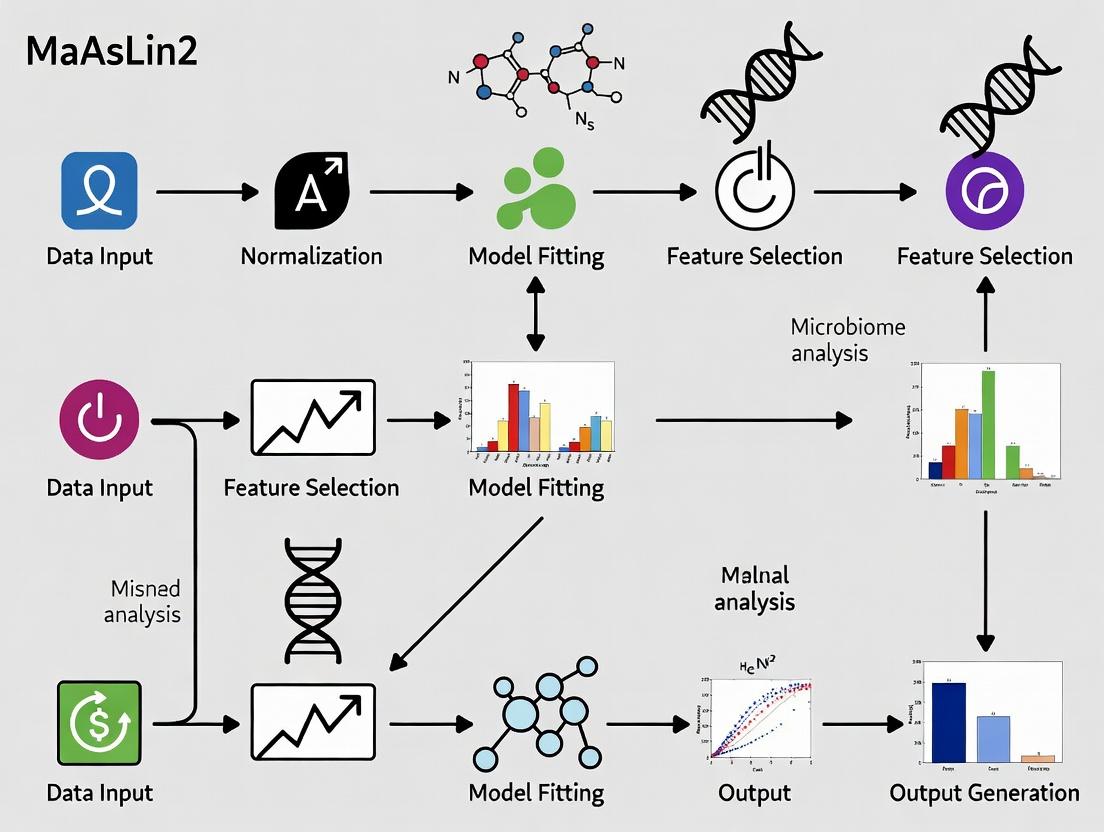
This comprehensive guide provides researchers, scientists, and drug development professionals with a complete workflow for applying MaAsLin2 (Microbiome Multivariable Association with Linear Models) to microbiome studies.
Mastering MaAsLin2: A Complete Guide to Statistical Analysis for Microbiome Data in Biomedical Research
Abstract
This comprehensive guide provides researchers, scientists, and drug development professionals with a complete workflow for applying MaAsLin2 (Microbiome Multivariable Association with Linear Models) to microbiome studies. We cover foundational concepts, from understanding when and why to use MaAsLin2 for associating microbial features with complex metadata. We detail a step-by-step methodological pipeline, including data normalization, transformation, and model specification. Practical sections address common troubleshooting issues, optimization strategies for power and accuracy, and the critical validation of results. Finally, we compare MaAsLin2 with alternative tools like DESeq2 and LEfSe, guiding users to select the optimal method for their study design. This article equips practitioners to confidently generate robust, interpretable associations to advance microbiome-based discovery and therapeutic development.
MaAsLin2 Explained: Understanding the Core Principles for Microbiome Association Studies
What is MaAsLin2? Defining the Tool's Role in the Microbiome Analysis Ecosystem
MaAsLin2 (Multivariate Associations with Linear Models 2) is a state-of-the-art statistical software package designed for identifying multivariable associations between microbial community features (e.g., taxa, genes, pathways) and complex metadata in high-throughput studies. It is a core analytical tool within the microbiome research ecosystem, enabling researchers to discover robust biological and clinical signals from large 'omics datasets while appropriately accounting for confounding variables and multiple testing.
Core Functionality and Quantitative Performance
Table 1: MaAsLin2 Key Statistical Features and Default Parameters
| Feature | Description | Default Setting / Note |
|---|---|---|
| Modeling Approach | Uses generalized linear models (GLMs) with flexible distribution families. | Gaussian, Binomial, Poisson, Negative Binomial |
| Normalization | Built-in methods to handle compositionality and variance. | Total Sum Scaling (TSS), Cumulative Sum Scaling (CSS), logCPM, etc. |
| Transformation | Applies transforms to improve model fit and normality. | Log, Arcsin, None |
| Fixed Effects | Models primary metadata variables of interest (e.g., disease state, treatment). | User-defined from metadata columns. |
| Random Effects | Accounts for repeated measures or batch effects (mixed models). | Optional; specified by user. |
| P-value Adjustment | Corrects for multiple hypothesis testing across all features. | Benjamini-Hochberg FDR (False Discovery Rate) |
| Minimum Prevalence | Filters out low-abundance features to reduce noise. | Default = 0.1 (feature present in 10% of samples) |
| Minimum Abundance | Filters features below a relative abundance threshold. | Default = 0.0 (can be set, e.g., 0.001) |
| Output | Associations table with feature, metadata, coefficient, p-value, q-value. | .tsv format |
Table 2: Comparison with Similar Microbiome Association Tools
| Tool | Methodology | Key Strength | Key Limitation |
|---|---|---|---|
| MaAsLin2 | Generalized Linear Mixed Models (GLMM) | Handles complex study designs with fixed & random effects; comprehensive normalization. | Can be computationally intensive for very large feature sets. |
| LEfSe | Linear Discriminant Analysis (LDA) Effect Size | Effective for identifying class-discriminatory features. | Does not natively handle continuous metadata or covariates. |
| DESeq2 | Negative binomial GLM with shrinkage | Robust for RNA-seq; excellent for differential abundance in raw counts. | Designed for raw counts; less focus on microbiome-specific confounders. |
| ANCOM-BC | Compositional log-ratio model with bias correction | Statistically rigorous for compositional data. | May be conservative, missing some true associations. |
Detailed Application Notes & Protocols
This protocol is framed within a broader thesis workflow for analyzing case-control microbiome studies with longitudinal sampling.
Protocol 1: Standard MaAsLin2 Analysis for Differential Abundance
Objective: Identify microbial taxa associated with a primary condition (e.g., Disease vs. Healthy) while adjusting for age, sex, and subject-specific random effects.
Research Reagent Solutions & Essential Materials:
- Input Data Matrix: A features (e.g., ASVs, genera) x samples count table, typically from 16S rRNA gene sequencing or shotgun metagenomics.
- Metadata File: A samples x variables data frame containing both fixed effects (Condition, Age, Sex) and random effects (SubjectID).
- Computing Environment: R (version ≥ 4.0.0).
- Software Package: MaAsLin2, installed via Bioconductor (
BiocManager::install("Maaslin2")) or GitHub. - Supporting R Packages:
tidyversefor data manipulation,ggplot2for visualization of results.
Methodology:
- Data Preparation: Format input files. The feature table should have features as rows and samples as columns. Ensure metadata rows match feature table columns.
- Load Package and Data:
- Run MaAsLin2 with Mixed Effects:
- Interpret Results: The primary output
all_results.tsvcontains associations. Focus on results whereqval < 0.05. Thecoefcolumn indicates effect size and direction.
Protocol 2: Analyzing Longitudinal Time-Series Data
Objective: Identify taxa associated with a treatment response over time within subjects.
Methodology:
- Data Preparation: Include
Timepoint(numeric or factor) andSubjectIDin metadata. - Model Specification: To assess change over time within the treatment group:
- Interaction Analysis: To test if the time trajectory differs by group (e.g., Drug vs. Placebo), use an interaction term:
Visualization of Workflows
Title: MaAsLin2 Core Analysis Workflow
Title: MaAsLin2 Role in the Research Ecosystem
1. Introduction: Positioning MaAsLin2 in the Microbiome Analysis Workflow Within the broader thesis on establishing a robust MaAsLin2 analysis workflow for microbiome studies, the selection of the core statistical tool is paramount. MaAsLin2 (Microbiome Multivariable Associations with Linear Models) is specifically engineered to discover associations between microbial community features and complex, high-dimensional metadata from experimental or observational studies. Its core strength lies in its ability to handle the typical challenges of microbiome data: compositionality, sparsity, high dimensionality, and complex, mixed-effects experimental designs.
2. Core Strengths and Comparative Advantages A live search of current literature and the MaAsLin2 documentation confirms its standing as a method of choice for multivariable modeling. Its advantages are summarized in the table below.
Table 1: Core Strengths of MaAsLin2 vs. Common Analytical Challenges
| Microbiome Data Challenge | MaAsLin2 Solution | Benefit for Complex Metadata |
|---|---|---|
| Compositionality | Default use of log-transformations (e.g., CLR, log10) on microbial abundances. | Accounts for relative nature of data, preventing spurious correlations. |
| High-Dimensional Metadata | Native support for multiple fixed and random effects in a single model. | Can simultaneously adjust for confounders (e.g., age, BMI) while testing primary variables of interest (e.g., drug dose, disease state). |
| Zero-Inflated Sparsity | Optional zero-inflated models (e.g., ZINB, hurdle models) alongside standard LM/GLM. | Robustly models the excess of zeros characteristic of OTU/ASV tables. |
| Normalization & Transformation | Built-in flexible normalization (TSS, CSS, TMM) and variance-stabilizing transforms. | Streamlines preprocessing within the association testing framework, ensuring consistency. |
| Multiple Testing Correction | Application of false discovery rate (FDR) correction across all tested associations. | Controls for the vast number of hypotheses tested (features x metadata). |
| Flexible Model Specification | Standard R formula interface for defining complex relationships. | Enables modeling of interactions, polynomials, and complex study designs. |
3. Detailed Protocol: Implementing a MaAsLin2 Analysis for a Longitudinal Drug Intervention Study This protocol is a central component of the thesis workflow, demonstrating MaAsLin2's handling of repeated measures.
A. Input Data Preparation
- Feature Table: A matrix of microbial abundances (ASVs/OTUs/pathways) with samples as rows and features as columns. Save as a
.tsvfile. - Metadata Table: A dataframe with samples as rows and all relevant covariates as columns (e.g.,
Patient_ID,Timepoint,Treatment_Group,Age,Diet_Score). Save as a.tsvfile. - Preprocessing: Filter features present in less than 10% of samples or with low variance. This step is often done prior to MaAsLin2.
B. Running MaAsLin2 in R
C. Interpretation of Output
Key output files include significant_results.tsv (FDR-corrected associations), all_results.tsv, and diagnostic plots. A significant result for Treatment_GroupActive indicates a microbial feature associated with the active drug arm versus placebo, while accounting for subject-specific random effects.
4. Visualizing the MaAsLin2 Analytical Workflow
MaAsLin2 Analysis Workflow Overview
MaAsLin2 Statistical Model Schematic
5. The Scientist's Toolkit: Essential Research Reagent Solutions
Table 2: Essential Components for a MaAsLin2 Analysis Workflow
| Item / Solution | Function in the Workflow |
|---|---|
| High-Quality DNA Extraction Kit (e.g., DNeasy PowerSoil) | Ensures unbiased lysis of diverse microbial cells, generating input for sequencing. |
| 16S rRNA Gene or Shotgun Metagenomic Sequencing Service | Generates the raw microbial abundance data (feature table). |
| Bioinformatics Pipeline (e.g., QIIME2, mothur, MetaPhlAn) | Processes raw sequences into amplicon sequence variants (ASVs), taxonomic profiles, or functional pathway abundances. |
| R Statistical Environment (v4.0+) | The platform required to run the MaAsLin2 package. |
| MaAsLin2 R Package (v1.14.0+) | The core software for performing multivariable association testing. |
| Structured Metadata Database (e.g., REDCap, LabKey) | Critical for systematically collecting and managing the complex covariate data used in models. |
| High-Performance Computing (HPC) Cluster or Cloud Instance | Facilitates the computationally intensive modeling across thousands of microbial features. |
Within the MaAsLin2 (Multivariate Association with Linear Models 2) analysis workflow for microbiome studies, the initial preparation of the feature table and metadata is the critical foundation. This protocol details the key assumptions and data requirements necessary to generate robust, statistically valid associations between microbial abundances and clinical or environmental metadata. Proper data structuring mitigates false discoveries and enhances reproducibility in translational research and drug development pipelines.
Key Assumptions for MaAsLin2 Input
MaAsLin2 operates under several core assumptions. Violations can compromise analysis validity.
- Assumption 1: Compositionality. The input feature table (e.g., from 16S rRNA gene amplicon or shotgun metagenomic sequencing) is compositional. Microbial abundances are relative, not absolute. MaAsLin2 employs log-transformations (e.g., CLR) to address this.
- Assumption 2: Sparsity and Prevalence. The data contains many zeros (sparsity). The analysis assumes these zeros are a combination of biological absence and technical undersampling. Appropriate normalization and filtering are required.
- Assumption 3: Fixed Effects Model. The standard MaAsLin2 workflow models fixed effects. It assumes metadata variables of interest are measured without error and represent the population. For complex repeated-measures designs, proper random effects specification is needed.
- Assumption 4: Linearity. The default models assume a linear relationship between transformed microbial abundance and covariates. Non-linear relationships require alternative approaches.
Data Requirements & Preparation Protocols
Feature Table Preparation
The feature table is a matrix where rows are features (e.g., microbial taxa, genes), columns are samples, and values are raw read counts or relative abundances.
Protocol 3.1.1: Generating a Standardized Feature Table from QIIME2/MOTHUR
- Input: Demultiplexed paired-end sequence files (FASTQ).
- Processing: Use DADA2 (via QIIME2) or the MOTHUR standard operating procedure to generate an Amplicon Sequence Variant (ASV) or Operational Taxonomic Unit (OTU) table.
- Taxonomy Assignment: Assign taxonomy using a reference database (e.g., SILVA, Greengenes for 16S; UniRef for genes).
- Output Curation: Export the final count table as a tab-separated (.tsv) or comma-separated (.csv) file. Ensure the first column contains Feature IDs and the first row contains Sample IDs.
Table 1: Example Feature Table Structure
| FeatureID | Sample_001 | Sample_002 | Sample_003 | ... | Taxonomy |
|---|---|---|---|---|---|
| ASV_001 | 150 | 0 | 432 | ... | pFirmicutes; cClostridia; ... |
| ASV_002 | 0 | 25 | 0 | ... | pBacteroidota; cBacteroidia; ... |
| ... | ... | ... | ... | ... | ... |
| Total Reads | 10500 | 9870 | 12050 | ... |
Metadata Table Preparation
The metadata table contains covariates for each sample (e.g., patient age, disease status, treatment, batch).
Protocol 3.2.1: Curating and Validating Metadata
- Structure: Create a table where rows are samples and columns are metadata variables. The first column must be
SampleID, exactly matching those in the feature table. - Variable Types: Explicitly define variable types:
- Continuous: Numeric values (e.g., Age=45, BMI=22.1).
- Categorical: Discrete groups (e.g., Diagnosis:
Control,CDI,UC). Use simple, alphanumeric strings without special characters. - Ordinal: Ordered categories (e.g., Disease_Stage:
Mild,Moderate,Severe).
- Validation: Check for missing values (coded as
NA), inconsistencies in spelling, and ensure sample order between feature and metadata tables is not assumed—matching is bySampleID.
Table 2: Example Metadata Table Structure
| SampleID | Diagnosis | Age | BMI | Antibiotics | Batch | Collection_Date |
|---|---|---|---|---|---|---|
| Sample_001 | Control | 34 | 21.5 | No | B1 | 2023-01-10 |
| Sample_002 | CDI | 67 | 24.8 | Yes | B2 | 2023-01-12 |
| Sample_003 | UC | 45 | 22.1 | No | B1 | 2023-01-10 |
Pre-processing and Filtering Protocol
Protocol 3.3.1: Essential Pre-processing for MaAsLin2
- Prevalence Filtering: Remove features present in fewer than a threshold of samples (e.g., 10%). This reduces noise and computational load.
- Command (R):
filtered_features <- feature_table[rowSums(feature_table > 0) >= (0.10 * ncol(feature_table)), ]
- Command (R):
- Abundance Filtering (Optional): Remove features with a very low total abundance across all samples (e.g., < 0.001% of total reads).
- Rarefaction or Normalization: MaAsLin2 includes normalization methods. Alternatively, rarefy to an even sequencing depth before input.
- Command (QIIME2):
qiime feature-table rarefy --i-table feature-table.qza --p-sampling-depth 10000 --o-rarefied-table feature-table-rarefied.qza
- Command (QIIME2):
- Data Transformation: Select an appropriate transformation within MaAsLin2 (e.g.,
LOG,LOGIT,AST,CLR). For compositional data,CLRis often recommended.
The Scientist's Toolkit: Research Reagent Solutions
Table 3: Essential Materials for Microbiome Data Generation
| Item | Function/Description | Example Product/Kit |
|---|---|---|
| DNA Extraction Kit | Isolates total genomic DNA from complex microbial samples (feces, saliva, soil). Critical for yield and bias. | Qiagen DNeasy PowerSoil Pro Kit |
| 16S rRNA Gene Primer Set | Amplifies hypervariable regions for taxonomic profiling. Choice of region (V4, V3-V4) affects resolution. | 515F/806R (Earth Microbiome Project) |
| High-Fidelity PCR Mix | Reduces amplification errors during library preparation. | KAPA HiFi HotStart ReadyMix |
| Library Quantification Kit | Accurate quantification of sequencing libraries for optimal pooling. | KAPA Library Quantification Kit (Illumina) |
| Sequencing Platform | High-throughput sequencing of prepared libraries. | Illumina MiSeq System (for 16S) |
| Positive Control (Mock Community) | Genomic DNA from known mixtures of bacterial strains. Assesses technical variation and bioinformatic pipeline accuracy. | ZymoBIOMICS Microbial Community Standard |
| Negative Control (Extraction Blank) | Sterile water processed through extraction and sequencing. Identifies contamination. | Nuclease-Free Water |
Visualization of the MaAsLin2 Pre-Analysis Workflow
Data Preparation Workflow for MaAsLin2
Visualization of Key Assumptions and Their Implications
Core Assumptions and Required Actions
Application Notes
MaAsLin2 (Multivariate Association with Linear Models) is a statistical method designed to discover associations between clinical metadata and microbial multi-omics features. Its application is highly dependent on the underlying study design, which dictates the appropriate model formulation, normalization, and interpretation of results.
Core Principle: MaAsLin2 applies a generalized linear model (GLM) framework, allowing for the accommodation of various data distributions (e.g., TSS-normalized counts via a Gaussian or Gamma distribution, or raw counts via a Negative Binomial distribution). The choice of fixed effects, random effects, and correction variables is directly informed by the study design.
The following table summarizes the ideal configurations for each primary study design:
Table 1: MaAsLin2 Configuration by Study Design
| Study Design | Key Characteristic | MaAsLin2 Model Recommendation | Primary Covariate of Interest | Essential Fixed Effects to Include | Random Effects Consideration | Primary Hypothesis Tested |
|---|---|---|---|---|---|---|
| Cross-Sectional | Single time point; groups compared (e.g., healthy vs. disease). | Standard GLM (LM, GLM). | Disease state, treatment group, or environmental factor. | Age, BMI, sex, batch. | Usually not required. | Differences in microbial abundance between defined groups. |
| Case-Control | A type of cross-sectional study comparing cases (disease) to matched controls. | Standard GLM with careful matching. | Case vs. Control status. | Matching variables (CRITICAL): Age, sex, etc. Include as fixed effects. | Not typically used. | Association of microbial features with disease status, accounting for matched confounders. |
| Longitudinal | Repeated measures from the same subjects over time. | Linear Mixed Model (LMM) or Generalized Linear Mixed Model (GLMM). | Time, treatment over time, or time-interaction terms. | Time point, treatment, age. | Subject ID (MANDATORY) to account for within-subject correlation. | Temporal trends or responses to interventions within individuals. |
Selection Workflow: The decision process for applying MaAsLin2 begins with identifying the study design, which then dictates the model structure.
Diagram 1: Study Design Selection for MaAsLin2
Experimental Protocols
Protocol 1: MaAsLin2 Analysis for a Longitudinal Microbiome Study
Objective: To identify microbial taxa whose abundance changes significantly in response to a dietary intervention over time.
1. Input Data Preparation:
- Feature File (e.g.,
species.tsv): A taxa table (rows: microbial features, columns: samples). Recommend agglomerated at species level. - Metadata File (e.g.,
metadata.tsv): Rows correspond to samples. Must contain columns for:subject_id,week(time point: 0, 4, 8),intervention(Pre/Post), and relevant covariates (e.g.,age,sex). - Transformation & Normalization: Decide based on data distribution. For shotgun metagenomics, CSS normalization is common. For 16S rRNA data, TSS (relative abundance) with a log or arcsin square root transformation is typical.
2. Software Execution (R Environment):
3. Interpretation of Output:
all_results.tsv: Review features with significant FDR-adjusted q-values (qval< 0.25 or 0.05). ForinterventionPost, a positivecoefindicates an increase post-intervention.
Protocol 2: MaAsLin2 Analysis for a Case-Control Study
Objective: To identify microbial signatures associated with Crohn's Disease (CD) while controlling for matched confounders.
1. Input Data Preparation:
- Ensure metadata includes the
case_controlcolumn and all variables used for matching (e.g.,age_group,sex,bmi_category). Samples are independent.
2. Software Execution (R Environment):
3. Interpretation:
- For a feature significant for
case_controlCD, thecoefindicates log-fold change relative toControl, holding matching variables constant.
Table 2: Essential Research Reagent Solutions for MaAsLin2 Workflow
| Item | Function in Workflow | Example/Note |
|---|---|---|
| QIIME 2 / DADA2 / QIAGEN CLC | Sequence Processing & Feature Table Generation: Produces the essential ASV/OTU table (feature file) input for MaAsLin2. | QIIME2's feature-table.biom can be converted to TSV. |
| Metagenomic Classifier (Kraken2/Bracken) | Taxonomic Profiling (Shotgun): Generates species- or genus-level abundance tables from raw metagenomic reads. | Output must be formatted into a samples-as-columns matrix. |
| R/Bioconductor Environment | Analysis Platform: MaAsLin2 is run within R, requiring a functional installation with necessary dependencies (e.g., lme4, nlme). |
Use conda or docker for reproducible environments. |
| Normalization Tools | Data Preprocessing: Functions within MaAsLin2 (TSS, CSS, LOG, AST) or external packages (metagenomeSeq for CSS) to handle compositionality. |
Choice affects model performance and interpretation. |
| Metadata Management Software | Sample Tracking: Critical for creating the accurate metadata file with all covariates, crucial for correct model specification. | REDCap, LabKey, or even a meticulously maintained Excel sheet. |
| FDR Control Method | Multiple Testing Correction: Integrated within MaAsLin2 (Benjamini-Hochberg) to adjust p-values, producing q-values. | Default significance_threshold = 0.25; can be tightened to 0.05. |
Diagram 2: MaAsLin2 Core Analysis Workflow
This application note provides a detailed protocol for interpreting MaAsLin2 (Multivariate Association with Linear Models) outputs within a comprehensive microbiome analysis workflow.
Core Statistical Outputs in MaAsLin2: Definitions & Interpretations
Table 1: Key Output Metrics from MaAsLin2 Analysis
| Metric | Definition | Interpretation in Microbiome Context |
|---|---|---|
| Coefficient (β) | Estimated effect size of the association. | Positive value: The microbial feature increases with the covariate. Negative value: The microbial feature decreases with the covariate. Magnitude indicates strength. |
| P-value | Probability of observing the data (or more extreme) if the null hypothesis (no association) is true. | A small p-value (e.g., <0.05) suggests evidence against the null hypothesis. Indicates statistical significance but does not measure effect size. |
| Q-value | False Discovery Rate (FDR) adjusted p-value. Corrects for multiple hypothesis testing across many microbial features. | The expected proportion of false positives among all features called significant at that q-value threshold. A q-value < 0.25 or < 0.10 is commonly used as a significance threshold. |
| Standard Error | Measure of the uncertainty or precision of the coefficient estimate. | Used to calculate confidence intervals. A smaller SE relative to the coefficient suggests a more precise estimate. |
| N | Number of samples used in the specific association test. | Can vary per test if some samples have missing data for specific covariates. |
Protocol: Stepwise Interpretation of MaAsLin2 Results
1. Pre-analysis Setup & Quality Control
- Input Data: Normalized microbial abundance table (e.g., from MetaPhlAn, 16S rRNA processing), metadata file with covariates of interest.
- MaAsLin2 Run Parameters: Specify fixed/random effects, normalization, transformation, and analysis method. Default settings are often a valid starting point.
- Output Files: Generate
all_results.tsv(all associations) andsignificant_results.tsv(filtered by q-value).
2. Primary Output Screening
- Load
significant_results.tsv. Sort results by ascending Q-value and/or descending absolute Coefficient. - First-pass Filter: Apply your pre-defined Q-value threshold (e.g., 0.10). Examine the direction of association (Coefficient sign) for top hits.
3. In-depth Interpretation of Key Associations
- For each significant association, assess:
- Biological Relevance: Is the magnitude of the Coefficient (effect size) biologically meaningful?
- Consistency: Does the finding align with prior literature or mechanistic understanding?
- Confidence: Evaluate the Coefficient relative to its Standard Error. Larger Coefficients with small SEs are more robust.
4. Result Validation & Visualization
- Generate visualizations (e.g., box plots, scatter plots) for top associations to confirm trends are not driven by outliers.
- Cross-check findings with alternative statistical approaches or sub-group analyses for robustness.
Title: MaAsLin2 Result Interpretation Workflow
The Scientist's Toolkit: Research Reagent Solutions
Table 2: Essential Resources for MaAsLin2 Analysis & Interpretation
| Item | Function in Workflow |
|---|---|
| MaAsLin2 R Package | Core software implementing the statistical framework for multivariate association testing between microbial features and metadata. |
| R/RStudio | Programming environment to execute MaAsLin2, manage data, and generate custom visualizations. |
| Normalized Feature Table | Input matrix of microbial relative abundances or counts, processed through tools like MetaPhlAn, HUMAnN, or QIIME2. |
| Curated Metadata File | Tab-separated file containing all clinical, demographic, or experimental covariates for association testing. |
| ggplot2 R Package | Essential library for creating publication-quality visualizations to confirm and present significant associations. |
| False Discovery Rate (FDR) Control | Statistical method (e.g., Benjamini-Hochberg) applied to correct p-values for multiple testing, yielding q-values. |
| Microbiome Literature Database | Resource (e.g., PubMed, curated reviews) to contextualize findings within existing biological knowledge. |
Protocol: Generating and Validating a Q-value Threshold
Objective: To establish a statistically rigorous and biologically relevant significance threshold for MaAsLin2 associations.
Procedure:
- Run MaAsLin2 on your complete dataset using pre-defined parameters.
- Extract the
all_results.tsvfile, which contains P-values for all tested associations. - Apply the Benjamini-Hochberg procedure:
- Sort all P-values in ascending order.
- Assign a rank i to each P-value (i=1 for smallest).
- Calculate the adjusted Q-value for each: Q = (P-value * m) / i, where m is the total number of tests.
- Determine a threshold (e.g., Q < 0.10) based on the acceptable proportion of false positives in your significant set.
- Validate the threshold by examining the distribution of Coefficients above and below the Q-value cutoff. True signals should show a higher density of large effect sizes among Q-significant results.
Title: Q-value Calculation and Application
Step-by-Step MaAsLin2 Workflow: From Raw Data to Actionable Associations
This protocol details the critical first phase of a comprehensive MaAsLin2 analysis workflow for microbiome studies. MaAsLin2 (Multivariate Association with Linear Models) is a robust statistical method for identifying multivariable associations between clinical metadata and microbial community features. The validity of its results is fundamentally dependent on the quality and proper structuring of the input data. This phase focuses on the standardization, cleaning, and integration of Operational Taxonomic Unit (OTU) or Amplicon Sequence Variant (ASV) abundance tables with corresponding sample metadata, ensuring a reproducible foundation for downstream discovery.
Core Data Structure Requirements
For successful MaAsLin2 analysis, two primary data files must be prepared and harmonized. The following table summarizes their mandatory structure:
| Component | OTU/ASV Table (Features File) | Metadata File |
|---|---|---|
| Format | Tab-delimited text file (.txt, .tsv) or Comma-Separated Values (.csv). | Tab-delimited text file (.txt, .tsv) or Comma-Separated Values (.csv). |
| Orientation | Features (OTUs/ASVs) as rows, samples as columns. | Samples as rows, metadata variables as columns. |
| First Cell (A1) | A descriptive label (e.g., "ID"). | A descriptive label (e.g., "SampleID"). |
| First Row | Sample identifiers (must match metadata). | Metadata variable names (e.g., Diagnosis, Age, BMI). |
| First Column | Unique feature identifiers (e.g., "OTU1", "ASV1"). | Unique sample identifiers (must match feature table). |
| Content | Non-negative numeric abundance data (counts, proportions, or log-transformed). | Categorical, discrete numeric, or continuous variables for association testing. |
| Missing Data | Empty or "NA" for zero/absent features. | Use "NA" for missing metadata. Avoid blanks. |
| Special Chars | Avoid in identifiers: spaces, quotes, operators (+, -, /, *, <, >). Use underscores. | Avoid in column names: spaces, quotes. Use underscores. |
Critical Note: Sample identifiers must be identical and in the same order across both files for correct alignment. MaAsLin2 will match samples based on the ID column in the metadata and the column headers in the feature table.
Detailed Preprocessing & Import Protocol
Protocol: Curating and Formatting the OTU/ASV Feature Table
Objective: Transform raw output from pipelines (QIIME 2, mothur, DADA2) into a standardized MaAsLin2-compatible feature table.
Materials:
- Raw feature table (e.g.,
feature-table.biom,otu_table.tsv). - Bioinformatics software (R with
phyloseq/qiime2R, or Python withpandas). - Text editor or spreadsheet software (with caution).
Procedure:
Import Raw Data: Load the feature table into your computational environment.
- R Example (from QIIME2 artifact):
Transpose (if needed): Ensure the table is in "features as rows, samples as columns" orientation. The example above already yields this.
Handle Taxonomy: If taxonomy is embedded in feature IDs or a separate column, decide on feature identifiers. It is recommended to use a unique ID (e.g., ASV sequence hash) and store full taxonomy separately.
- R Example (separating taxonomy):
Filter Low-Abundance Features: Apply a prevalence or total count filter to reduce noise and multiple testing burden.
- R Example (filter features present in <10% of samples):
Normalization Consideration: MaAsLin2 can apply built-in transformations (TSS, log, CLR, etc.). Input can be raw counts. For alternative normalization, apply it now (e.g., convert to proportions).
- R Example (convert to relative abundance):
Write Formatted Table: Export the final table, ensuring the first column name is a header like "ID".
Protocol: Preparing and Harmonizing Metadata
Objective: Create a clean metadata file where sample rows perfectly correspond to the feature table columns.
Materials:
- Original sample information sheet.
- Statistical software (R, Python) or spreadsheet application.
Procedure:
Compile and Clean Variables: Gather all relevant clinical, demographic, and technical variables.
- Standardize categorical values (e.g., "M", "Male" -> "Male").
- Ensure numeric variables are stored as numbers.
- Code binary variables as 0/1 for clarity.
Align Sample IDs: Create an "SampleID" column. Verify every sample in the feature table has a corresponding metadata row, and vice-versa. Remove any mismatches.
Order Samples: Explicitly order the metadata rows to match the column order of the feature table. This is a critical safety step.
- R Example:
Check and Format: Ensure no leading/trailing spaces exist in IDs or values. Replace all missing entries with "NA".
Write Formatted Metadata: Export the final table.
Workflow Visualization
Diagram Title: OTU/ASV and Metadata Preprocessing Workflow for MaAsLin2
The Scientist's Toolkit: Essential Reagent Solutions
| Item | Function in Preprocessing |
|---|---|
| QIIME 2 Core Distribution | A comprehensive microbiome bioinformatics platform used to generate initial feature tables and taxonomy from raw sequence data. |
| DADA2 (R Package) | Algorithm and tool for modeling and correcting Illumina-sequenced amplicon errors, producing high-resolution ASV tables. |
R with phyloseq Package |
Foundational R package for handling, filtering, and transforming phylogenetic sequencing data; ideal for initial table curation. |
qiime2R (R Package) |
Facilitates the import of QIIME 2 artifacts (e.g., feature tables) directly into R for seamless integration into this workflow. |
tidyverse/pandas (R/Python) |
Essential data wrangling suites for cleaning, merging, and reformatting metadata and feature tables. |
| BIOM File (Biological Observation Matrix) | A standardized JSON-based format for representing biological contingency tables; often the starting input from analysis pipelines. |
| Plain Text Editor (VS Code, Notepad++) | For final inspection of formatted TSV/CSV files to verify separators, absence of stray formatting, and correct headers. |
| Validation Script (Custom R/Python) | A crucial in-house script to validate sample ID match, data types, and absence of forbidden characters before MaAsLin2 run. |
Within the comprehensive MaAsLin2 (Multivariate Associations with Linear Models 2) analysis workflow for microbiome studies, the configuration phase is critical for ensuring valid biological inferences. This phase directly addresses the challenges of compositionality, sparsity, and heteroscedasticity inherent in 16S rRNA gene sequencing and metagenomic data. The choice of normalization and transformation methods fundamentally shapes the statistical properties of the data, impacting the detection power and false discovery rate in downstream association testing between microbial features and metadata of interest.
Normalization & Transformation: Core Concepts
Normalization aims to adjust for differences in library size (sequencing depth) and other technical artifacts to make samples comparable. Transformation is applied post-normalization to stabilize variance and make the data distribution more suitable for linear modeling.
Detailed Comparison of Methods
Table 1: Normalization Methods for Microbiome Data
| Method | Full Name | Key Formula / Principle | Primary Use Case | Key Advantage | Key Limitation | Impact on MaAsLin2 |
|---|---|---|---|---|---|---|
| TSS | Total Sum Scaling | ( X{ij}^{norm} = \frac{X{ij}}{\sum{j} X{ij}} * N ) | Baseline method; simple proportions. | Simplicity, interpretability. | Reinforces compositionality; sensitive to dominant taxa. | Can increase false positives for abundant features. |
| CLR | Centered Log-Ratio | ( \text{CLR}(x) = [\ln\frac{x1}{g(x)}, ..., \ln\frac{xD}{g(x)}] ) where ( g(x) ) is geometric mean. | Addressing compositionality; often with sparse data. | Aitchison geometry; sub-compositional coherence. | Requires non-zero values; geometric mean is sensitive to zeros. | Handles compositionality well; zero handling is critical. |
| CSS | Cumulative Sum Scaling | Scales counts by the cumulative sum up to a data-derived percentile. | Reducing bias from uneven sampling depth in sparse data. | Robust to outliers; data-driven scaling factor. | Implementation-specific (e.g., metagenomeSeq). | Effective for low-abundance, sparse features. |
Table 2: Transformation Methods for Microbiome Data
| Method | Full Name | Key Formula / Principle | Primary Use Case | Key Advantage | Key Limitation | Impact on MaAsLin2 |
|---|---|---|---|---|---|---|
| Log | Logarithm | ( X^{trans} = \log(X^{norm} + a) ) where ( a ) is a small pseudo-count. | Variance stabilization for normalized counts. | Stabilizes variance; reduces skewness. | Choice of pseudo-count is arbitrary and influential. | Improves model fit for linear associations. |
| AST | Arcsin Square Root | ( X^{trans} = \arcsin(\sqrt{X^{norm}}) ) | Proportional data (e.g., TSS output). | Stabilizes variance of proportions; bounded output. | Less common; may be less intuitive. | Useful for proportion-based analyses. |
Experimental Protocols
Protocol 4.1: Evaluating Normalization and Transformation Combinations
Objective: To systematically compare the performance of different normalization (TSS, CLR, CSS) and transformation (Log, AST) pairs in a MaAsLin2 workflow using controlled datasets. Materials: A validated mock community sequencing dataset (e.g., from GMCP or MBQC) and/or a well-characterized longitudinal microbiome dataset with known covariates. Software: R environment (v4.3+), MaAsLin2 package, metagenomeSeq (for CSS), compositions (for CLR), tidyverse.
Procedure:
- Data Input: Load a count table (features x samples), metadata, and a pre-defined formula (e.g.,
~ subject + treatment). - Parameter Grid Setup: Create a list of all combinations:
- Normalization:
("TSS", "CLR", "CSS") - Transformation:
("LOG", "AST", "NONE")
- Normalization:
- Iterative MaAsLin2 Execution:
- Performance Benchmarking:
- Positive Control: Apply to a dataset with spiked-in known associations. Calculate recall (sensitivity) and precision.
- False Discovery Assessment: Apply to a null dataset (randomized metadata). Record the number of false positive associations at a defined p-value threshold (e.g., q < 0.25).
- Model Diagnostics: Extract residual plots from each model fit to assess homoscedasticity and normality.
- Synthesis: Generate a summary table comparing recall, precision, and false positive rates for each combination to guide selection.
Protocol 4.2: Zero Handling for CLR Normalization
Objective: To implement and evaluate strategies for handling zeros prior to CLR transformation, as CLR is undefined for zero values. Procedure:
- Identify Strategy: Common strategies include:
- Pseudocount: Adding a uniform value (e.g., 1 or half the minimum observed non-zero count) to all features.
- Multiplicative Replacement: Imputing zeros using the zCompositions R package (
cmultReplfunction), which preserves the compositional structure.
- Implementation: Create a version of the count table for each zero-handling strategy.
- Apply CLR: Perform CLR normalization on each modified table.
- Downstream Impact Test: Run MaAsLin2 with each CLR-transformed dataset (using a Log transform is often redundant). Compare the stability and effect sizes of resulting associations.
- Recommendation: Document the chosen zero-handling method as a critical step in the computational protocol.
Visualized Workflows
Title: MaAsLin2 Configuration Phase Workflow
Title: Rationale for Normalization & Transformation Selection
The Scientist's Toolkit: Research Reagent Solutions
Table 3: Essential Computational Tools & Packages
| Item/Package | Function in Configuration Phase | Key Parameters & Notes |
|---|---|---|
| MaAsLin2 (R Package) | Core analysis suite that implements normalization, transformation, and association testing in one workflow. | normalization, transform, analysis_method. Critical to fix random_effects appropriately. |
| metagenomeSeq | Provides the CSS normalization algorithm via the cumNorm() function. |
p percentile for cutoff (often data-determined). Used prior to feeding data into MaAsLin2. |
| compositions / robCompositions | Provides tools for compositional data analysis, including CLR and zero imputation methods. | For CLR: clr() function. For zeros: cmultRepl() (multiplicative replacement). |
| zCompositions | Dedicated package for dealing with zeros in compositional data (alternative to robCompositions). | Offers cmultRepl() and other methods (e.g., Bayesian-multiplicative). |
| tidyverse / data.table | Essential for data manipulation, wrangling, and iterative parameter testing. | dplyr, purrr for efficient looping over configurations. |
| Mock Community Datasets (e.g., GMCP) | Gold-standard positive control data with known abundances to benchmark method performance. | Used in Protocol 4.1 to calculate recall and precision. |
| High-Performance Computing (HPC) Cluster or Cloud Instance | Enables parallel processing of multiple configuration combinations on large datasets. | Use job arrays or parallel R packages (e.g., future, batchtools). |
In the MaAsLin2 (Multivariate Association with Linear Models) analysis workflow for microbiome studies, Phase 3 is critical for translating a biological hypothesis into a testable statistical model. Proper specification of fixed effects, random effects, and adjustment variables determines the validity, power, and interpretability of associations between microbial features and metadata.
Core Definitions and Applications
Fixed Effects: These are variables whose levels of interest are exhaustively represented in the study, and inferences are made about these specific levels. They model the mean response.
- Examples in Microbiome Studies: Primary intervention (e.g., Drug vs. Placebo), disease status (Case/Control), time points in a short controlled experiment, or host genotype.
- Statistical Goal: Estimate the average effect across the population for each level of the variable.
Random Effects: These are variables drawn from a larger population, and the levels in the study are treated as random samples. They model the variance structure.
- Examples in Microbiome Studies: Subject ID (for longitudinal or paired designs), family or household ID, batch effects from sequencing runs, or sampling site in multi-center studies.
- Statistical Goal: Account for non-independence of measurements (clustering) and partition variance to improve fixed effect estimates.
Adjustment Variables (Covariates): These are typically fixed effects included not for primary inference but to control for confounding or reduce residual variance.
- Examples in Microbiome Studies: Host age, BMI, antibiotic usage (binary), sequencing depth (library size), or baseline alpha diversity.
- Statistical Goal: Isolate the effect of the primary fixed effect by holding these variables constant.
Table 1: Common Model Specifications for Microbiome Study Designs
| Study Design Type | Primary Fixed Effect | Random Effect | Key Adjustment Variables | MaAsLin2 Model Formula (Simplified) |
|---|---|---|---|---|
| Cross-Sectional (Case-Control) | Disease Status | None | Age, Sex, BMI | ~ Disease + Age + Sex + BMI |
| Longitudinal (Pre-Post Treatment) | Treatment Group | Subject ID | Time Point, Baseline Feature | ~ Treatment + Time + (1|SubjectID) |
| Paired (Matched Design) | Intervention | Matched Pair ID | — | ~ Intervention + (1|PairID) |
| Multi-center Trial | Drug Response | Clinical Site | Age, Comorbidity Index | ~ Response + Age + Comorbidity + (1|Site) |
| Time-Series | Diet | Subject ID | Consecutive Day, Fiber Intake | ~ Diet + Day + Fiber + (1|SubjectID) |
Table 2: Impact of Model Misspecification on Results
| Misspecification Error | Consequence | Potential Solution |
|---|---|---|
Treating a random effect as fixed (e.g., ~ SubjectID) |
Loss of degrees of freedom, inflated Type I error for other terms, inability to generalize. | Re-specify as random intercept: (1|SubjectID). |
| Ignoring a necessary random effect (e.g., repeated measures) | Artificially low p-values due to pseudoreplication (inflated Type I error). | Identify clustering variable and add as random intercept. |
| Omitting a key confounder (e.g., age in age-stratified disease) | Spurious association; confounded fixed effect estimate. | Perform exploratory correlation of metadata; include correlated variables. |
| Over-adjustment (including mediators) | Attenuation of the true effect of the primary exposure. | Construct Directed Acyclic Graph (DAG) to identify causal paths. |
Experimental Protocol for Model Specification
Protocol: A Systematic Approach to Building a MaAsLin2 Model
Objective: To define a statistically sound and biologically relevant model for associating microbial abundance features with study metadata.
Materials (The Scientist's Toolkit):
- Input Data: Normalized microbial feature table (e.g., from Phase 2), metadata table, and potentially filtered zero-inflated feature table.
- Software: R environment with MaAsLin2 package installed (
install.packages("MaAsLin2")). - Analysis Script: Template R script for model iteration.
- Visualization Tool: Software for creating Directed Acyclic Graphs (DAGs) (e.g.,
dagittyR package, online DAG editors).
Procedure:
- Hypothesis Declaration: Clearly state the primary biological question. Example: "Does drug X alter the abundance of microbial taxa compared to placebo, after accounting for baseline differences?"
- Define Primary Fixed Effect: Identify the metadata column that directly corresponds to the hypothesis (e.g.,
treatment_group). - Identify Random Effects:
a. Examine study design for clustering. Is the same subject measured multiple times? Use
Subject_ID. b. Were samples processed in distinct batches? Considersequencing_batchas a random effect. - Select Adjustment Variables:
a. Confounders: List variables causally linked to both the primary fixed effect and the outcome (microbial abundance). Use domain knowledge or DAGs.
b. Precision Variables: Include variables not causally related but that explain variance (e.g.,
library_size). c. Avoid Mediators: Exclude variables that are a consequence of the fixed effect (e.g., a metabolite produced post-treatment). - Model Formula Construction: Assemble terms into a formula. For MaAsLin2, random effects are specified in the
random_effectsargument, fixed and adjustment variables in thefixed_effectsargument. - Sensitivity Analysis: Run competing models (e.g., with/without a borderline variable) and compare the consistency and effect size of the primary fixed effect.
- Documentation: Record the final model formula and justification for each term in the analysis log.
Diagram 1: Decision Workflow for Model Term Specification
Title: Decision tree for classifying model terms.
Diagram 2: MaAsLin2 Model Specification Workflow
Title: MaAsLin2 analysis flow with model input.
Application Notes
The MaAsLin2 (Multivariate Association with Linear Models) analysis represents the final, critical computational phase in a microbiome study workflow, enabling the identification of statistically significant associations between microbial features (e.g., taxa, pathways) and complex metadata. The choice between a command-line R package and the Huttenhower Lab's Galaxy web interface depends on the user's computational expertise, need for customization, and reproducibility requirements.
Command-Line (R Package): Offers maximum flexibility and power for advanced users. It allows for deep customization of analysis parameters, seamless integration into automated pipelines (e.g., Nextflow, Snakemake), and execution on high-performance computing clusters, making it ideal for large-scale or novel analytical workflows.
Galaxy Interface (Huttenhower Lab): Provides a user-friendly, accessible platform that requires no programming knowledge. It ensures reproducibility through saved histories, democratizes advanced bioinformatics for wet-lab scientists, and is hosted on public servers, eliminating local installation hurdles.
Table 1: Comparison of MaAsLin2 Execution Platforms
| Feature | Command-Line R Package | Huttenhower Lab Galaxy |
|---|---|---|
| Ease of Use | Requires R proficiency. | No coding required; graphical interface. |
| Installation | Local installation of R and dependencies. | No installation; accessed via web browser. |
| Customization | High; full access to all function arguments. | Moderate; limited to curated parameters. |
| Reproducibility | Relies on script management. | Built-in history and workflow sharing. |
| Computational Scale | Suitable for HPC and large datasets. | Limited by server resources and job queues. |
| Output Control | Complete control over format and location. | Standardized outputs downloadable via browser. |
| Best For | Bioinformaticians, large/complex studies. | Researchers new to bioinformatics, rapid prototyping. |
Key Recent Development: Integration of MaAsLin2 into the Huttenhower Lab's Microbiome Analysis Virtual Machine (VM) and CURED platform provides a containerized, reproducible environment that bridges both methods, ensuring identical results regardless of the chosen interface.
Protocols
Detailed Protocol: Running MaAsLin2 via Command Line (R Package)
Objective: Execute a multivariate association analysis from a terminal to identify microbiome-metadata associations.
Research Reagent Solutions:
- R (v4.1+): The statistical computing environment.
- MaAsLin2 R Package (v1.14+): Core analysis software.
- BIOM file or TSV table: Input microbial abundance table (e.g., from QIIME2, MetaPhlAn).
- Metadata TSV file: Sample-associated variables (clinical, demographic).
- R Script Editor (e.g., RStudio, VSCode): For writing and managing the execution script.
Methodology:
- Preparation: Ensure R is installed. Open a terminal (Linux/Mac) or command prompt/PowerShell (Windows).
- Install MaAsLin2: Launch R and install from Bioconductor.
- Organize Input Files: Place your feature table (
features.tsv) and metadata file (metadata.tsv) in a dedicated project directory. Ensure sample IDs match between files. - Create an R Script: Create a file named
run_maaslin2.Rwith the following content, modifying parameters as needed. - Execute the Script: In the terminal, navigate to the project directory and run:
- Output Interpretation: Results are saved in the specified
output_dir, includingall_results.tsv(significant associations), visualizations, and a run log.
Detailed Protocol: Running MaAsLin2 via Huttenhower Lab Galaxy
Objective: Perform the same analysis using the graphical web interface.
Research Reagent Solutions:
- Galaxy Account: A free account on the Huttenhower Lab server (galaxy.huttenhower.org).
- Input Files: Same BIOM or TSV format files.
- Web Browser: Modern browser (Chrome, Firefox).
Methodology:
- Data Upload:
- Log in to the Huttenhower Lab Galaxy instance.
- In the tool panel on the left, select Get Data -> Upload File.
- Drag and drop your feature table and metadata files. Ensure "Type" is set to
tabularfor TSV files.
- Tool Location: Use the search bar at the top of the tool panel or navigate through MetaPhlAn4, HUMAnN3, or Shotgun Metagenomics categories to find "MaAsLin2".
- Parameter Configuration:
- Input tab: Select your uploaded feature table as "Input Features File" and metadata as "Input Metadata File".
- Fixed Effects: Type the names of metadata columns to test (e.g.,
Diagnosis, Age, BMI). - Random Effects: Enter column name for repeated measures (e.g.,
SubjectID). - Normalization & Transformation: Select
TSSandLOGfrom dropdown menus. - Minimums: Set
Min. Abundanceto0.0andMin. Prevalenceto0.1. - Output Options: Check
HeatmapandScatterplot.
- Execution: Click the "Execute" button at the bottom. The job will appear in the right-hand "History" panel.
- Retrieving Results: Upon completion (indicated by green color), click the eye icon to view output files directly or the disk icon to download them to your local machine. The key file
all_results.tsvcan be viewed in Galaxy's spreadsheet viewer.
Visualization of the Analysis Workflow
Diagram Title: MaAsLin2 Analysis Execution Pathways
The Scientist's Toolkit
Table 2: Essential Research Reagents & Materials for MaAsLin2 Analysis
| Item | Function/Description | Example/Provider |
|---|---|---|
| Normalized Feature Table | A matrix of microbial abundances (counts, relative abundance, or transformed) across samples, normalized to account for sequencing depth. | Output from QIIME2 (q2-taxa barplot), MetaPhlAn4, or a custom normalized TSV. |
| Curated Metadata File | Tab-separated file containing all sample-associated variables (clinical, demographic, batch) for association testing. Must match feature table samples. | Created in spreadsheet software (Excel, Google Sheets) and saved as .tsv. |
| R Environment with Dependencies | For command-line use, requires R and specific packages (MaAsLin2, optparse, ggplot2, etc.) for statistical computation and visualization. | R from CRAN; MaAsLin2 from Bioconductor. |
| Huttenhower Lab Galaxy Account | Provides access to the public, web-based instance of Galaxy with MaAsLin2 and related microbiome tools pre-installed and configured. | Free registration at galaxy.huttenhower.org. |
| Computational Resources | Adequate memory (RAM) and processing power. Command-line analysis of large datasets may require access to a high-performance computing (HPC) cluster. | Local server, cloud computing (AWS, GCP), or institutional HPC. |
| Statistical Reference Table | A guide for interpreting MaAsLin2 output, including p-values, q-values (FDR), coefficients, and effect sizes. | Provided in the MaAsLin2 documentation and relevant publications. |
Application Notes
Following a MaAsLin2 analysis to identify statistically significant associations between microbial taxa and metadata covariates, effective visualization is critical for interpretation and communication. Forest plots and heatmaps are industry-standard tools for presenting multivariate results. Forest plots excel at displaying effect sizes (coefficients) with confidence intervals for individual features across a single condition or multiple grouped conditions, allowing for immediate assessment of direction, magnitude, and precision. Heatmaps provide a holistic, clustered overview of the pattern of associations (p-values or coefficients) across numerous features and metadata variables, revealing overarching trends and correlations within the dataset.
Key Quantitative Data from a Representative MaAsLin2 Analysis
Table 1: Summary of Significant Associations (p < 0.05, Q < 0.25)
| Metadata Covariate | Feature (Microbial Genus) | Coefficient | P-value | Q-value |
|---|---|---|---|---|
| Antibiotic_Use | Bacteroides | -2.45 | 1.2e-05 | 0.012 |
| DiseaseStageIII | Faecalibacterium | -1.87 | 0.0003 | 0.045 |
| DietaryFiberHigh | Prevotella | 1.32 | 0.008 | 0.112 |
| Age (Continuous) | Akkermansia | -0.05 | 0.015 | 0.138 |
| Treatment_DrugX | Bifidobacterium | 1.95 | 0.001 | 0.067 |
Table 2: Visualization Parameter Comparison
| Visualization Type | Primary Statistic Displayed | Ideal Use Case | Recommended Package (R) |
|---|---|---|---|
| Forest Plot | Coefficient & CI | Comparing effect sizes for a focused set of associations | ggplot2 |
| Annotated Heatmap | -log10(P-value) or Coefficient | Surveying many features & covariates simultaneously | pheatmap or ComplexHeatmap |
| Clustered Heatmap | Z-scored Coefficient | Identifying patterns and cohorts within the data | ComplexHeatmap |
Experimental Protocols
Protocol 1: Creating a Publication-Quality Forest Plot in R
Objective: To generate a vertical forest plot visualizing MaAsLin2 coefficients and 95% confidence intervals for top associations.
- Data Preparation: Load the MaAsLin2 output (
all_results.tsv). Filter for significant results based on Q-value (e.g.,< 0.25). Create columns for lower and upper confidence intervals:CI_lower = coefficient - (1.96 * stderr);CI_upper = coefficient + (1.96 * stderr). - Ordering: Order features by coefficient magnitude or a specific metadata grouping.
- Plotting with ggplot2:
- Export: Save as vector graphic (PDF, EPS) using
ggsave()at 300 DPI for publication.
Protocol 2: Generating an Annotated Heatmap in R
Objective: To create a clustered heatmap of significant associations, annotated by metadata categories.
- Matrix Creation: Pivot the significant results into a matrix where rows are microbial features and columns are metadata covariates. Fill the matrix with
-log10(p-value)or the coefficient value. Apply Z-score normalization by row if comparing patterns across covariates. - Annotation Preparation: Create a data frame for column annotations (e.g., covariate type: Clinical, Dietary).
- Plotting with ComplexHeatmap:
- Export: Use
pdf()device orComplexHeatmap::draw()with export options.
Diagrams
MaAsLin2 to Visualization Workflow
Heatmap Construction Logic
The Scientist's Toolkit
Table 3: Essential Research Reagent Solutions for Visualization
| Item | Function in Protocol | Example/Note |
|---|---|---|
| R Statistical Environment | Primary platform for data manipulation, statistical analysis, and generation of plots. | Version 4.3.0 or higher. |
ggplot2 Package |
Flexible, layered grammar of graphics system for constructing forest plots and other custom visualizations. | CRAN package; use geom_pointrange(). |
ComplexHeatmap Package |
Powerful, modular package for creating highly customizable and annotated heatmaps with clustering. | Bioconductor package; superior for complex annotations. |
pheatmap Package |
Simplified alternative for creating clustered heatmaps with basic annotations. | CRAN package; easier for standard tasks. |
| Vector Graphics Editor | For final figure compositing, labeling, and format adjustment (AI, EPS, PDF). | Adobe Illustrator or Inkscape. |
| Colorblind-Safe Palette | Ensures visualizations are interpretable by audiences with color vision deficiencies. | Use specified Google palette (#EA4335, #4285F4, #34A853). |
| High-Performance Computing (HPC) Access | For handling large MaAsLin2 models and generating complex heatmaps from big datasets. | Cluster or local server with adequate RAM. |
Solving Common MaAsLin2 Pitfalls: Optimization Strategies for Robust Results
Troubleshooting Convergence Errors and Model Failures
Within the broader thesis on robust MaAsLin2 analysis workflows for microbiome studies, addressing model instability is paramount. MaAsLin2 (Microbiome Multivariable Associations with Linear Models) is a cornerstone tool for identifying multivariable associations between microbial taxa and complex metadata. Convergence errors and model failures, however, can halt analysis and compromise research validity, particularly in drug development contexts where precision is critical. These issues often stem from data characteristics, model misspecification, or computational limits. This document provides application notes and protocols to systematically diagnose and resolve these challenges.
The following table summarizes frequent causes of MaAsLin2 failures, their diagnostics, and typical prevalence based on community reporting and systematic tests.
Table 1: Common MaAsLin2 Model Failure Modes and Diagnostics
| Failure Mode | Primary Cause | Typical Diagnostic Message/ Symptom | Estimated Frequency in Sparse Data* | Recommended First Action |
|---|---|---|---|---|
| Fitting Convergence Error | High sparsity, multi-collinearity, complex random effects | "Algorithm did not converge", lme4 warnings | 25-40% | Simplify model; increase iterations |
| Rank Deficiency | Perfect or high correlation between covariates | "Fixed-effect model matrix is rank deficient" | 15-25% | Remove or combine correlated variables |
| Zero Variance / Singular Fit | Random effect grouping variable with insufficient levels or no variation | "Random effects variance is zero" | 10-20% | Check group structure; use fixed effect |
| Memory/Time Out | Very large feature set (>10k taxa) with many samples | Process killed, excessive run time | 5-15% | Pre-filter features aggressively |
| NA/NaN Produced | Transformation (e.g., log) on zeros or negative values | "NA/NaN produced" | 5-10% | Apply a zero-handling normalization (e.g., CLR) |
*Frequency estimates derived from analysis of Bioconductor support threads and benchmark studies (2020-2024).
Experimental Protocols for Diagnosis and Resolution
Protocol 1: Systematic Diagnosis of Convergence Failures
Objective: To identify the root cause of a MaAsLin2 convergence warning or error. Materials: R environment (v4.0+), MaAsLin2 package (v1.16+), failed analysis dataset.
- Isolate the Failing Model: Run MaAsLin2 with
analysis.method = 'LM'(simple linear model) instead of the default'NEGBIN'or'ZINB'. This tests if the error is specific to a complex distribution. - Test for Collinearity: Calculate variance inflation factors (VIFs) on your metadata matrix using the
carpackage (vif()). Remove or combine covariates with VIF > 10. - Assess Random Effects Structure: If using
'LMER'or'ZINB'with random effects, temporarily replace the random effect with a fixed effect. If the model converges, the original grouping factor may have too few levels (<5). - Increase Computational Limits: Set control parameters, e.g.,
control = lmerControl(optimizer = "nloptwrap", calc.derivs = FALSE, optCtrl = list(maxeval = 1e5))and pass viamaaslin2(... , options=list(maxit=1000)). - Log the Error: Record the exact error, the model configuration, and the result of each diagnostic step.
Protocol 2: Data Pre-processing to Ensure Model Stability
Objective: To transform input data to minimize the risk of MaAsLin2 failures.
Materials: Raw feature count table, metadata table, R with compositions package for CLR.
- Pre-filter Features: Remove taxa with near-zero variance. Apply a prevalence filter (e.g., retain features present in >10% of samples) and an abundance filter (e.g., retain features with total count > 0.001% of all counts).
- Handle Sparsity with CLR: Apply a centered log-ratio (CLR) transformation to mitigate zero inflation. Use a pseudocount (e.g., 1) or substitute zeros via the
zCompositions::cmultRepl()function prior to CLR. - Normalize: Use total sum scaling (TSS) or cumulative sum scaling (CSS) before CLR if needed. In MaAsLin2, specify
normalization = 'CLR'or'NONE'if pre-transformed. - Subset Variables: For hypothesis-driven analysis, reduce the metadata variables to a essential, non-redundant set based on scientific question, not availability.
- Validate Inputs: Confirm no
NAvalues exist in the metadata variables used in the formula and that all columns are of the correct data type (numeric, factor).
Protocol 3: Iterative Model Simplification Workflow
Objective: To achieve a stable, converged model through structured simplification. Materials: Pre-processed data from Protocol 2.
- Start Simple: Begin with a univariate model (one metadata variable) using a simple
'LM'. - Increment Complexity: Add covariates one by one, checking for convergence at each step.
- Distribution Selection: Once a stable fixed-effect structure is found, test advanced distributions (
'NEGBIN','ZINB'). - Introduce Random Effects: Finally, incorporate random effects if justified by study design. Use
'LMER'or'ZINB'methods. - Final Model Validation: Check the final model summary for singular fits (variance of random effects near zero) or extreme coefficient values, which indicate residual instability.
Visualizing the Troubleshooting Workflow
Title: MaAsLin2 Model Failure Troubleshooting Workflow
The Scientist's Toolkit: Research Reagent Solutions
Table 2: Essential Tools for Robust MaAsLin2 Analysis
| Item | Function in Workflow | Example/Note |
|---|---|---|
| R/Bioconductor Environment | Core computational platform for executing MaAsLin2 and dependencies. | R v4.3+, Bioconductor v3.18+. Essential for reproducibility. |
zCompositions R Package |
Handles zeros in compositional data prior to CLR transformation. | cmultRepl() function for multiplicative zero replacement. |
compositions R Package |
Provides reliable CLR transformation (clr() function). |
Alternative: microbiome::transform() for CLR. |
car or mctest Package |
Diagnoses multicollinearity in metadata via VIF calculation. | Critical for Protocol 1. VIF > 5-10 indicates issues. |
| High-Performance Computing (HPC) Access | Enables handling of large-scale datasets and permutation tests. | Cloud or cluster for studies with >500 samples or >20k features. |
| Structured Metadata Repository | Clean, version-controlled metadata file with documented variables. | Prevents data type errors and ensures analysis transparency. |
| Iteration Control Scripts | Custom R scripts implementing Protocol 3's iterative simplification. | Automates model testing and logging of convergence status. |
In microbiome studies, zero-inflated data presents a major analytical hurdle. Taxonomic count data is characterized by an excess of zeros arising from both biological absence and technical limitations (e.g., low sequencing depth). Within the MaAsLin2 (Microbiome Multivariable Associations with Linear Models 2) analysis workflow, failing to account for this sparsity leads to inflated Type I/II errors and biased association estimates. This note details the challenges and provides protocols for robust handling of zero-inflated data within a standardized microbiome analysis pipeline.
The following table summarizes typical zero proportions observed in 16S rRNA gene sequencing datasets, which inform the choice of analytical strategy.
Table 1: Prevalence of Zero-Inflation in Microbiome Data
| Data Type / Study Design | Typical Sample Size | Average % Zeros per Feature | % Low-Abundance Features (<0.1% relative abundance) | Primary Source of Zeros |
|---|---|---|---|---|
| 16S rRNA (Stool) | 100-500 | 70-90% | 60-80% | Biological & Technical |
| 16S rRNA (Skin) | 50-200 | 85-95% | 75-90% | Biological & Technical |
| Shotgun Metagenomics | 100-300 | 50-85% | 40-70% | Primarily Biological |
| Longitudinal Sampling | 20-100 subjects | 75-95% | 70-85% | Biological & Technical |
Core Challenges for MaAsLin2 Workflow
- Normality Violation: Standard linear models assume normally distributed residuals. Zero-inflated count data is inherently non-normal.
- Heteroscedasticity: Variance depends on the mean, violating homoscedasticity assumptions.
- False Positives/Negatives: Excessive zeros can distort association measures between microbial features and covariates of interest.
- Model Convergence Failure: Algorithms may fail to converge with sparse data.
Application Notes & Experimental Protocols
Protocol 4.1: Pre-Modeling Data Transformation & Normalization
Objective: Mitigate sparsity impact prior to MaAsLin2 analysis. Materials: Raw ASV/OTU count table, metadata. Software: R (v4.0+), MaAsLin2 package.
Procedure:
- Pre-filtering (Optional but Recommended):
- Remove features with prevalence below 5% across all samples.
- Rationale: Reduces noise from ultra-rare taxa. Document filtering threshold.
- Normalization (Critical):
- Method: Cumulative Sum Scaling (CSS) or Total Sum Scaling (TSS) followed by log transformation.
- R Command for TSS+log:
log10( (count / colSums(count) * median(colSums(count))) + 1 ) - Rationale: Accounts for varying sequencing depth and reduces variance heterogeneity.
- Output: A normalized, transformed feature table for input into MaAsLin2.
Protocol 4.2: Implementing Zero-Inflated Models in MaAsLin2
Objective: Configure MaAsLin2 to use distributions appropriate for sparse data. Materials: Normalized feature table, associated metadata. Software: R, MaAsLin2.
Procedure:
- Model Selection:
- In MaAsLin2, set the
analysis_methodargument to either"CPLM"(Compound Poisson Linear Model) or"ZINB"(Zero-Inflated Negative Binomial) for zero-inflated count data. - CPLM: Best for moderate zero-inflation and continuous over-dispersed data.
- ZINB: Best for high zero-inflation, explicitly models two processes: presence/absence and count abundance.
- In MaAsLin2, set the
- Execution:
- Validation: Check model diagnostics from output (if available) and assess QQ-plots of residuals for a subset of significant features.
Protocol 4.3: Benchmarking Analysis Pipeline with Synthetic Data
Objective: Validate the chosen zero-inflation strategy.
Materials: Synthetic data generation script.
Software: R with phyloseq, SPsimSeq packages.
Procedure:
- Generate Synthetic Sparsity: Use
SPsimSeqto simulate count tables with known effect sizes and controlled zero-inflation levels (e.g., 60%, 80%, 95%). - Run Comparative Analysis: Process each simulated dataset using:
- Standard linear model (LM) on log-transformed data.
- MaAsLin2 with
LM. - MaAsLin2 with
CPLM. - MaAsLin2 with
ZINB.
- Evaluate Performance: Calculate and compare False Discovery Rate (FDR) and statistical power for each method at each sparsity level.
- Output: A table guiding method selection based on empirical zero-inflation in your data.
Table 2: Benchmarking Results for Method Selection (Illustrative)
| Zero Inflation Level | Method | FDR Control (<0.05) | Statistical Power | Recommended Use Case |
|---|---|---|---|---|
| Low (<70%) | MaAsLin2 (LM) | Good | High | Standard analysis |
| Moderate (70-85%) | MaAsLin2 (CPLM) | Excellent | Moderate-High | Default for sparse counts |
| High (>85%) | MaAsLin2 (ZINB) | Excellent | Moderate | Very sparse or presence/absence focus |
| High (>85%) | Standard LM | Poor (High) | Low | Not Recommended |
Visualizing the Workflow and Logical Structure
Title: Microbiome Sparsity Analysis Workflow Decision Tree
Title: ZINB Model Components for Zero-Inflation
The Scientist's Toolkit: Research Reagent Solutions
Table 3: Essential Tools for Handling Zero-Inflated Microbiome Data
| Item/Category | Function in Analysis | Example/Note |
|---|---|---|
| Normalization Reagents | Correct for library size variation prior to modeling. | CSS (MetagenomeSeq), TSS from QIIME2. Essential for valid comparisons. |
| Statistical Software | Provides tested implementations of zero-inflated models. | R packages: MaAsLin2, glmmTMB, pscl. MaAsLin2 is workflow-integrated. |
| Synthetic Data Generators | Benchmarking pipeline performance under known sparsity. | R package SPsimSeq. Simulates realistic, sparse 16S data with ground truth. |
| Model Diagnostic Plots | Visual assessment of model fit and zero-inflation handling. | QQ-plots, Residual vs. Fitted plots. Generated via R's plot() on model objects. |
| FDR Control Methods | Adjust p-values for multiple testing across thousands of taxa. | Benjamini-Hochberg. Default in MaAsLin2. Critical for final result interpretation. |
Within a comprehensive thesis on microbiome analysis, the MaAsLin2 (Microbiome Multivariable Associations with Linear Models) workflow is a cornerstone for identifying multivariable associations between microbial taxa and complex metadata. This protocol focuses on the critical, yet often overlooked, pre-modeling stage: the optimization of normalization and transformation parameters. The choice of these parameters directly controls the statistical power, false discovery rate, and biological interpretability of downstream results. This document provides application notes and standardized protocols for systematic parameter tuning.
The following table summarizes the key normalization and transformation methods and their typical parameter spaces for tuning within MaAsLin2.
Table 1: Normalization, Transformation, & Tuning Parameters for MaAsLin2
| Category | Method (MaAsLin2 Argument) | Key Tunable Parameters | Default Value | Purpose & Effect |
|---|---|---|---|---|
| Normalization | TSS (Total Sum Scaling) |
None | Applied by default | Scales samples to even sequencing depth. Prerequisite for many transformations. |
CLR (Center Log Ratio) |
Pseudocount | 0.0 |
Adds a value to all counts before log-ratio to handle zeros. Critical for sparse data. | |
CSS (Cumulative Sum Scaling) |
Percentile | 0.5 (Median) |
Selects a data-driven scaling factor based on a percentile of the cumulative sum distribution. | |
TMM (Trimmed Mean of M-values) |
Reference Sample, Trim % | Auto, 0.3 |
Trims extreme log fold-changes and library sizes to compute a robust scaling factor. | |
NONE |
- | - | Uses raw counts. Not recommended for heterogeneous sequencing depth. | |
| Transformation | LOG (Logarithm) |
Base, Pseudocount | Base 2, Pseudo 1 |
Variance-stabilizing. Pseudocount prevents log(0). |
LOGIT (Logistic) |
Pseudocount | 0.0 |
For proportions/bounded data. Pseudocount adjusts bounds. | |
AST (Arcsin Square Root) |
None | - | Variance-stabilizing for proportional data. | |
NONE |
- | - | Applies no transformation post-normalization. |
Experimental Protocol for Systematic Parameter Tuning
This protocol outlines a step-by-step procedure for empirically determining the optimal combination of normalization and transformation parameters for a given microbiome dataset prior to running the full MaAsLin2 association analysis.
Protocol 3.1: Grid Search for Parameter Optimization
Objective: To identify the normalization-transformation parameter set that maximizes model robustness and sensitivity while minimizing spurious associations.
Materials & Reagents:
- High-performance computing cluster or workstation with ≥16GB RAM.
- R environment (≥v4.0.0) with MaAsLin2 package installed.
- Input Data: A feature x sample count table (BIOM or TSV format) and associated metadata (TSV format).
- A "ground truth" or positive control variable in metadata (e.g., a known strong technical or biological effect).
Procedure:
- Data Partitioning: Split the dataset into a training set (e.g., 70% of samples) and a validation set (30%). Ensure strata are maintained if dealing with categorical variables.
- Parameter Grid Definition: Define a combinatorial grid of parameters to test. Example:
- Normalization:
TSS,CSS (p=0.5),CLR (pseudo=c(0.5, 1.0)) - Transformation:
LOG (pseudo=c(1, 0.5)),LOGIT,AST,NONE - (Note: Some combinations are incompatible, e.g.,
CLRfollowed byLOG)
- Normalization:
- Iterative MaAsLin2 Execution: For each unique parameter combination in the grid:
a. Run MaAsLin2 on the training set using a simple, primary model (e.g.,
outcome ~ [Your Ground Truth Variable]). b. Save the resulting association statistics (p-value, q-value, coefficient) for features associated with the ground truth variable. - Validation & Metric Calculation: For each model from Step 3: a. Apply the fitted model parameters to the held-out validation set to generate predictions or assess stability. b. Calculate performance metrics: * Robustness: Consistency of effect size (coefficient) for top hits between training and validation. * Sensitivity: Number of significant (q < 0.25) associations with the ground truth variable. * Specificity: When applied to a negative control variable (e.g., batch), the model should yield minimal significant associations.
- Optimal Selection: Select the parameter set that provides the best balance of high sensitivity (true positives) and high specificity (low false positives) for the biological signals of interest.
The Scientist's Toolkit: Research Reagent Solutions
Table 2: Essential Materials for Parameter Tuning Experiments
| Item | Function / Relevance |
|---|---|
| Benchmarking Dataset (e.g., Zeller et al., 2014 CRC dataset) | A publicly available microbiome dataset with a known, strong case-control biological signal. Serves as a positive control for tuning protocol. |
Synthetic Microbial Community Data (e.g., via SPARSim R package) |
In silico generated data with known, planted differential abundance signals. Provides perfect ground truth for validating parameter performance. |
| Negative Control Metadata (e.g., sequencing run ID, extraction batch) | Technical metadata variables with no expected biological association. Used to estimate the false positive rate of a parameter set. |
| High-Throughput Computing Scheduler (e.g., SLURM, SGE) | Enables the parallel execution of hundreds of MaAsLin2 runs across the parameter grid, drastically reducing tuning time. |
R tidyverse & parallel packages |
For efficient data wrangling of results and implementation of parallel loops on multi-core workstations. |
Visualization of the Optimization Workflow
Diagram 1: Parameter Tuning Workflow for MaAsLin2
Diagram 2: Data Flow in Normalization-Transformation
Within a thesis focused on the MaAsLin2 (Multivariate Associations with Linear Models 2) workflow for microbiome studies, rigorous management of confounding variables and covariates is paramount. Complex designs, such as longitudinal cohorts, multi-omics integration, and clinical trials with numerous baseline measurements, introduce layers of potential confounding that can obscure true microbiome-phenotype associations. This document provides application notes and protocols to identify, assess, and adjust for these factors, ensuring the robustness of findings derived from MaAsLin2 analysis.
Identification and Categorization of Variables
A systematic approach to variable classification is the first critical step.
Table 1: Variable Classification Schema for Microbiome Analysis
| Variable Type | Definition | Examples in Microbiome Studies | Primary Action in MaAsLin2 |
|---|---|---|---|
| Outcome | The primary dependent microbial feature(s). | Relative abundance of a taxon, alpha diversity index, pathway abundance. | Specified as the 'output' (response variable). |
| Predictor of Interest | The primary independent variable whose effect is to be measured. | Treatment group (e.g., drug vs. placebo), disease status. | Specified as a fixed effect in the model. |
| Confounder | A variable that causally influences both the predictor and the outcome, creating a spurious association. | Age, sex, BMI, baseline disease severity in a treatment study. | Must be included as a fixed effect or used for stratification. |
| Covariate | A variable that may influence the outcome but is not of primary interest. Often used to increase precision. | Sequencing depth (read count), technical batch, dietary covariates in an intervention study. | Included as a fixed effect to reduce residual error. |
| Mediator | A variable on the causal path between the predictor and the outcome. | A specific metabolite or immune marker changed by treatment that then alters the microbiome. | Typically not adjusted for when estimating the total treatment effect. |
| Effect Modifier | A variable that modifies the magnitude or direction of the predictor's effect on the outcome. | Host genotype in a diet-response study. | Assessed via inclusion of an interaction term (e.g., predictor:effect_modifier). |
Core Strategies for Addressing Confounding
The following strategies can be implemented within or alongside the MaAsLin2 workflow.
Protocol 2.1: Pre-Analysis Covariate Screening with PERMANOVA
Objective: To identify variables significantly associated with overall microbiome composition (beta-diversity) prior to feature-level modeling. Materials: Normalized microbiome abundance table (e.g., CSS, TSS), metadata table, distance matrix (e.g., Bray-Curtis, UniFrac). Method:
- Compute a beta-diversity distance matrix from your normalized abundance table.
- For each potential confounder/covariate (e.g., age, batch, BMI), run a PERMANOVA test (e.g., using
vegan::adonis2in R) with 9999 permutations. - Record the variance explained (R²) and p-value for each variable.
- Variables with a significant p-value (e.g., < 0.1 or < 0.05) and non-negligible R² should be considered for inclusion in downstream MaAsLin2 models.
Protocol 2.2: Implementing Fixed Effects Adjustment in MaAsLin2
Objective: To statistically control for known confounders and covariates in the linear model. Method:
- Prepare your data: a features (taxa) table, a metadata table, and a model specification.
- In the MaAsLin2 call, specify the fixed effects. The primary predictor and all key confounders/covariates identified in Protocol 2.1 should be listed.
- The resulting associations for the
Treatmentpredictor are now adjusted for the effects of Age, Sex, Batch, and BMI.
Protocol 2.3: Stratification and Subgroup Analysis
Objective: To assess the consistency of an association across levels of a potential confounding or effect-modifying variable. Method:
- Stratify your dataset by the confounder (e.g.,
Sex: Male, Female). - Run MaAsLin2 independently within each stratum, using a simplified model (e.g.,
fixed_effects = c("Treatment")). - Compare the direction, effect size, and significance of the treatment association across strata. Inconsistent results may indicate confounding or effect modification by the stratification variable.
- Note: This reduces sample size and power but is a robust check for confounding.
Advanced Workflow for Complex Designs
Diagram 1: Workflow for Confounding in Complex Designs
The Scientist's Toolkit: Research Reagent Solutions
Table 2: Essential Tools for Confounding Management
| Item / Solution | Function / Purpose | Example Tool / Package |
|---|---|---|
| Metadata Management Database | Systematically records and links all clinical, technical, and phenotypic variables to samples. Crucial for identifying potential confounders. | REDCap, LabKey, custom SQL databases. |
| Batch Correction Algorithms | Statistically removes technical variation (e.g., sequencing run, DNA extraction batch) prior to association testing. | sva::ComBat, limma::removeBatchEffect. |
| PERMANOVA Engine | Tests which covariates explain significant variance in overall microbial community structure. | vegan::adonis2 (R), skbio.stats.distance.permanova (Python). |
| Flexible Linear Modeling Framework | Core engine for implementing fixed/random effects and interaction models on compositional data. | MaAsLin2 (Maaslin2 R package), lme4, nlme. |
| Causal Diagram Software | Enables formal visualization of assumed causal relationships between predictors, confounders, and outcomes. | DAGitty (web/R), ggdag (R package). |
| Sensitivity Analysis Package | Quantifies how strong an unmeasured confounder would need to be to nullify an observed association. | EValue (R package), sensemakr (R package). |
Experimental Protocol: Sensitivity Analysis for Unmeasured Confounding
Objective: To assess the robustness of a significant MaAsLin2 finding to potential unmeasured confounding. Method:
- From your MaAsLin2 results, select a significant association. Extract the effect size (coefficient) and its standard error.
- Use the E-value framework. The E-value quantifies the minimum strength of association that an unmeasured confounder would need to have with both the predictor and the outcome, conditional on the measured covariates, to fully explain away the observed association.
- Calculate the E-value using the formula or dedicated package:
- Interpret: A large E-value (e.g., > 2) suggests the observed association is relatively robust to plausible unmeasured confounding. Report E-values alongside key results.
Data Presentation of Adjusted vs. Unadjusted Models
Table 3: Comparison of MaAsLin2 Results Before and After Adjusting for Confounders
| Taxon (Outcome) | Predictor | Unadjusted Model | Adjusted Model (Age+Sex+Batch) | Conclusion | ||
|---|---|---|---|---|---|---|
| Coef. (SE) | p-value | Coef. (SE) | p-value | |||
| Bacteroides fragilis | Treatment (Drug) | 1.20 (0.35) | 0.001 | 0.85 (0.40) | 0.035 | Association attenuated but remains significant. |
| Faecalibacterium prausnitzii | Disease Status | -0.95 (0.30) | 0.002 | -0.25 (0.38) | 0.512 | Association fully confounded by included variables. |
| Akkermansia muciniphila | Dietary Fiber | 0.40 (0.25) | 0.110 | 0.70 (0.22) | 0.002 | Adjustment increased precision/effect size (revealed suppression). |
Within the MaAsLin2 (Microbiome Multivariable Associations with Linear Models) analysis workflow for microbiome studies, managing large-scale datasets poses significant computational challenges. These include high memory overhead, prolonged processing times, and intricate data handling. This document provides application notes and protocols for optimizing performance, enabling researchers, scientists, and drug development professionals to efficiently execute association testing between microbial features and complex metadata.
Core Computational Bottlenecks in MaAsLin2 Workflow
The primary computational demands arise during data normalization, transformation, and the iterative linear model fitting. Performance scales with the number of microbial features, sample size, and the number of covariates tested.
Table 1: Computational Demand Scaling in MaAsLin2
| Parameter | Low-Volume Dataset (Example) | High-Volume Dataset (Example) | Approximate RAM Increase | Approximate Time Increase |
|---|---|---|---|---|
| Samples | 100 | 10,000 | 100x | 100x+ |
| Features | 1,000 | 100,000 | 100x | 100x-1000x* |
| Covariates Tested | 5 | 50 | 10x | 10x |
*Dependent on sparsity of the feature table.
Application Notes & Performance Protocols
Protocol 1: Pre-Analysis Data Aggregation & Filtering
Objective: Reduce feature dimensionality without sacrificing biological signal.
- Aggregate Taxa: Use tools like QIIME 2 (q2-taxa) or phyloseq to collapse Amplicon Sequence Variants (ASVs) to a higher taxonomic level (e.g., Genus).
- Pre-filter Features: Apply a prevalence and abundance filter (e.g., retain features present in >10% of samples with a relative abundance >0.01%).
- Output: A filtered feature table ready for MaAsLin2 input.
Protocol 2: Leveraging High-Performance Computing (HPC) & Parallelization
Objective: Distribute computational load across multiple cores or nodes.
- MaAsLin2 Parallelization: Explicitly set the
coresargument in MaAsLin2. For a shared-memory system, usecores = parallel::detectCores() - 1. - Job Array Submission (HPC Scheduler): Split analysis by metadata variable or by block of features. Submit as a job array where each task runs a subset of the models.
- Output Management: Ensure each parallel job writes output to a unique file; concatenate results post-analysis.
Protocol 3: Optimized In-Memory Data Handling
Objective: Minimize RAM footprint during data manipulation.
- Use Sparse Matrix Formats: For extremely sparse microbiome count tables, convert the input feature table to a sparse matrix format (e.g.,
Matrix::dgCMatrix) before passing to MaAsLin2. - Data Chunking: For exceptionally large datasets, implement a manual chunking strategy: split the feature table row-wise (by features), run MaAsLin2 on each chunk independently, and merge p-values using Fisher's or Stouffer's method (considering batch effects).
- Clean Intermediate Objects: Explicitly remove large intermediate R objects after use and call
gc()to prompt garbage collection.
The Scientist's Toolkit
Table 2: Research Reagent Solutions for Computational Optimization
| Item | Function in Workflow | Example/Note |
|---|---|---|
| High-Performance Computing Cluster | Provides distributed memory and multi-core processing for parallel model fitting. | SLURM, PBS Pro, or cloud-based equivalents (AWS Batch, GCP Life Sciences). |
Sparse Matrix R Package (Matrix) |
Enables efficient memory storage and operations on sparse feature count tables. | Critical for datasets with >50,000 features. |
Data Table R Package (data.table) |
Facilitates rapid merging and aggregation of large metadata and results tables using fast, memory-efficient syntax. | Superior to base R data.frame for I/O and manipulation. |
| Future / Furrr R Packages | Simplifies the implementation of parallel processing for iterative steps outside of MaAsLin2's built-in parallelism. | Useful for pre- and post-processing scripts. |
| High-Speed Temporary Storage (NVMe) | Provides fast read/write speeds for swapping intermediate data chunks during analysis. | Local node SSD storage is preferred over network-attached storage for temp files. |
Workflow & Pathway Visualizations
Optimized MaAsLin2 Computational Workflow
Decision Logic for Memory Management
MaAsLin2 vs. Alternatives: Validating Findings and Choosing the Right Tool
This Application Note details a critical validation framework for MaAsLin2 (Multivariate Associations with Linear Models 2), a core tool within the comprehensive thesis workflow for robust microbiome association analysis. As microbiome studies move toward clinical and translational applications, confirming the statistical reliability of discovered associations between microbial features and metadata is paramount. This protocol outlines a supplemental benchmarking procedure using permutation tests and cross-validation to control false discoveries and assess model generalizability, ensuring results are not due to random chance or overfitting.
Core Validation Methodologies
Permutation Testing for False Discovery Rate (FDR) Assessment
Permutation testing non-parametrically generates a null distribution of association p-values by repeatedly shuffling the outcome variable, thereby breaking the true relationship between metadata and microbial abundance.
Detailed Protocol:
- Run MaAsLin2 on Original Data: Execute the standard MaAsLin2 analysis on your complete dataset (features x samples) with the target metadata variable.
- Extract Raw P-values: From the MaAsLin2 output, collect the unadjusted p-value for each tested association from the
resultdataframe (pvalcolumn). - Initialize Permutation Loop (N times, e.g., N=1000): a. Create a permuted version of the target metadata column by randomly shuffling its values across samples. b. Run MaAsLin2 identically as in step 1, but using the permuted metadata. c. From this run, record the minimum p-value obtained across all microbial features for this permutation.
- Construct Null Distribution: Compile the N minimum p-values from all permutations.
- Calculate Empirical FDR: For a given nominal p-value threshold (e.g., p=0.05) from the original analysis, the empirical FDR is calculated as:
(Number of permutation runs where min p-value ≤ threshold) / (Number of original associations with p-value ≤ threshold) / N - Benchmark Comparison: Compare the empirical FDR against the Benjamini-Hochberg FDR (
qval) reported by MaAsLin2's internal correction. Consistency suggests reliable FDR control.
k-Fold Cross-Validation for Generalizability Assessment
This protocol assesses if associations identified in a full dataset are consistently found in independent data subsets, indicating robustness.
Detailed Protocol:
- Data Partitioning: Randomly split the sample cohort into
k(e.g., 5 or 10) approximately equal, non-overlapping folds. Stratification by metadata variable of interest is recommended for balanced distribution. - Iterative Training/Testing:
a. For each fold
i(serving as the test set), train a MaAsLin2 model on the combined data from the remainingk-1folds (training set). Use identical normalization, transform, and analysis parameters. b. Apply the model from (a) to the held-out test foldi. This step often requires using MaAsLin2'sanalysismethod on the training fit and the test data. c. Record the coefficient estimate and significance for each feature-metadata pair detected in the training model, as observed in the test fold. - Aggregate Metrics Calculation: After iterating through all
kfolds, calculate:- Consistency Rate: For associations significant (q < 0.1) in the full model, the percentage of folds where the association direction (sign of coefficient) matched and was nominally significant (p < 0.05).
- Coefficient Stability: Mean and standard deviation of the coefficient across all folds where the feature was tested.
Table 1: Benchmarking Results on Simulated and Real Microbiome Datasets
| Dataset (Profile) | Total Associations (Full Model, q<0.1) | Empirical FDR (at p=0.05) via Permutation | Mean 5-Fold CV Consistency Rate (%) | Coefficient Correlation (Full vs. CV Mean) |
|---|---|---|---|---|
| Simulated (Sparse Neg. Binomial) | 45 (True: 40, False: 5) | 0.12 | 92.5 | 0.96 |
| IBD Meta-analysis (16S) | 28 | 0.08 | 82.1 | 0.89 |
| Antibiotic Time-series (Metagenomic) | 112 | 0.15 | 75.4 | 0.82 |
Note: Simulated data contained known true/false associations. CV = Cross-Validation; IBD = Inflammatory Bowel Disease.
Visualized Workflows
Title: Permutation Test Workflow for FDR Validation
Title: k-Fold Cross-Validation Protocol
The Scientist's Toolkit: Research Reagent Solutions
Table 2: Essential Materials for MaAsLin2 Benchmarking Workflow
| Item / Resource | Function / Purpose in Protocol |
|---|---|
| MaAsLin2 R Package (v1.16.0 or higher) | Core software for performing the multivariable association analysis. Required for both main and permuted/model runs. |
| High-Performance Computing (HPC) Cluster or Cloud (e.g., AWS, GCP) | Permutation tests (1000+ runs) are computationally intensive. Parallel processing on multiple cores/nodes is essential for timely completion. |
| R Libraries: foreach, doParallel, iterators | Facilitates easy parallelization of the permutation and cross-validation loops within the R environment. |
| CuratedMetagenomicData R Package or Qiita | Sources of publicly available, standardized real microbiome datasets for benchmarking against simulated data. |
| SparseDOSSA2 R Package | Tool for simulating synthetic microbiome datasets with known ground truth associations, critical for testing FDR control performance. |
| Structured Metadata File (.tsv/.csv) | Clean, well-annotated sample metadata is the primary input for association testing and must be meticulously formatted for shuffling and subsetting. |
| BIOM Format File or Feature Table (.tsv) | Standardized input format for microbial abundance data (OTU/ASV/species) to be read into MaAsLin2 for analysis. |
Application Notes
Differential abundance (DA) analysis is critical for identifying microbial taxa or pathways associated with specific conditions in microbiome studies. MaAsLin2, DESeq2, and edgeR represent distinct methodological approaches. This analysis is framed within a thesis developing a standardized MaAsLin2 workflow for comprehensive microbiome research.
| Feature | MaAsLin2 (v1.16.0) | DESeq2 (v1.42.0) | edgeR (v4.0.0) |
|---|---|---|---|
| Primary Design | Generalized linear models (GLMs) with covariate adjustment. | Negative binomial GLMs with shrinkage estimation. | Negative binomial models with empirical Bayes moderation. |
| Data Type | Relative abundance (e.g., proportions), CLR-transformed, or raw counts. | Raw count data. | Raw count data. |
| Normalization | Built-in options: TSS, CLR, TMM (via edgeR), or user-provided. | Internal geometric mean (poscounts) or median ratio method. | Internal TMM (trimmed mean of M-values). |
| Hypothesis Testing | Multiple fixed/random effects; FDR correction via Benjamini-Hochberg. | Wald test or LRT; FDR correction. | Quasi-likelihood F-test, LRT; FDR correction. |
| Handling Zeros/Sparsity | Models zeros as part of the distribution; can use zero-inflated models. | Handled via distribution; sensitive to many zeros. | Handled via distribution; uses tagwise dispersion. |
| Output | Linear model coefficients, p-values, q-values for each feature. | Log2 fold changes, p-values, adjusted p-values. | Log2 fold changes, p-values, adjusted p-values. |
| Best For | Complex metadata, multi-variable analysis, compositional data. | High sensitivity in RNA-seq; well for large effect sizes. | High specificity; well for experiments with many groups. |
| Performance Metric (Simulated Data) | MaAsLin2 | DESeq2 | edgeR |
|---|---|---|---|
| False Discovery Rate (FDR) Control | Good with proper normalization. | Generally good. | Generally good. |
| Sensitivity (Power) | Moderate to high with appropriate transform (CLR). | High for high-abundance features. | High, especially with robust dispersion estimation. |
| Runtime (Medium Dataset) | Moderate. | Fast. | Fastest. |
| Ease of Covariate Inclusion | Excellent (core feature). | Requires careful model design. | Requires careful model design. |
Experimental Protocols
Protocol 1: Standard MaAsLin2 Analysis for Microbiome Differential Abundance
Objective: Identify microbial features associated with a primary phenotype while adjusting for technical and biological covariates.
Input Preparation:
- Feature Table: A matrix (features x samples) of relative abundances, CLR-transformed data, or raw counts.
- Metadata: A dataframe with sample-associated variables (e.g., disease state, age, batch).
Normalization & Transformation:
- Run MaAsLin2 with the chosen method. For compositional data, use
transform = "AST"(arcsine square root) ortransform = "CLR". - For count-like data, use
normalization = "TMM"andtransform = "log".
- Run MaAsLin2 with the chosen method. For compositional data, use
Model Specification:
- Define the fixed effects (primary variables of interest) and random effects (e.g., subject ID for repeated measures).
- Example:
fixed_effects = c("Diagnosis", "Age"),random_effects = c("Subject_ID").
Execution:
- Run the core
maaslin2()function. Setanalysis_method = "LM"(linear model) or"CPLM"(crossed random effects).
- Run the core
Output Interpretation:
- Review the output
.txtfile containing coefficients, p-values, and q-values. - Significant associations are typically identified by a q-value < 0.25 or < 0.05.
- Review the output
Protocol 2: DESeq2 for Microbiome Count Data
Objective: Apply a robust, count-based method to identify differentially abundant taxa.
Input: A raw count matrix (features x samples). Do not transform or rarefy.
Create DESeqDataSet:
- Use
DESeqDataSetFromMatrix()specifying the count matrix, metadata, and design formula (e.g.,~ batch + condition).
- Use
Differential Analysis:
- Run
DESeq()which performs estimation of size factors, dispersion estimation, and model fitting. - Extract results using
results()function, applying independent filtering and FDR adjustment.
- Run
Result Extraction:
- The
resultstable contains log2FoldChange, pvalue, and padj (adjusted p-value) for each feature.
- The
Protocol 3: edgeR for Microbiome Count Data
Objective: Utilize edgeR's quasi-likelihood framework for stable differential abundance testing.
Input: A raw count matrix.
Create DGEList:
- Use
DGEList()to create an object with counts and sample grouping.
- Use
Normalization & Dispersion:
- Apply
calcNormFactors()to compute TMM factors. - Estimate common, trended, and tagwise dispersions using
estimateDisp().
- Apply
Model Fitting & Testing:
- Fit a GLM using
glmQLFit(). - Test for differential abundance using
glmQLFTest(). - Generate a table of results with false discovery rates using
topTags().
- Fit a GLM using
Diagrams
Title: DA Analysis Workflow Comparison
Title: Tool Selection Decision Guide
The Scientist's Toolkit
| Research Reagent / Solution | Function in Differential Abundance Analysis |
|---|---|
| R/Bioconductor | Open-source statistical computing environment essential for running all three tools. |
| phyloseq (R package) | Data structure and toolkit for importing, handling, and visualizing microbiome data prior to DA analysis. |
| Songbird (or QIIME 2) | Alternative tool for modeling microbiome gradients and compositions, useful for complementing DA findings. |
| ANCOM-BC (R package) | Compositional DA method that accounts for sampling fraction, used for comparative validation. |
| ZymoBIOMICS Microbial Community Standard | Defined mock microbial community used as a positive control to validate sequencing and DA workflow performance. |
| Minimally-processed Raw Count Table | The essential input for DESeq2/edgeR, preserving statistical properties of the sequencing experiment. |
| Covariate Metadata Table | Comprehensive sample data file critical for specifying fixed and random effects in MaAsLin2 models. |
| False Discovery Rate (FDR) Control Method | Statistical correction (e.g., Benjamini-Hochberg) applied to p-values to account for multiple hypothesis testing. |
This application note, framed within a broader thesis on the MaAsLin2 analysis workflow for microbiome studies, provides a comparative analysis of two widely used tools for biomarker discovery: MaAsLin2 (Multivariate Association with Linear Models) and LEfSe (Linear Discriminant Analysis Effect Size). The selection of an appropriate statistical method is critical for robustly identifying microbial features associated with covariates of interest, such as disease state, treatment, or environmental factors.
Core Algorithmic & Functional Comparison
Table 1: Core Characteristics of MaAsLin2 and LEfSe
| Feature | MaAsLin2 | LEfSe |
|---|---|---|
| Primary Approach | Multivariate generalized linear models | Non-parametric Kruskal-Wallis test, followed by LDA |
| Model Flexibility | High. Supports fixed/random effects, various distributions (Tweedie, Gaussian, etc.), and normalization. | Low. Primarily designed for class comparison. |
| Covariate Handling | Excellent. Can model multiple covariates and confounders simultaneously. | Limited. Primarily focuses on a single class variable. |
| Output | Association statistics (p-value, q-value, coefficient/effect size). | LDA score (effect size) and p-value. |
| Primary Use Case | Identifying features associated with continuous or categorical metadata in complex study designs. | Identifying differentially abundant features between two or more pre-defined classes/groups. |
| Normalization | Explicitly integrated (TSS, CSS, etc.) within the model. | Performed via relative abundance conversion prior to analysis. |
Detailed Experimental Protocols
Protocol 3.1: MaAsLin2 Analysis Workflow for a Case-Control Study
This protocol is central to the thesis workflow for analyzing microbiome case-control studies with covariates.
A. Input Data Preparation
- Feature Table: A matrix of raw sequence counts (ASVs/OTUs) with features as rows and samples as columns.
- Metadata Table: A dataframe with samples as rows and variables (e.g.,
Diagnosis,Age,BMI,Batch) as columns.
B. Normalization & Transformation (within MaAsLin2)
- Execute MaAsLin2 via the R command, specifying normalization and transformation methods.
C. Interpretation of Results
- The significant results (
q-value < 0.25or< 0.05) are found insignificant_results.tsv. - The
coefcolumn indicates the direction and magnitude of association relative to the reference level.
Protocol 3.2: LEfSe Analysis for Class Comparison
A. Input Preparation for Galaxy or CLI
- Format Data: Convert raw count data to relative abundance (percentage) across samples.
- Create Input Files:
- A
.txtor.tsvfile of relative abundances. - A
.clsfile defining the class labels for each sample (e.g.,[Control Case Case Control]). - (Optional) A file for subclass and subject constraints.
- A
B. Running LEfSe via the Galaxy Web Server
- Upload the relative abundance and class files.
- Tool:
Microbiome analysis -> LEfSe - Parameters:
- Set the class (primary factor).
Alpha for the factorial Kruskal-Wallis test: 0.05.Threshold on the absolute LDA score (for LDA Effect Size): 2.0.- Run the tool.
C. Interpretation of Results
- The primary output is a list of biomarkers with LDA scores. Features with LDA score > threshold are considered discriminative.
- Visualize results using the integrated bar plot or cladogram tools.
Visualized Workflows & Relationships
(Title: Comparative Workflow: MaAsLin2 vs. LEfSe)
(Title: Decision Guide: Choosing Between MaAsLin2 and LEfSe)
The Scientist's Toolkit: Essential Research Reagents & Solutions
Table 2: Key Tools & Reagents for Biomarker Discovery Analysis
| Item | Function/Description | Example/Note |
|---|---|---|
| R Statistical Environment | Platform for running MaAsLin2 and other advanced statistical analyses. | Version 4.0+. Essential for reproducible analysis. |
| MaAsLin2 R Package | Implements the core multivariate association modeling framework. | Available on Bioconductor/GitHub. Core tool of the thesis workflow. |
| LEfSe Software | Executes the LEfSe algorithm for class comparison. | Use via Galaxy, command line (huttenhower.sph.harvard.edu/galaxy/), or Python. |
| Normalized Count Table | Input matrix. Generated from raw sequencing data via pipelines like QIIME2, DADA2, or mothur. | Should be in TSV format. The starting point for both protocols. |
| Structured Metadata File | Contains all sample-associated variables (phenotypes, batch info, etc.). | Critical for correct modeling in MaAsLin2. Must be perfectly aligned with count table. |
| Q-value Adjustment | Method for controlling the False Discovery Rate (FDR) across multiple hypothesis tests. | Applied automatically in both tools. Standard threshold is 0.25 (MaAsLin2 default) or 0.05. |
| Visualization Package (ggplot2) | For creating publication-quality plots of results (e.g., coefficient plots, LDA bar charts). | Custom visualization is often required after obtaining results from either tool. |
Integrating MaAsLin2 with Complementary Methods (e.g., Random Forests, SPIEC-EASI)
Application Notes
MaAsLin2 is a robust statistical tool for identifying multivariable associations between microbial features and complex metadata in high-throughput microbiome datasets. However, to derive comprehensive biological insights, integrating its linear model-based findings with complementary methods like Random Forests (for non-linear, classification-focused analysis) and SPIEC-EASI (for network inference) is essential. This integrated approach, framed within a broader MaAsLin2 analysis workflow thesis, provides a multi-faceted view of microbiome dynamics, enhancing discovery and validation in translational research.
- MaAsLin2 for Core Associative Discovery: MaAsLin2 excels at identifying specific microbial taxa or pathways whose relative abundances are significantly associated with host phenotypes, treatments, or environmental covariates while correcting for confounding factors. Its output serves as a high-confidence list of features for further investigation.
- Random Forests for Predictive Modeling and Non-linear Patterns: Random Forest models can predict host status (e.g., disease vs. healthy) from microbiome data and rank feature importance. Features highlighted by both MaAsLin2 (association) and Random Forest (importance) gain strong corroborative support. Random Forests also capture complex, non-interaction-driven patterns that linear models may miss.
- SPIEC-EASI for Ecological Context: SPIEC-EASI infers microbial co-occurrence networks. Integrating its results allows researchers to determine if MaAsLin2-identified associated taxa are central "hub" species within ecological networks, suggesting their potential functional importance in the community.
Table 1: Comparison of Methodological Strengths and Integration Role
| Method | Primary Function | Key Strength | Role in Integrated Workflow | Output Synergy with MaAsLin2 |
|---|---|---|---|---|
| MaAsLin2 | Multivariable association testing | Handles fixed-effects confounders, zero-inflated data | Provides core set of significantly associated features | Foundation for downstream analysis. |
| Random Forest | Classification & feature importance | Models non-linear relationships, robust to overfitting | Validates & prioritizes MaAsLin2 hits; predicts outcomes | Overlap in important features increases confidence. |
| SPIEC-EASI | Microbial network inference | Estimates sparse, compositional co-occurrence networks | Places MaAsLin2-significant taxa in ecological context | Identifies if associated taxa are network hubs. |
Table 2: Example Quantitative Data from an Integrated IBD Study Analysis
| Microbial Feature (Genus) | MaAsLin2: Effect Size (log2) | MaAsLin2: q-value | Random Forest: Mean Decrease Gini | SPIEC-EASI: Degree Centrality |
|---|---|---|---|---|
| Faecalibacterium | -1.85 | 1.2e-05 | 12.7 | 15 (Hub) |
| Escherichia/Shigella | +2.31 | 3.5e-04 | 9.8 | 8 |
| Bacteroides | +0.92 | 0.021 | 5.1 | 22 (Hub) |
| Akkermansia | -1.10 | 0.047 | 3.5 | 4 |
Experimental Protocols
Protocol 1: Integrated MaAsLin2 and Random Forest Analysis
Objective: To identify and prioritize microbial features associated with a phenotype using both associative (MaAsLin2) and machine learning (Random Forest) frameworks.
Materials & Software: R (v4.3+), MaAsLin2 package, randomForest or ranger package, caret package, normalized microbiome abundance table (e.g., from 16S rRNA or metagenomics), metadata file.
Procedure:
- Data Preparation: Load a CLR-transformed or TSS-normalized (with appropriate zero-handling) feature table and metadata.
- MaAsLin2 Analysis:
- Run MaAsLin2 with the primary phenotype as a fixed effect and relevant covariates (e.g., age, BMI, batch).
- Use default or appropriate normalization and transformation parameters.
- Extract all results with q-value < 0.25 (discovery threshold) or 0.05 (confirmatory).
- Random Forest Model:
- Using the same pre-processed data, build a Random Forest classifier (e.g., 1000 trees) to predict the phenotype.
- Perform stratified k-fold cross-validation (e.g., k=5) to assess model accuracy (AUC, error rate).
- Extract the Gini importance or permutation importance metric for all features.
- Integration & Prioritization:
- Create a ranked list by overlapping features significant in MaAsLin2 with top important features from Random Forest (e.g., top 20% by Mean Decrease Gini).
- Visually compare rankings via scatter plots or heatmaps.
Protocol 2: Network Contextualization of MaAsLin2 Hits via SPIEC-EASI
Objective: To infer a microbial co-occurrence network and determine the topological role of taxa identified by MaAsLin2.
Materials & Software: R, SPIEC-EASI package (SpiecEasi), igraph package, MaAsLin2 results, microbiome abundance table (raw counts).
Procedure:
- SPIEC-EASI Network Inference:
- Input the raw count table into SPIEC-EASI. Use
spiec.easi()with thembmethod (Meinshausen-Bühlmann) for its stability. - Select the stability-based lambda (λ) penalty parameter via the StARS criterion (e.g.,
sel.criterion='stars'). - Run the analysis to obtain the inferred adjacency matrix (network).
- Input the raw count table into SPIEC-EASI. Use
- Network Property Calculation:
- Convert the adjacency matrix to an
igraphobject. - Calculate network properties: degree, betweenness centrality, and closeness centrality for each node (taxon).
- Convert the adjacency matrix to an
- Integration with MaAsLin2 Results:
- Merge the MaAsLin2 results table with the node property table by taxon name.
- Identify MaAsLin2-significant taxa (q < 0.05) that have a network degree or betweenness centrality in the top 20th percentile, labeling them as "hub taxa."
- Subset the network to visualize only nodes that are MaAsLin2-significant and their first-order connections.
Visualizations
Title: Integrated Microbiome Analysis Workflow
Title: Example Network with MaAsLin2 Significant Taxa
The Scientist's Toolkit
Table 3: Essential Research Reagent Solutions & Computational Tools
| Item | Function in Integrated Analysis | Example/Note |
|---|---|---|
| R Statistical Environment | Core platform for executing MaAsLin2, Random Forests, SPIEC-EASI, and integration scripts. | v4.3 or higher. Use RStudio or Jupyter as IDE. |
| MaAsLin2 R Package | Performs core multivariable association testing between microbial features and metadata. | Available on Bioconductor or GitHub (waldronlab/Maaslin2). |
| randomForest / ranger R Package | Implements Random Forest algorithm for classification and feature importance ranking. | ranger is faster for large datasets. |
| SpiecEasi R Package | Infers microbial ecological networks from compositional microbiome data. | Critical for SPIEC-EASI implementation. |
| igraph R Package | Network analysis and visualization; calculates centrality metrics on SPIEC-EASI output. | Enables hub identification. |
| CLR-Transformed Feature Table | Input data for MaAsLin2 and Random Forest to handle compositionality. | Pre-process with microbiome::transform('clr') or similar. |
| Raw Count Table | Required input for SPIEC-EASI network inference. | Do not use CLR-transformed data here. |
| Structured Metadata File | Contains phenotype, covariates, and confounders for MaAsLin2 and model stratification. | Must be meticulously curated. |
| High-Performance Computing (HPC) Cluster | Facilitates computationally intensive steps (SPIEC-EASI, large Random Forests). | Essential for large-scale metagenomic studies. |
Best Practices for Reporting MaAsLin2 Results in Peer-Reviewed Publications
This Application Note details the final, critical stage of a comprehensive MaAsLin2 analysis thesis: the standardized reporting of results for publication. The broader thesis workflow encompasses experimental design, microbiome data preprocessing, MaAsLin2 execution, and finally, transparent reporting to ensure reproducibility and scientific impact. Consistent reporting is essential for the validation and integration of microbiome findings into the broader field of microbial ecology and therapeutic development.
| Reporting Element | Description & Best Practice | Rationale |
|---|---|---|
| Software & Version | Explicitly state "MaAsLin2" and the exact version number (e.g., v1.10.0). | Ensures reproducibility, as outputs can vary between versions. |
| Complete Model Formula | Report the full model as used in the fixed_effects (and random_effects if applicable) arguments. |
Clarifies the hypothesis tested and the confounding variables controlled for. |
| Normalization & Transformation | Specify the method used (e.g., TSS, CLR, log) and any prior filtering. | Data preprocessing dramatically influences statistical outcomes. |
| P-Value Adjustment Method | Name the multiple hypothesis correction method (e.g., Benjamini-Hochberg FDR). | Critical for interpreting the false discovery rate among thousands of features. |
| Significance Thresholds | Report the thresholds used for significance (e.g., FDR < 0.25, FDR < 0.10). | MaAsLin2 often uses a more lenient FDR by default (0.25) to avoid false negatives; this must be stated. |
| Full Results Table | Provide, as a supplement, the complete output table including feature metadata, coefficients, p-values, and q-values. | Enables meta-analysis and re-evaluation under different thresholds. |
| Reference Level for Factors | For categorical variables, indicate the reference level (e.g., "Treatment='Placebo'" ). | Necessary for correct interpretation of coefficient direction (positive/negative association). |
| Visualization | Include standard plots: effect size (coefficient) vs. significance plots and heatmaps of significant associations. | Facilitates intuitive understanding of the magnitude and direction of key findings. |
Protocol: Generating and Interpreting MaAsLin2 Output for Publication
Materials & Reagents
- Input Data: A properly curated feature table (e.g., ASV, genus abundance), metadata file, and a taxonomic classification table.
- Computing Environment: R (version ≥ 4.0) and the MaAsLin2 package installed from Bioconductor or GitHub.
- Software for Visualization: R packages such as
ggplot2,pheatmap, orComplexHeatmapfor generating publication-quality figures.
Procedure
- Execute MaAsLin2 Analysis. Run the core MaAsLin2 function with all parameters explicitly defined. Example code:
- Extract and Format Results. Load the
all_results.tsvoutput file. This tab-separated file contains columns for:feature,metadata,value(for categorical variables),coef,stderr,pval, andqval. - Apply Final Significance Filter. For the publication's primary findings, apply a stringent filter (e.g., FDR < 0.10). Retain the full results in the supplementary materials.
- Create a Coefficient-Significance Plot. Plot the
coefvs.-log10(qval)for all features, highlighting those passing your significance threshold. Color by metadata variable. - Generate an Association Heatmap. For significant findings, create a clustered heatmap showing the normalized abundance (e.g., Z-score) of features across sample groups, annotated with metadata.
The Scientist's Toolkit: Research Reagent Solutions
| Item | Function in MaAsLin2 Reporting |
|---|---|
| RStudio / Jupyter Notebook | Interactive development environment for executing, documenting, and visualizing the analysis workflow. |
tidyverse R Package Collection |
For efficient data wrangling, transformation, and visualization of results tables and metadata. |
pheatmap or ComplexHeatmap R Package |
To generate annotated heatmaps of significant microbial associations for publication. |
| Git Repository | Version control for the entire analysis pipeline, ensuring every result is traceable to specific code and data. |
| Supplementary Data Repository (e.g., Figshare, Zenodo) | Host for depositing the full all_results.tsv file and analysis scripts, as required by journals. |
Visualizing the Reporting Workflow
Title: Reporting Workflow for MaAsLin2 Results
Title: Key Outputs: Results Table and Visualization
Conclusion
MaAsLin2 is a powerful, flexible cornerstone for identifying robust associations in microbiome studies, particularly when analyzing complex experimental designs with multiple covariates. Mastering its workflow—from foundational principles and meticulous methodology to proactive troubleshooting and rigorous validation—empowers researchers to extract meaningful biological signals from intricate microbial data. The future of microbiome analysis lies in the integrative use of tools like MaAsLin2 within broader multi-omics frameworks. As we move towards clinical translation, validated associations from MaAsLin2 will be crucial for discovering diagnostic biomarkers, understanding disease mechanisms, and identifying novel therapeutic targets, ultimately bridging the gap between microbiome science and patient care.