The Complete MOTHUR 16S rRNA Analysis Pipeline Guide: From Raw Reads to Biological Insights for Researchers
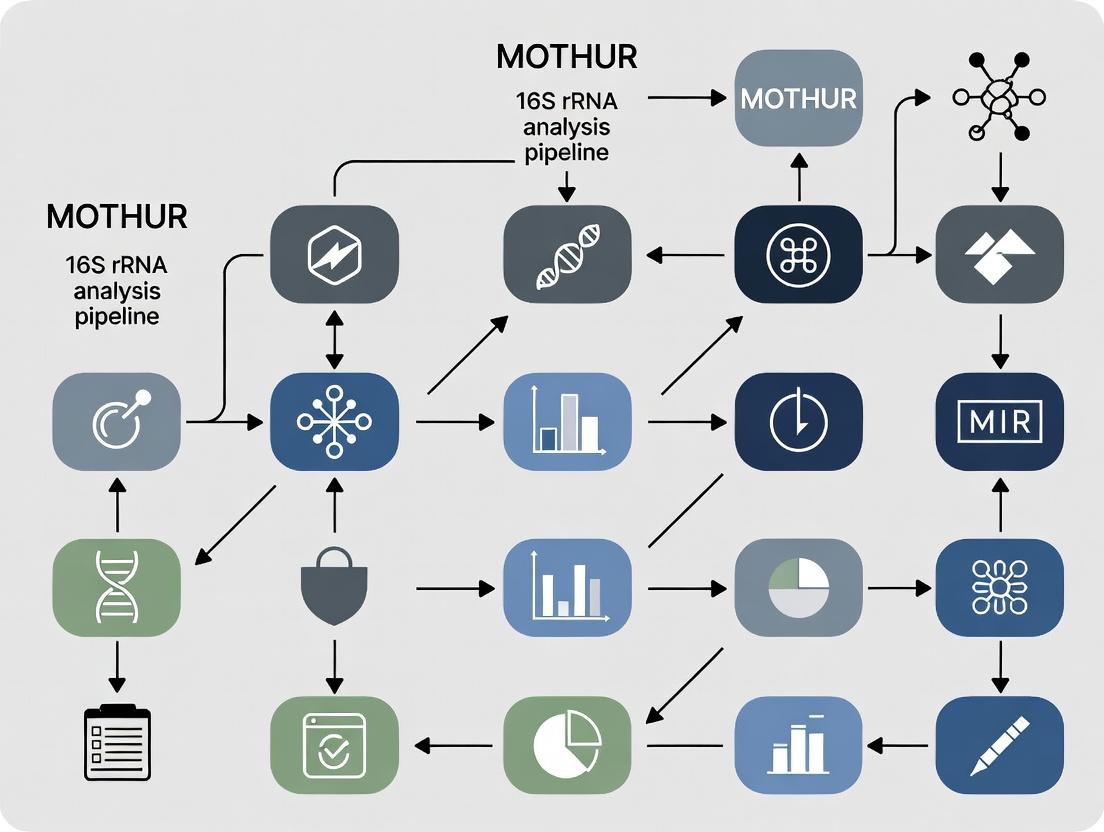
This comprehensive guide provides researchers, scientists, and drug development professionals with a detailed roadmap for executing the MOTHUR 16S rRNA gene sequencing analysis pipeline.
The Complete MOTHUR 16S rRNA Analysis Pipeline Guide: From Raw Reads to Biological Insights for Researchers
Abstract
This comprehensive guide provides researchers, scientists, and drug development professionals with a detailed roadmap for executing the MOTHUR 16S rRNA gene sequencing analysis pipeline. It covers foundational concepts of microbial ecology analysis, a step-by-step methodological workflow from quality control to statistical testing, common troubleshooting and optimization strategies for robust results, and validation practices including comparisons to QIIME2. The article synthesizes best practices to ensure accurate, reproducible microbiome data analysis for biomedical and clinical research applications.
Understanding MOTHUR: Foundational Principles and Experimental Design for 16S rRNA Analysis
What is MOTHUR? Core Philosophy and Advantages for 16S rRNA Analysis
MOTHUR is an open-source, platform-independent bioinformatics software package developed for the analysis of microbial ecology data, specifically targeting 16S ribosomal RNA (rRNA) gene sequences. It was created to provide a single, comprehensive resource that implements the computational algorithms and protocols used by the wider research community. Its core philosophy is centered on accessibility, reproducibility, and standardization. It aims to democratize sophisticated microbial community analysis by providing a single, well-documented tool that executes the Standard Operating Procedures (SOPs) established by leaders in the field, such as those from the Schloss lab. This ensures that analyses are transparent, repeatable, and comparable across different studies—a critical requirement for robust scientific research and regulatory submissions in drug development.
Within the context of a broader thesis on MOTHUR 16S rRNA analysis pipeline research, this application note details its implementation, advantages, and specific protocols. MOTHUR's modular, command-line-driven structure allows for the creation of fully documented, step-by-step analytical workflows, from raw sequence data to ecological and statistical conclusions.
Advantages for 16S rRNA Analysis
The primary advantages of MOTHUR are summarized in the table below.
Table 1: Key Advantages of the MOTHUR Pipeline
| Advantage | Description | Impact on Research/Drug Development |
|---|---|---|
| Standardization | Implements peer-reviewed SOPs, reducing analytical variability. | Enables cross-study comparison; essential for clinical trial biomarker consistency. |
| Comprehensiveness | Integrates all steps (processing, alignment, clustering, classification, stats) in one tool. | Streamlines workflow, reduces errors from data transfer between multiple software. |
| Reproducibility | Command-line scripts provide a complete record of the analysis. | Critical for publication, peer review, and regulatory compliance (e.g., FDA submissions). |
| Active Community | Supported by active development and user forum for troubleshooting. | Accelerates problem-solving and adoption of new best practices. |
| Cost-Effectiveness | Open-source and free to use. | Lowers barriers to entry and allows resource allocation to sequencing or experimentation. |
Application Notes & Detailed Protocols
Protocol 1: Core Analysis Workflow from Raw Sequences to OTUs
This protocol follows the Schloss SOP (updated regularly) for processing Illumina MiSeq paired-end reads.
Research Reagent & Computational Toolkit
| Item | Function |
|---|---|
| MOTHUR Software | Core analytical platform for all processing and analysis steps. |
| Silva or RDP Reference Database | Curated alignment template and taxonomic classification training set. |
| Fastq files (paired-end) | Raw sequence data output from the Illumina MiSeq platform. |
| PCR Reagents (from wet lab) | Used to amplify the V4 region of the 16S rRNA gene (primers 515F/806R). |
| Hardware (High-Performance Computer) | Necessary for computationally intensive steps like alignment and clustering. |
Methodology:
- Make.contigs: Assemble forward and reverse reads into contiguous sequences.
- Screen.seqs & Filter.seqs: Remove sequences with ambiguous bases, incorrect length, or homopolymers, then align to a reference (e.g., SILVA v138). Filter the alignment to remove overhangs and gaps.
- Pre.cluster: Denoise sequences by merging near-identical sequences (diffs=2).
- Chimera.uchime: Remove chimeric sequences using UCHIME algorithm.
- Classify.seqs: Assign taxonomy using a trained classifier (e.g., RDP training set).
- Cluster / Opticlust: Group sequences into Operational Taxonomic Units (OTUs) at a 97% similarity cutoff. Alternatively, generate a distance matrix and cluster.
- Make.shared & Classify.otu: Create a community data matrix (OTU table) and consolidate taxonomy for each OTU.
Protocol 2: Alpha and Beta Diversity Analysis
Following OTU generation, assess within-sample (alpha) and between-sample (beta) diversity.
Methodology:
- Sub.sample / Rarefaction: Normalize sequence counts across samples to ensure fair comparison.
- Alpha Diversity: Calculate metrics like Chao1 (richness), Shannon (diversity), and Simpson (dominance) indices.
- Beta Diversity: Generate distance matrices (e.g., Bray-Curtis, ThetaYC) and perform ordination (PCoA) or clustering.
- Statistical Testing: Use AMOVA or Metastats to test for significant differences between pre-defined groups (e.g., treatment vs. control).
Visualizations
MOTHUR 16S rRNA Analysis Core Workflow
Components of the MOTHUR Analysis System
This document provides detailed application notes and protocols, framed within the context of a broader thesis research project utilizing the mothur 16S rRNA gene analysis pipeline. It is intended for researchers, scientists, and drug development professionals seeking clarity on foundational concepts and standardized methodologies in microbial community analysis.
Key Conceptual Comparison: OTUs and ASVs
Table 1: Comparison of OTU-Clustering and ASV-Denosing Approaches
| Feature | Operational Taxonomic Unit (OTU) | Amplicon Sequence Variant (ASV) |
|---|---|---|
| Definition | Cluster of sequences (e.g., at 97% similarity) representing a presumed taxonomic group. | An exact, single-nucleotide resolution sequence inferred to represent a true biological entity. |
| Methodology | Heuristic clustering (e.g., greedy, average neighbor, de novo, reference-based). | Error-correction and denoising (e.g., DADA2, deblur, UNOISE). |
| Resolution | Lower; groups sequences with slight genetic differences. | Higher; distinguishes sequences differing by a single nucleotide. |
| Error Handling | Errors are clustered with true sequences or discarded as singletons. | Attempts to statistically separate true sequences from PCR/sequencing errors. |
| Cross-Study Comparison | Challenging due to dataset-specific clustering. | More straightforward, as ASVs are reproducible and absolute. |
| Typical Downstream Impact | May overestimate diversity by splitting or underestimate by merging. | Provides finer-scale ecological insights; can increase perceived diversity. |
Quantifying and Managing Error Rates in 16S rRNA Sequencing
Error rates from PCR amplification and sequencing can artificially inflate microbial diversity estimates. Key error sources include substitution errors during sequencing (higher in later cycles) and indel errors during homopolymer regions.
Table 2: Typical Error Rates by Sequencing Platform (Theoretical)
| Platform | Approximate Per-Nucleotide Substitution Error Rate | Primary Error Type |
|---|---|---|
| Illumina MiSeq/HiSeq (2x300) | ~0.1% - 0.5% | Substitution |
| 454 Pyrosequencing (Historical) | ~0.5% - 1.0% | Indels in homopolymers |
| Ion Torrent PGM/Proton | ~1.0% - 2.0% | Indels in homopolymers |
| PacBio HiFi (circular consensus) | <0.1% | Substitution |
Protocol 1: Assessing and Controlling for Error Rates with Mock Communities in Mothur
Objective: To quantify the empirical error profile of your sequencing run using a known control. Materials: Sequenced reads from a defined mock microbial community (e.g., ZymoBIOMICS, BEI Resources). Procedure:
- Process Mock Data: Run the mock community samples through your standard mothur pipeline (e.g.,
make.contigs,screen.seqs,align.seqs,filter.seqs). - Pre-cluster Sequences: Apply the
pre.clustercommand using thediffsparameter (e.g.,diffs=2) to reduce sequencing noise. - Identify Errors Against Reference: Use
chimera.uchimewith thereferenceoption pointing to the known sequences in the mock community. Remove chimeras. - Calculate Error Rate: Use
seq.errorto compare the processed sequences to the known reference sequences. This command generates a confusion matrix and reports the overall error rate. - Calibrate Parameters: Use the observed error rate to inform parameter choices in subsequent analyses (e.g., number of differences allowed in
pre.cluster, stringency inchimera.removal).
The Importance of Reference Databases: SILVA and RDP
Curated reference databases are critical for alignment, chimera detection, and taxonomic classification.
- SILVA: Comprehensive, aligned database for all domains of life. Provides manually checked alignments (SSU Ref NR) and taxonomy. Preferred for high-quality alignments and broad phylogenetic analyses.
- RDP (Ribosomal Database Project): A high-quality, bacterial/archaeal-focused database with a Bayesian classifier. Often updated and provides consistent, hierarchical taxonomy.
Table 3: Comparison of SILVA and RDP Databases for 16S Analysis
| Aspect | SILVA | RDP |
|---|---|---|
| Scope | Bacteria, Archaea, Eukarya (rRNA). | Primarily Bacteria and Archaea. |
| Key Feature | Manually curated, full-length alignments based on secondary structure. | Naïve Bayesian classifier (Wang et al.) for rapid, consistent taxonomy assignment. |
| Common Use Case | Sequence alignment (align.seqs) and phylogenetic tree building. |
Taxonomic classification (classify.seqs) within mothur. |
| Update Frequency | Periodic major releases (e.g., SILVA 138, 142). | Frequent version updates (e.g., RDP 18). |
| Format in Mothur | Requires specific SILVA release files (.align, .tax). |
Distributed as a .fasta and .taxonomy file pair. |
Protocol 2: Standardized Taxonomic Classification Workflow in Mothur
Objective: To assign taxonomy to 16S rRNA gene sequences using a curated reference database.
Materials: High-quality, chimera-checked sequence file (final.fasta). Reference files (silva.nr_v132.align, silva.nr_v132.tax or trainset18_062020.rdp.fasta, trainset18_062020.rdp.tax).
Procedure:
- Obtain Reference Files: Download and format the appropriate database for mothur.
- Align Sequences: Align your cleaned sequences to the reference alignment.
- Filter Alignment: Remove columns that are all gaps to reduce computational load.
- Classify Sequences: Assign taxonomy using the Bayesian classifier.
- Generate Consensus Taxonomy: Resolve classifications for grouped sequences (e.g., OTUs or ASVs).
Diagram: Conceptual Workflow for OTU vs. ASV Generation
Diagram Title: OTU and ASV Analysis Pathways in 16S rRNA Workflow
The Scientist's Toolkit: Key Research Reagent Solutions
Table 4: Essential Materials for 16S rRNA Analysis Experiments
| Item | Function/Description | Example Product/Supplier |
|---|---|---|
| Defined Mock Community | Validates sequencing accuracy, quantifies error rates, benchmarks pipeline. | ZymoBIOMICS Microbial Community Standard (Zymo Research) |
| PCR Polymerase (High-Fidelity) | Minimizes introduction of amplification errors during library prep. | Q5 High-Fidelity DNA Polymerase (NEB) |
| 16S rRNA Gene Primers | Target-specific regions (e.g., V4) for amplification. | 515F/806R (Earth Microbiome Project) |
| Curated Reference Database | For alignment, chimera checking, and taxonomic classification. | SILVA SSU Ref NR or RDP trainset (mothur website) |
| Negative Extraction Control | Identifies reagent or environmental contamination. | Nuclease-free water processed alongside samples |
| Positive Control DNA | Confirms PCR efficacy. | Genomic DNA from a single bacterial strain (e.g., E. coli) |
| Sequence Analysis Pipeline | Provides standardized, reproducible data processing. | mothur software suite (v.1.48.0+) |
| High-Performance Computing Resource | Handles computationally intensive alignment and clustering steps. | Local server cluster or cloud computing (AWS, GCP) |
Within the context of a broader thesis on MOTHUR 16S rRNA analysis pipeline research, the steps taken before sequencing are the most critical determinants of success. Experimental design and meticulous metadata collection form the bedrock upon which all downstream bioinformatic analyses, including MOTHUR processing, are built. Poor design leads to irreparable confounding, while incomplete metadata renders powerful sequencing data uninterpretable. This protocol outlines the essential pre-sequencing framework for robust microbial community studies.
Core Principles of Experimental Design
Effective design for 16S rRNA amplicon sequencing studies must control for variability and bias to ensure biological questions can be answered. Key principles include:
- Randomization: The random assignment of experimental units to treatment groups to avoid systematic bias.
- Replication: Biological replicates (samples from distinct biological units) are non-negotiable for statistical power. Technical replicates (repeated measurements of the same sample) assess procedural noise.
- Blocking: Grouping similar experimental units to account for known sources of variation (e.g., processing batch, sequencing run).
- Controlling Confounders: Identifying and documenting variables that may correlate with both the independent variable and the outcome.
Table 1: Quantitative Design Considerations for 16S rRNA Studies
| Design Factor | Recommended Minimum | Purpose & Rationale |
|---|---|---|
| Biological Replicates | n=5 per group (n=10+ for complex communities) | Provides statistical power for inter-group comparisons; <5 severely limits detection of differential abundance. |
| Positive Controls | Mock community (e.g., ZymoBIOMICS) in each extraction batch | Assesses extraction efficiency, PCR bias, and bioinformatic recovery of known taxa. |
| Negative Controls | Extraction blank, PCR no-template control (NTC) | Identifies and quantifies background contamination from reagents and environment. |
| Sample Pooling | Not recommended for primary analysis | Masures individual variation; use only when individual extraction is impossible. |
| Sequencing Depth | 20,000-50,000 high-quality reads per sample | Reaches saturation for most diversity metrics in gut/microbial samples; soil may require more. |
Metadata Collection: The MIxS Framework
Metadata is structured information describing the sample. The Minimal Information about any (x) Sequence (MIxS) standard, specifically the MIMARKS (Minimal Information about a MARKer gene Sequence) checklist, is the gold standard. Collection must occur at the time of sampling.
Detailed Protocol: Field and Lab Metadata Collection
Objective: To systematically capture all environmental, host-associated, and methodological data pertinent to a biological sample for 16S rRNA analysis.
Materials:
- Dedicated electronic data capture form (e.g., spreadsheet with locked columns).
- Sample tracking system (e.g., QR codes, barcodes).
- Standardized operating procedure (SOP) documents for all steps.
Procedure:
- Pre-Sampling: Generate a unique, immutable identifier for each sample (e.g.,
PROJECT001_SITE_A_REP01). Link this ID to physical labels. - Geographic and Temporal Context:
- Record exact GPS coordinates, depth/elevation, and collection date/time.
- Note immediate environmental conditions (e.g., temperature, pH if measured in situ, humidity).
- Host-Associated Metadata (if applicable):
- For human studies: host subject ID, age, sex, health status, medication use (especially antibiotics), diet within 24h, specific phenotype of interest.
- For animal/plant studies: species, genotype, compartment (e.g., rhizosphere, lumen), disease state.
- Sample-Specific Data:
- Describe the sample matrix (e.g., stool, soil, water).
- Record sample mass or volume collected.
- Document any processing at collection (e.g., preservation in RNAlater, flash freezing, filtration).
- Methodological Chain of Custody:
- Document the exact protocols for stabilization, storage conditions and duration, DNA extraction kit (with lot number), and homogenization method.
- Record the name of the personnel performing each step.
Troubleshooting: Inconsistent formats (e.g., writing dates as DD-MM-YYYY vs. MM-DD-YYYY) will cause integration failures. Use controlled vocabularies and numeric codes where possible.
Integrating Design and Metadata for MOTHUR
The MOTHUR pipeline requires a text file linking sequence files to metadata. This file is built directly from the design and collection steps above.
Title: Workflow from Hypothesis to MOTHUR Input
The Scientist's Toolkit: Research Reagent Solutions
Table 2: Essential Materials for 16S rRNA Study Setup
| Item | Function & Rationale |
|---|---|
| Mock Microbial Community (e.g., ZymoBIOMICS D6300) | Defined mix of known bacterial genomes. Serves as a positive control to track efficiency and bias from DNA extraction through bioinformatic classification. |
| DNA Extraction Kit with Bead Beating (e.g., DNeasy PowerSoil Pro) | Mechanical lysis is critical for robust breakage of diverse bacterial cell walls. Standardized kits ensure reproducibility across samples and batches. |
| PCR Inhibition Removal Additives (e.g., BSA, PVPP) | Common in complex samples (stool, soil). These additives bind inhibitors (humic acids, bile salts), improving amplification efficiency and library yield. |
| Unique Dual-Indexed PCR Primers (e.g., 16S V4, 515F/806R) | Dual indexing (i5 and i7 indices) dramatically reduces index-hopping/crosstalk between samples on Illumina platforms compared to single indexing. |
| High-Fidelity DNA Polymerase (e.g., Q5, KAPA HiFi) | Reduces PCR errors that can be misinterpreted as biological sequence variation, ensuring more accurate OTU or ASV generation. |
| Quantification Kit for Low DNA (e.g., Qubit dsDNA HS Assay) | Fluorometric assays are specific for double-stranded DNA, unlike spectrophotometry (Nanodrop), which is skewed by contaminants common in extracted samples. |
| Sample Preservation Buffer (e.g., RNAlater, DNA/RNA Shield) | Immediately stabilizes microbial community composition at the moment of sampling, preventing shifts during transport or storage. |
Title: Integration of Design, Metadata, and Data in MOTHUR
Within the broader thesis on optimizing the MOTHUR 16S rRNA analysis pipeline for clinical microbiomics, this document outlines the critical Application Notes and Protocols for processing raw sequencing data into robust community analysis. The pipeline's reproducibility and accuracy are paramount for translational research in drug development and diagnostic biomarker discovery.
Core Data Flow and Quantitative Metrics
The initial data assessment is crucial for quality control. Key metrics from a typical Illumina MiSeq 2x300 run targeting the V3-V4 region are summarized below.
Table 1: Representative Quantitative Data from Initial FASTQ Analysis
| Metric | Typical Value/Range | Interpretation & Impact |
|---|---|---|
| Total Read Pairs | 100,000 - 200,000 | Starting library size. Defines maximum analytical depth. |
| Mean Read Length (R1/R2) | 280-290 bp / 260-275 bp | Post-trim length. Indicates sequencing run quality. |
| Q30 Score (%) | ≥ 85% | High-quality base calls. <80% may necessitate aggressive trimming. |
| Estimated Error Rate | 0.1 - 0.5% | Informs merging parameters and chimera checking stringency. |
| Non-Biological Reads (%) | < 1% | Includes PhiX spike-in. Higher % may indicate low library diversity. |
Detailed Experimental Protocols
Protocol 2.1: Primary FASTQ Processing and Contig Assembly (MOTHUR)
Objective: To merge paired-end reads, ensure quality, and generate unique sequences.
- Make Contigs: Use
make.contigs()with thefastqfile. This step aligns forward and reverse reads. - Screen Sequences:
screen.seqs()to enforce length (e.g., 450-460 bp for V3-V4) and remove ambiguous bases. - Dereplication:
unique.seqs()to collapse identical sequences, improving computational efficiency. - Pre-Clustering:
pre.cluster()to denoise data by merging near-identical sequences (diffs=2).
Protocol 2.2: Chimera Removal and Taxonomic Classification
Objective: To remove PCR artifacts and assign taxonomy.
- Chimera Checking: Use
chimera.vsearch()against a high-quality reference (e.g., SILVA reference alignment). - Remove Chimeras:
remove.seqs()to eliminate chimeric sequences from the fasta and count files. - Taxonomic Assignment:
classify.seqs()using a trained classifier (e.g., SILVA v138 NR99) and the Wang naive Bayesian classifier. - Remove Non-Target Sequences:
remove.lineage()to discard mitochondria, chloroplasts, Archaea, and unknown domains.
Protocol 2.3: OTU Clustering and Final Analysis
Objective: To cluster sequences into Operational Taxonomic Units (OTUs) and generate community data.
- Distance Matrix:
dist.seqs()to calculate pairwise distances between unique sequences. - Cluster Sequences:
cluster()using the average neighbor algorithm. - Generate Shared File:
make.shared()to create the OTU table (sample x OTU abundance matrix). - Final Taxonomy for OTUs:
classify.otu()to assign a consensus taxonomy to each OTU. - Downstream Analysis: Use the
.sharedand.taxonomyfiles for alpha-diversity (alpha.divergence), beta-diversity (pcoa), and statistical testing.
Workflow Visualization
Title: 16S rRNA Data Processing Pipeline in MOTHUR
The Scientist's Toolkit: Essential Research Reagent Solutions
Table 2: Key Reagents, Databases, and Software for the 16S Pipeline
| Item | Function & Purpose | Example/Specification |
|---|---|---|
| 16S rRNA Gene Primer Set | Amplifies target hypervariable region for sequencing. | 341F-806R for V3-V4 (Klindworth et al., 2013). Must be barcoded for multiplexing. |
| High-Fidelity DNA Polymerase | PCR amplification with low error rate to minimize sequencing artifacts. | e.g., Phusion or KAPA HiFi. Critical for accurate sequence representation. |
| Quant-iT PicoGreen dsDNA Assay | Fluorometric quantification of library DNA for accurate pooling/loading. | Ensures balanced representation of samples on the sequencer. |
| PhiX Control v3 | Sequencing run quality control; provides internal baseline for error rate. | Typically spiked at 1-5% to calibrate the Illumina MiSeq/HiSeq. |
| SILVA SSU Ref NR Database | Curated reference for alignment and taxonomic classification. | Release 138 or later. Used for align.seqs and classify.seqs. |
| MOTHUR-formatted RDP Training Set | Naive Bayesian classifier training data for taxonomy assignment. | e.g., trainset18_062020 from mothur website. |
| VSEARCH / UCHIME Algorithm | Detects and removes chimeric sequences computationally. | Integrated in MOTHUR via chimera.vsearch. More rapid than original ChimeraSlayer. |
| Positive Control Mock Community | Defined mix of genomic DNA from known bacteria. Validates entire wet-lab and computational pipeline. | e.g., ZymoBIOMICS Microbial Community Standard. |
Step-by-Step MOTHUR Pipeline: A Practical Workflow from Raw Data to Statistical Results
Within the MOTHUR 16S rRNA pipeline, the initial Phase 1 is critical for ensuring data integrity. This protocol details the application of make.contigs and screen.seqs commands to assemble paired-end reads, perform quality control, and screen for contaminants. Proper execution of this phase directly impacts downstream alpha and beta diversity metrics, forming the foundation for robust microbiome analysis in drug development contexts.
In high-throughput 16S rRNA gene sequencing studies, raw data quality varies significantly. The initial processing steps are designed to construct reliable sequence contigs from forward and reverse reads and to filter out low-quality or contaminating sequences. This phase ensures that only high-fidelity sequences proceed to alignment and classification, reducing analytical noise and potential bias in clinical or pharmacological interpretations.
Detailed Protocols
Protocol formake.contigs
Objective: To merge paired-end FASTQ files into contiguous sequences (contigs) and generate essential quality files.
Materials:
- Illumina MiSeq or HiSeq paired-end FASTQ files (
*.fastq). - File mapping sample IDs to respective FASTQ files (
.filesformat). - MOTHUR software (v.1.48.0 or later).
- High-performance computing cluster or workstation (≥16 GB RAM recommended).
Methodology:
- Prepare Input Files: Create a
.filestext file. Each line links a sample name to its forward and reverse read files (e.g.,sample01 sample01_R1.fastq sample01_R2.fastq). - Execute
make.contigs:- Key Parameters:
pdiffs&bdiffs: Allowable mismatches to primer/ barcode sequences (default=0).trimoverlap=trueoptimizes alignment of the overlap region.
- Key Parameters:
- Output Files:
*.trim.contigs.fasta: Assembled contig sequences.*.contigs.report: Summary of alignment for each read pair.*.scrap.contigs.fasta: Reads that failed to merge.*.contigs.groups: File assigning each contig to its sample group.
Data Interpretation: The .report file should be examined. A successful run typically yields >95% of read pairs merged. A lower percentage may indicate poor overlap or read quality issues.
Protocol forscreen.seqs
Objective: To filter contigs based on length, ambiguity, and homopolymer runs to remove low-quality sequences and potential contaminants.
Materials:
- Output files from
make.contigs. - Reference alignment file (e.g., SILVA reference database v138).
- MOTHUR software.
Methodology:
- Initial Alignment (Optional but Recommended): Align contigs to a reference database to identify and remove non-16S sequences.
- Execute
screen.seqs:- Key Parameters:
maxambig=0: Removes sequences with any ambiguous bases (N).maxlength/minlength: Set based on expected amplicon length (e.g., V4 region ~250bp).maxhomop=8: Removes sequences with homopolymer runs >8, a common sequencing artifact.
- Key Parameters:
- Output Files:
*.good.align: Filtered, high-quality sequences.*.good.groups: Group file for the filtered sequences.*.bad.accnos: List of sequences removed.
Data Interpretation: The summary output from screen.seqs (or summary.seqs run on the good files) quantifies the filtration impact. Compare the number of sequences before and after screening (Table 1).
Table 1: Typical Sequence Counts Through Phase 1 Processing
| Processing Stage | Command/Filter | Median Sequences Remaining | % of Input | Common Rationale |
|---|---|---|---|---|
| Raw Input | N/A | 100,000 | 100% | Initial paired reads per sample. |
After make.contigs |
Successful merge | 94,500 | 94.5% | Loss from failed overlaps or low Q-scores. |
After screen.seqs |
maxambig=0 |
93,000 | 93.0% | Removal of reads with ambiguous bases. |
After screen.seqs |
Length Criteria | 90,500 | 90.5% | Removal of inserts of incorrect size. |
After screen.seqs |
maxhomop=8 |
89,800 | 89.8% | Removal of sequences with long homopolymers. |
| Total Passed to Phase 2 | All Filters | ~89,800 | ~89.8% | High-quality contigs for downstream analysis. |
The Scientist's Toolkit: Research Reagent Solutions
Table 2: Essential Materials for Phase 1 MOTHUR Analysis
| Item | Function in Protocol | Example/Specification |
|---|---|---|
| Silva Reference Database | Provides aligned 16S sequences for alignment and screening. | SILVA SSU NR v138; used in align.seqs and screen.seqs. |
| MOTHUR Executable | Core software platform executing all commands. | Version 1.48.0; compiled for your OS (Unix/Windows/Mac). |
| Perl/Python Scripts | Automate file handling and pipeline chaining. | Custom script to generate .files from a sample manifest. |
| High-Quality FASTA/FASTQ | Raw input data from the sequencing facility. | Illumina MiSeq 2x250bp V4 region reads; demultiplexed. |
| Computing Resources | Enables processing of large sequence datasets. | 16+ CPU cores, 32+ GB RAM, adequate storage (>1TB). |
Workflow Visualization
Title: MOTHUR Phase 1 Workflow: make.contigs to screen.seqs
Title: Sequential Filters Applied by screen.seqs Command
Application Notes
This phase is critical for ensuring the quality and biological relevance of sequences prior to taxonomic classification and community analysis within the MOTHUR 16S rRNA pipeline. Proper alignment to a curated reference database like SILVA allows for the identification of conserved and variable regions, enabling meaningful comparative analysis. Filtering removes columns with excessive gaps, which correspond to poorly aligned positions, thereby reducing noise. Chimera detection and removal are essential for eliminating artifacts of PCR amplification that can lead to overestimations of diversity and incorrect taxonomic assignments. The integration of these steps refines the dataset, forming a reliable foundation for downstream ecological and statistical inference in microbiome research.
Protocols
Protocol 1: Sequence Alignment to the SILVA Reference Database
Objective: To align trimmed 16S rRNA gene sequences to the SILVA reference alignment for positional homology.
- Preparation: Ensure the SILVA reference alignment file (
silva.seed_v138.align) and the corresponding taxonomy file are downloaded and formatted for MOTHUR using themothur > get.silva()command. - Alignment: Use the
align.seqs()command.- Input:
fasta=trimmed.unique.fasta,reference=silva.seed_v138.align. - Parameters: Set
flip=trueto check the reverse complement. - Output: Creates
trimmed.unique.align,trimmed.unique.align.report, andtrimmed.unique.flip.accnos.
- Input:
- Summary: Generate a summary of the alignment with
summary.seqs(fasta=trimmed.unique.align)to assess length distribution and identify potential outliers.
Protocol 2: Filtering the Sequence Alignment
Objective: To remove overhangs and poorly aligned positions, creating a contiguous alignment.
- Filter Alignment: Use the
filter.seqs()command.- Input:
fasta=trimmed.unique.align,vertical=T,trump=.. - Process: This removes columns containing only gaps (
.), ensuring all remaining columns contain sequence data. - Output: Creates
trimmed.unique.filter.fasta. The command also outputs a.filterfile detailing the kept columns.
- Input:
- Re-duplication: Re-apply unique sequence names to the filtered file using
unique.seqs(fasta=trimmed.unique.filter.fasta).
Protocol 3: Chimera Detection and Removal with VSEARCH/UCHIME
Objective: To identify and remove chimeric sequences formed during PCR.
- Chimera Detection: Use the
chimera.vsearch()command.- Input:
fasta=trimmed.unique.filter.unique.fasta,reference=silva.seed_v138.align,dereplicate=t. - Process: Compares sequences internally to find chimeras.
- Output: Creates
trimmed.unique.filter.unique.denovo.vsearch.chimeras.
- Input:
- Sequence Removal: Remove identified chimeras using
remove.seqs().- Input:
fasta=trimmed.unique.filter.unique.fasta,accnos=trimmed.unique.filter.unique.denovo.vsearch.chimeras. - Output: Creates
trimmed.unique.filter.unique.good.fasta, containing chimera-free sequences.
- Input:
- (Optional) Reference-based Check: For increased stringency, perform a secondary check against the SILVA reference:
chimera.vsearch(fasta=trimmed.unique.filter.unique.good.fasta, reference=silva.seed_v138.align, chunks=true).
Table 1: Typical Sequence Count Progression Through Phase 2
| Processing Step | Command (MOTHUR) | Output File | Typical Sequence Retention (%) | Key Metric |
|---|---|---|---|---|
| Input Unique Sequences | - | trimmed.unique.fasta |
100% (Baseline) | Total unique sequence variants |
| Alignment to SILVA | align.seqs() |
trimmed.unique.align |
>98% | % of sequences aligned |
| Filtering & Trimming | filter.seqs() |
trimmed.unique.filter.fasta |
100%* | Length of contiguous alignment |
| Chimera Removal (de novo) | chimera.vsearch() & remove.seqs() |
trimmed.unique.filter.unique.good.fasta |
80-95% | % of unique chimeras removed |
*Filtering does not remove sequences, only alignment columns.
Table 2: Impact of Chimera Removal on Diversity Estimates (Example Dataset)
| Sample | Pre-Chimera Removal Sequences | Post-Chimera Removal Sequences | Sequences Removed (%) | Observed OTUs (Pre) | Observed OTUs (Post) | % Reduction in OTUs |
|---|---|---|---|---|---|---|
| Healthy_1 | 45,321 | 41,567 | 8.3% | 452 | 415 | 8.2% |
| Disease_1 | 38,455 | 34,118 | 11.3% | 521 | 462 | 11.3% |
| Control | 40,002 | 37,802 | 5.5% | 288 | 275 | 4.5% |
Visualizations
Workflow: Phase 2 MOTHUR 16S Pipeline
PCR Chimera Formation & Impact
The Scientist's Toolkit
Table 3: Essential Research Reagents & Resources for Phase 2
| Item | Function in Protocol | Key Details / Recommendation |
|---|---|---|
SILVA SSU Ref NR 99 Database (silva.seed.align) |
Curated reference alignment for 16S/18S rRNA genes. Provides the positional homology framework. | Use release 138 or newer. Download and format within MOTHUR using get.silva(). |
| VSEARCH Algorithm (integrated in MOTHUR) | High-performance tool for de novo and reference-based chimera detection. More sensitive and faster than legacy methods. | Invoked via chimera.vsearch(). Preferable to chimera.uchime. |
| High-Performance Computing (HPC) Cluster | Computational resource for alignment and chimera checking. | Alignment is memory and CPU intensive. Batch processing on a cluster is recommended for large studies. |
| MOTHUR Software (v.1.44+) | The core bioinformatics platform executing all commands in a standardized pipeline. | Ensure version compatibility with SILVA reference files. |
QC Summary Files (.report, .summary) |
Diagnostic outputs from each step (e.g., summary.seqs()). |
Critical for tracking sequence loss, alignment length, and identifying potential issues. |
Application Notes
Within the MOTHUR 16S rRNA analysis pipeline, Phase 3 is critical for transforming aligned sequences into biologically meaningful Operational Taxonomic Units (OTUs). This phase integrates sequence classification with distance-based clustering, specifically using the cluster.split command, to enhance accuracy and manage computational load. The process addresses the challenge of chimeras and sequencing errors by first classifying sequences against a reference taxonomy (e.g., SILVA, RDP) and then performing clustering within taxonomic groups. This split approach reduces spurious OTUs formed by non-homologous sequences and improves the fidelity of community diversity metrics, which are essential for downstream comparative analyses in drug development and microbiome research.
Key Quantitative Outcomes
The following table summarizes typical data outputs and their implications from a standard cluster.split analysis:
Table 1: Quantitative Outputs from cluster.split Analysis
| Metric | Typical Range/Value | Interpretation in Research Context |
|---|---|---|
| Number of OTUs (97% similarity) | 500 - 10,000 per sample | Indicates apparent microbial richness; target for rarefaction. |
| Sequences Classified to Genus Level | 70% - 85% of total reads | Reflects database comprehensiveness and sequence quality. |
Reduction in OTU Count vs. whole cluster |
15% - 25% reduction | Demonstrates efficacy of splitting by taxonomy to avoid false OTUs. |
Computational Time for cluster.split |
30-50% less than whole cluster |
Highlights efficiency gain for large datasets. |
| Chimeric Sequences Identified/Removed | 1% - 5% of input sequences | Critical for data integrity before clustering. |
Experimental Protocols
Protocol 1: Pre-clustering Sequence Classification
This protocol details the step required before executing cluster.split to assign taxonomic labels.
- Input: Aligned and filtered sequences (
.alignfile) from Phase 2 (chimera removal). - Classification:
- Use the
classify.seqscommand in MOTHUR. - Required files: A reference alignment (e.g.,
silva.bacteria.fasta) and its associated taxonomy (e.g.,silva.bacteria.gg.tax). - Command example:
classify.seqs(fasta=stability.trim.contigs.good.align, template=silva.bacteria.fasta, taxonomy=silva.bacteria.gg.tax, cutoff=80) - Cutoff Parameter: The
cutoffvalue (typically 80) sets the bootstrap confidence threshold for retaining a classification.
- Use the
- Output: A
.taxonomyfile linking each sequence ID to its taxonomic lineage.
Protocol 2: Splitting and Clustering into OTUs withcluster.split
This core protocol performs taxonomy-based splitting followed by pairwise distance calculation and clustering.
- Input: A distance matrix (
.distfile) and the taxonomy file from Protocol 1. cluster.splitExecution:- Command:
cluster.split(column=stability.trim.contigs.good.dist, taxonomy=stability.trim.contigs.good.taxonomy, cutoff=0.03, splitmethod=classify) - Key Parameters:
column: The input distance matrix.taxonomy: The classification file.cutoff: The similarity threshold for defining an OTU (e.g., 0.03 = 97% similarity).splitmethod:classifydirects MOTHUR to split sequences into groups based on their taxonomic classification at a specified level (default: genus).
- Command:
- Process:
- Sequences are binned by their taxonomic genus (or other specified level).
- Within each bin, the average neighbor clustering algorithm is applied independently to the subset of distances.
- The resulting OTU lists from each bin are merged into a final
.listfile.
- Output: A
.listfile detailing which sequences belong to each OTU number.
Protocol 3: OTU Table Generation and Summarization
This protocol generates the core data matrix for downstream analysis.
- Input: The final
.listfile from Protocol 2 and the original sequence names file. - Command: Use
make.shared(list=final.an.list, count=stability.contigs.count_table).- The
count_tableensures only pre-processed, non-chimeric sequences are counted.
- The
- Output: A
.sharedfile (OTU table) where rows are samples, columns are OTUs, and values are sequence counts. This is the foundational table for diversity and statistical analysis.
Visualizations
Diagram 1: Workflow of MOTHUR Phase 3
Diagram 2: Logic of the Cluster.split Function
The Scientist's Toolkit
Table 2: Essential Research Reagents & Computational Materials for Phase 3
| Item | Function & Relevance in Phase 3 |
|---|---|
| Reference Taxonomy Database (e.g., SILVA v138, RDP) | Provides the curated phylogenetic framework against which sequences are classified, determining the accuracy of the initial split. |
| Reference Sequence Alignment (e.g., SILVA SEED alignment) | Used by classify.seqs to align query sequences for taxonomic placement via k-mer or Wang methods. |
MOTHUR cluster.split Command |
The core algorithm that executes the split-by-classification and within-group clustering strategy. |
| High-Performance Computing (HPC) Cluster | Essential for handling the computationally intensive pairwise distance calculations and clustering on large sequence datasets. |
Sequence Count Table (count_table) |
Tracks sequence losses through preprocessing; critical for creating an accurate OTU table in make.shared. |
| Bootstrap Cutoff Value (e.g., 80) | A key parameter for classify.seqs that filters out low-confidence taxonomic assignments, affecting bin composition. |
| Clustering Cutoff Value (e.g., 0.03) | Defines the OTU threshold (97% similarity); the primary biological parameter for defining species-level units. |
| Post-Clustering Curation Scripts (Custom Perl/Python) | Often required to filter or reformat OTU tables for integration with downstream statistical packages (e.g., R, QIIME2). |
Within the broader thesis research on the MOTHUR 16S rRNA analysis pipeline, Phase 4 represents the culmination of bioinformatic processing into biologically interpretable data. Following sequence alignment, filtering, chimera removal, and taxonomic classification, this phase transforms refined sequence data into the core outputs required for ecological and statistical inference: Operational Taxonomic Unit (OTU) tables, and alpha and beta diversity metrics. These outputs are fundamental for comparing microbial communities across samples in drug development and clinical research, enabling hypothesis testing about community structure, stability, and differential abundance in response to interventions.
Application Notes
The OTU Table: Foundation for Analysis
The OTU table is a sample-by-OTU matrix where each entry represents the count (abundance) of a particular OTU in a specific sample. It is the primary data structure for all subsequent diversity analyses. In MOTHUR, OTUs are typically clustered at a 97% similarity threshold, though this is adjustable. Recent benchmarking studies (2023) suggest that optimal clustering thresholds may vary by habitat, with 99% providing finer resolution for host-associated microbiomes.
Key Considerations:
- Rarefaction: To correct for unequal sequencing depth, samples are often subsampled (rarefied) to a uniform number of sequences per sample. Current debate centers on the necessity of rarefaction versus using statistical models that account for depth (e.g., DESeq2, edgeR). For standard MOTHUR-based analyses, rarefaction remains a common practice.
- Normalization: For downstream statistical tests not involving rarefaction, other normalization methods like CSS (Cumulative Sum Scaling) or TSS (Total Sum Scaling) are employed outside MOTHUR.
Alpha Diversity: Within-Sample Richness and Evenness
Alpha diversity metrics summarize the structure of a microbial community within a single sample. They are crucial for assessing the effects of a drug or condition on community complexity.
Common Metrics (as implemented in MOTHUR):
- Observed Richness (S_obs): The raw count of unique OTUs in a sample.
- Chao1: An estimator of total richness, correcting for unseen species.
- Shannon Index (H'): A measure of entropy that combines richness and evenness. Sensitive to changes in rare taxa.
- Inverse Simpson (1/D): A measure dominated by the most abundant taxa, emphasizing evenness.
Recent Insights (2024): A meta-analysis of clinical microbiome studies indicates that the Shannon Index is the most consistently reported and statistically powerful alpha metric for detecting treatment effects in intervention studies.
Beta Diversity: Between-Sample Community Dissimilarity
Beta diversity quantifies the differences in microbial community composition between samples. It is the primary basis for visualizing and statistically testing sample groupings (e.g., control vs. treated).
Core Metrics and Methods:
- Distance/Dissimilarity Matrices: MOTHUR generates pairwise sample distances.
- Bray-Curtis: Abundance-based, robust and widely used.
- Jaccard: Presence/absence-based.
- Weighted & Unweighted UniFrac: Phylogenetic-aware distances. Unweighted uses presence/absence; weighted incorporates abundance.
- Ordination: Non-metric Multidimensional Scaling (NMDS) and Principal Coordinate Analysis (PCoA) are used to visualize these distances in 2D or 3D plots.
- Statistical Testing: Analysis of Molecular Variance (AMOVA) and Homogeneity of Molecular Variance (HOMOVA) in MOTHUR, or PERMANOVA (via the
adonisfunction in R) are standard for testing group significance.
Table 1: Common Alpha Diversity Metrics: Formulae and Interpretation
| Metric | Formula (Conceptual) | Range | Interpretation | Sensitivity |
|---|---|---|---|---|
| Observed OTUs | S = Σ (OTUi > 0) | ≥ 0 | Simple count of observed species. | Highly sensitive to sequencing depth. |
| Chao1 | Sest = Sobs + (F1² / 2*F2) | ≥ Sobs | Estimates total species richness. | Corrects for rare, unseen species. |
| Shannon (H') | H' = - Σ (pi * ln(pi)) | ≥ 0 | Diversity weighted towards richness. Higher = more diverse/even. | Sensitive to rare taxa. |
| Inverse Simpson (1/D) | 1/D = 1 / Σ (pi²) | ≥ 1 | Diversity weighted towards dominance. Higher = less dominance. | Sensitive to abundant taxa. |
Table 2: Common Beta Diversity Distance Metrics Comparison
| Metric | Incorporates | Type | Range | Best Use Case |
|---|---|---|---|---|
| Bray-Curtis | Abundance | Compositional | 0 (identical) to 1 (different) | General purpose, robust to noise. |
| Jaccard | Presence/Absence | Compositional | 0 to 1 | Focusing on species turnover. |
| Unweighted UniFrac | P/A + Phylogeny | Phylogenetic | 0 to 1 | Detecting deep phylogenetic shifts. |
| Weighted UniFrac | Abundance + Phylogeny | Phylogenetic | 0 to 1 | Detecting abundance-weighted phylogenetic shifts. |
Experimental Protocols
Protocol A: Generating a Rarefied OTU Table and Alpha/Beta Diversity in MOTHUR
This protocol assumes input is a list of unique sequence names and their taxonomic classifications.
Materials: MOTHUR software (v.1.48.0 or higher), final.opti_mcc.list, final.opti_mcc.0.03.subsample.shared (from previous phase), final.taxonomy files.
Procedure:
- Generate Shared File (if not from clustering):
Output:
final.opti_mcc.shared.
Subsample (Rarefy) to Even Depth:
Note: Choose size based on your sample with the lowest reasonable sequence count after quality control. Output:
final.opti_mcc.0.03.subsample.shared.Generate Alpha Diversity Metrics:
Output:
final.opti_mcc.0.03.subsample.groups.ave-std.summary.Generate Beta Diversity Distance Matrices:
Output: Multiple
.distfiles (e.g.,final.opti_mcc.0.03.subsample.braycurtis.0.03.dist).Visualize with NMDS:
Output:
.nmds.axesfile for plotting in R/Gnuplot.
Protocol B: Statistical Analysis of Diversity Metrics in R
This protocol complements MOTHUR outputs for advanced statistics and visualization.
Materials: R (v4.3+), packages: vegan, phyloseq, ggplot2.
Procedure:
- Import Data into R:
Alpha Diversity Statistics (Kruskal-Wallis test example):
Beta Diversity Statistics (PERMANOVA via adonis2):
Diagrams
Title: MOTHUR Phase 4 Core Workflow
The Scientist's Toolkit: Research Reagent Solutions
Table 3: Essential Materials for 16S rRNA Analysis Phase 4
| Item | Function | Example/Notes |
|---|---|---|
| MOTHUR Software Suite | Open-source, comprehensive pipeline for processing 16S rRNA sequence data from raw reads to diversity metrics. | Version 1.48.0+. Primary execution environment for protocols. |
| Reference Alignment Database | Used for sequence alignment and phylogenetic tree construction for UniFrac. | SILVA (v138) or Greengenes (v13_8) aligned databases. |
| R Statistical Environment | Platform for advanced statistical analysis, visualization, and complementary analysis of MOTHUR outputs. | v4.3+. Essential for running vegan, phyloseq. |
R Package: vegan |
Community ecology package for PERMANOVA, environmental fitting, and other multivariate statistics. | Required for adonis2() and other distance-based tests. |
R Package: phyloseq |
Bioconductor package for efficient handling, analysis, and visualization of microbiome census data. | Streamlines integration of OTU tables, taxonomy, metadata. |
| High-Performance Computing (HPC) Cluster | For computationally intensive steps like tree building (for UniFrac) and large permutation tests (e.g., 10,000 perms). | Cloud-based (AWS, GCP) or institutional HPC resources. |
| Visualization Software | For generating publication-quality plots of alpha diversity and ordinations. | R/ggplot2 is standard; also GraphPad Prism for final figures. |
| Metadata Management File | Tab-delimited text file linking sample IDs to experimental variables (Treatment, PatientID, Timepoint). | Critical for all statistical modeling and group comparisons. |
Following sequence processing, clustering, and taxonomic classification in the MOTHUR 16S rRNA analysis pipeline, Phase 5 focuses on statistically identifying microbial taxa whose abundances differ significantly between sample groups (e.g., control vs. treatment, healthy vs. diseased). This phase transforms processed OTU/ASV tables into biologically interpretable results, crucial for hypothesis testing in therapeutic development and mechanistic studies.
Core Statistical Methods for Differential Abundance Analysis
The choice of statistical test depends on data distribution, group number, and hypothesis.
Table 1: Common Statistical Tests for Differential Abundance
| Test | Data Type / Assumption | Group Comparison | Key Considerations |
|---|---|---|---|
| t-test / Welch's t-test | Normally distributed, continuous abundance. | Two groups. | Requires variance stabilization (e.g., CLR, arcsin-sqrt) of count data. Non-parametric version (Mann-Whitney U) is often used. |
| ANOVA / Kruskal-Wallis | Normal / Non-parametric. | Three or more groups. | Identifies if any group differs; post-hoc tests (Tukey, Dunn's) pinpoint specific pairs. |
| LEfSe (LDA Effect Size) | Non-parametric, relative abundance. | Multi-class or multi-subclass. | Combines Kruskal-Wallis with Linear Discriminant Analysis (LDA) to rank effect size. |
| DESeq2 | Negative binomial model for raw counts. | Complex designs (multi-factor). | Models variance-mean dependence, robust for sparse data. Requires raw count input. |
| edgeR | Negative binomial model for raw counts. | Complex designs. | Similar to DESeq2; uses robust normalization (TMM). |
| MetagenomeSeq (fitZig) | Zero-inflated Gaussian (ZIG) model. | Complex designs. | Specifically models the excess zeros common in microbiome data. |
| ALDEx2 | Compositional data, CLR-transform. | Two or more groups. | Uses Monte Carlo sampling from a Dirichlet distribution to address compositionality. |
Experimental Protocol: A Standardized Workflow for MOTHUR Output
Protocol 3.1: Preparing MOTHUR Data for External Statistical Analysis
Objective: Convert MOTHUR's shared file and taxonomy file into a format compatible with statistical tools (R, Python).
Materials:
- Final OTU/ASV table (
.sharedfile frommothur). - Corresponding taxonomic classifications (
.taxonomyfile). - Sample metadata file (
.csvor.txt). - R statistical environment with
phyloseq,DESeq2,veganpackages installed.
Procedure:
- Load Data into R:
- Data Filtering: Remove low-abundance OTUs/ASVs (e.g., those with less than 5 total counts or present in fewer than 10% of samples).
- Normalization: Decide on an appropriate method. For MOTHUR-rarefied data, proceed with caution. For tools like DESeq2, use raw counts.
- Subset Groups: Isolate the sample groups for comparison (e.g.,
phyloseq_subset <- subset_samples(phyloseq_obj, Treatment %in% c("Control", "Drug_X"))).
Protocol 3.2: Executing LEfSe Analysis via Galaxy or Command Line
Objective: Identify taxa with significant differential abundance and biological consistency across groups.
Materials:
- Normalized relative abundance table (from MOTHUR's
sub.sampleornormalize.shared). - Group classification file.
- Galaxy server with LEfSe tool or standalone LEfSe script.
Procedure:
- Format Input: Create a
.txtfile where rows are taxa, columns are samples, followed by a row with group labels. - Run LEfSe (Galaxy):
- Upload file to Galaxy.
- Use "LEfSe" tool. Set "Class" to the main phenotype (e.g., Disease_State). Optionally set "Subclass" and "Subject."
- Set LDA Effect Size threshold (default 2.0) and alpha value for Kruskal-Wallis (default 0.05).
- Interpret Output:
lefse.resfile: List of discriminative features with LDA scores and p-values.lefse.pngfile: Bar chart of LDA scores.
Protocol 3.3: Differential Analysis with DESeq2 on Raw Counts
Objective: Use a negative binomial model to find differentially abundant taxa between two conditions.
Materials:
- Phyloseq object containing raw, unfiltered count data.
- R packages
DESeq2,phyloseq.
Procedure:
- Convert to DESeq2 Object:
- Run Analysis:
- Annotate Results: Merge
sig_reswith taxonomy information from the phyloseq object.
Visualization Strategies
Effective visualization is critical for interpreting differential abundance results.
Table 2: Key Visualization Methods
| Visualization | Purpose | Tool/Implementation |
|---|---|---|
| Cladogram (LEfSe) | Shows significant taxa within phylogenetic tree context. | LEfSe output, GraPhiAn. |
| LDA Score Bar Plot | Ranks effect size of significant taxa. | LEfSe output, ggplot2. |
| Volcano Plot | Visualizes log2(Fold Change) vs. statistical significance (-log10(p-value)). | ggplot2, EnhancedVolcano R package. |
| Heatmap | Displays abundance patterns of significant taxa across samples. | pheatmap or ComplexHeatmap R packages. |
| Box Plots / Violin Plots | Shows distribution of a specific taxon's abundance per group. | ggplot2. |
Workflow and Logical Pathway Diagrams
Differential Abundance Analysis Workflow
Statistical Test Decision Tree
The Scientist's Toolkit: Research Reagent Solutions
Table 3: Essential Tools for Differential Abundance Analysis
| Item / Solution | Function / Purpose | Example / Note |
|---|---|---|
| R Statistical Environment | Open-source platform for statistical computing and graphics. | Base installation with CRAN and Bioconductor repositories. |
| Phyloseq (R Package) | Handles and organizes microbiome data (OTU table, taxonomy, metadata). | Converts MOTHUR output into an R object for analysis. |
| DESeq2 / edgeR | Models count data with over-dispersion for rigorous differential testing. | Requires raw, unfiltered count tables. Use phyloseq_to_deseq2(). |
| LEfSe Tool | Discovers high-dimensional biomarkers for class comparison. | Emphasizes biological consistency and effect size. Often run via Galaxy. |
| Multiple Test Correction Method | Controls false discovery rate (FDR) due to hundreds of simultaneous tests. | Benjamini-Hochberg (BH) is standard. Incorporated in results functions. |
| Normalization Algorithm | Minimizes technical variance for fair comparisons. | CSS (MetagenomeSeq), TMM (edgeR), or CLR for compositional data. |
| ggplot2 / pheatmap R Packages | Creates publication-quality visualizations (boxplots, heatmaps). | Essential for communicating results. |
| Sample Metadata File | Links sample IDs to experimental variables (treatment, phenotype, batch). | Must be meticulously curated in .csv format. Critical for correct modeling. |
Solving Common MOTHUR Problems: Troubleshooting Errors and Optimizing Parameters
This document serves as an Application Note for researchers employing the MOTHUR 16S rRNA analysis pipeline within a broader thesis context on microbial community analysis. The MOTHUR software suite is foundational for processing high-throughput sequencing data, yet users frequently encounter cryptic error messages that halt analysis. This guide addresses common failures, their root causes, and detailed solutions to ensure robust, reproducible bioinformatics workflows critical for drug development and clinical research.
Common Error Messages and Their Solutions
The following table categorizes frequent MOTHUR errors, their typical causes, and step-by-step resolutions.
Table 1: Summary of Common MOTHUR Errors, Causes, and Solutions
| Error Message / Symptom | Root Cause | Solution Protocol | |
|---|---|---|---|
ERROR: Your fasta file is formatted improperly. |
Sequence headers contain illegal characters (e.g., spaces, dots, |) or file is corrupted. |
1. Validate file integrity with summary.seqs(). 2. Use sed or awk to clean headers: `sed 's/ |
/_/g' input.fasta > clean.fasta`. 3. Re-run alignment or classification step. |
ERROR: The names in your fasta file do not match those in your names or group file. |
Mismatch in sequence identifiers between input files. | 1. Generate a shared list of names: mothur "#get.seqs(fasta=file.fasta, name=file.names, group=file.group)". 2. Use the unique() function on names file first. 3. Ensure no duplicate identifiers exist. |
|
Segmentation fault (core dumped) during align.seqs(). |
Memory exhaustion or reference alignment database (silva.bacteria.fasta) is corrupted. |
1. Check available RAM; run on a system with >16GB RAM for large datasets. 2. Re-download the reference alignment database from the MOTHUR wiki. 3. Subsample dataset with sub.sample() to test. |
|
ERROR: mothur cannot find the column ... in your taxonomy file. |
Taxonomy file format mismatch, often from different versions of RDP or SILVA databases. | 1. Ensure database version consistency (e.g., SILVA v138). 2. Re-generate taxonomy file using the correct reference and taxonomy arguments in classify.seqs(). |
|
Pipeline stalls at cluster.split() or make.shared(). |
Insufficient file permissions in temp directory or incorrect cutoff value for clustering. |
1. Check and set write permissions: chmod 755 /tmp/. 2. Specify a cutoff value (e.g., 0.03) for cluster.split(). 3. Verify the list file is correctly generated from dist.seqs(). |
Detailed Experimental Protocol for Error Resolution
Protocol 1: Comprehensive File Validation and Sanitization Objective: To pre-process raw sequence files to prevent common formatting errors.
- Generate Summary Statistics: Run
mothur "#summary.seqs(fasta=stability.fasta)"to check sequence length distribution and total counts. - Screen for Ambiguous Bases: Execute
screen.seqs(fasta=stability.fasta, maxambig=0, maxlength=275)to remove sequences with ambiguous bases (Ns) and excessive length. - Create Valid Group File: If lacking, generate a group file where each sequence name is assigned to a sample:
make.group(fasta=file1.fasta-file2.fasta, groups=A-B). - Dereplicate Sequences: Use
unique.seqs(fasta=stability.fasta)to create*.namesand*.unique.fastafiles, linking unique sequences to their counts. - Pre-alignment Quality Check: Validate all file pairs (
fasta,names,group) with a custom Perl script to ensure identical, legal sequence IDs.
Protocol 2: Recovering from a Failed Alignment Step
Objective: To diagnose and correct align.seqs() failures.
- Test with a Subset: Use
get.seqs()to select 1000 random sequences and attempt alignment. - Verify Reference File: Confirm the alignment template (e.g.,
silva.bacteria.fasta) is in the correct directory and not truncated (wc -l silva.bacteria.fasta). - Adjust Alignment Parameters: Re-run with relaxed criteria:
align.seqs(fasta=input.unique.fasta, reference=silva.v4.fasta, flip=t)to allow reverse complement checking. - Filter the Alignment: After successful alignment, remove overhangs and columns with poor data:
filter.seqs(fasta=input.unique.align, vertical=T, trump=.).
Visualized Workflows
Title: MOTHUR Error Diagnosis and Resolution Workflow
Title: Stepwise MOTHUR Error Troubleshooting Protocol
The Scientist's Toolkit: Research Reagent Solutions
Table 2: Essential Components for a Robust MOTHUR Analysis
| Item | Function in MOTHUR Pipeline | Example/Notes |
|---|---|---|
| Curated Reference Database | Provides aligned sequences for align.seqs() and taxonomic templates for classify.seqs(). |
SILVA NR v138 dataset. Must match version between alignment and taxonomy steps. |
| High-Performance Computing (HPC) Node | Executes memory-intensive steps (cluster, align). |
Node with ≥ 16 CPU cores, ≥ 64GB RAM, and local SSD storage for I/O-intensive tasks. |
| Sequence File Sanitization Script | Pre-processes raw .fasta/.fastq files to ensure MOTHUR-compatible headers. |
Custom Perl/Python script to replace spaces and special characters with underscores. |
| Standard Operating Procedure (SOP) File | Documents all parameters and commands for full reproducibility. | Text file logging every command from make.contigs() to get.oturep(). |
| Validation Dataset | A small, known-good dataset to test pipeline integrity after errors or updates. | Mock community sequences (e.g., HMP Mockrobiota) with expected output. |
Within the broader thesis on the MOTHUR 16S rRNA analysis pipeline, the optimization of three critical parameters—trimlength, otu.radius, and cluster cutoff—is foundational for generating accurate, reproducible, and biologically meaningful microbial community profiles. These parameters directly control data quality, Operational Taxonomic Unit (OTU) definition, and the final clustering resolution, impacting all downstream ecological and statistical inferences. This application note provides a structured protocol for empirical optimization, targeting researchers and drug development professionals implementing amplicon sequencing workflows.
Table 1: Critical Parameters in the MOTHUR 16S rRNA Pipeline
| Parameter | Definition | Stage | Impact of Incorrect Setting |
|---|---|---|---|
| trimlength | Length to trim all sequences to after alignment. | Post-alignment preprocessing | Too long: Includes noisy alignment tails; Too short: Loses informative positions, reduces discrimination power. |
| otu.radius | Percent similarity threshold for defining OTUs (e.g., 0.03 = 97% similarity). | OTU Classification | Too strict (e.g., 0.01): Over-splits taxa; Too loose (e.g., 0.05): Over-groups distinct taxa, reduces resolution. |
| cluster cutoff | Proportion of unique sequences for sub-sampling before clustering (e.g., 0.03 for 3% OTUs). | Distance Matrix Clustering | Controls sampling depth for clustering algorithm; Influences OTU table stability and computational time. |
Experimental Protocols for Parameter Optimization
Protocol 1: Determining Optimal Trimlength
Objective: To identify the sequence length that maximizes retained information while minimizing noisy positions. Materials: Aligned FASTA file (*.align), SILVA or Greengenes reference alignment. Procedure:
- Run
summary.seqs(fasta=current)on the aligned dataset. - Plot the cumulative distribution of sequence lengths. Identify the length where >95% of sequences overlap.
- Systematically test trimlengths (e.g., in 10 bp increments) around this point.
- For each tested length:
a.
screen.seqs(fasta=file.align, maxambig=0, maxhomop=8, minlength=XXX, maxlength=XXX)b.filter.seqs(fasta=current, vertical=T, trump=.)c. Calculate the number of unique sequences and the average pairwise distance. - Optimality Criterion: Select the trimlength that yields the highest number of unique sequences without a sharp increase in average pairwise distance (indicating inclusion of noise).
Protocol 2: Optimizing otu.radius for Taxonomic Resolution
Objective: To select a radius that aligns with the biological question and expected taxonomic resolution (e.g., species vs. genus). Materials: Filtered and trimmed sequence file, taxonomic classification database. Procedure:
- Generate a distance matrix:
dist.seqs(fasta=current) - Cluster sequences at multiple radii (e.g., 0.01, 0.02, 0.03, 0.05):
cluster(column=current, name=current, method=average, cutoff=0.03)[Adjust cutoff for each test]. - Generate OTU tables:
make.shared(list=current, label=0.03)[Use corresponding label]. - Classify representative sequences:
classify.otu(list=current, label=0.03, taxonomy=cons.taxonomy). - Optimality Criterion: For genus-level analysis, the radius (e.g., 0.03) should yield OTU classifications that predominantly map to a single genus. Evaluate using the consistency of taxonomic assignment within OTUs.
Protocol 3: Setting the Cluster Cutoff for Subsampling
Objective: To balance computational efficiency with the stability of the resulting OTU list. Materials: Distance matrix, list of sequence names. Procedure:
- Determine the total number of unique sequences in your dataset.
- Test cluster cutoff values (e.g., 0.01, 0.03, 0.05). A cutoff of 0.03 means only sequences that are at least 3% different from any other will be used as the "center" for clustering.
- Perform clustering at a fixed otu.radius (e.g., 0.03) while varying the cutoff:
cluster(column=file.dist, name=file.names, cutoff=0.03, method=average). - Record the number of OTUs generated and computational time for each cutoff.
- Optimality Criterion: Choose the highest cutoff that does not cause a significant reduction in the total number of OTUs compared to a lower cutoff (e.g., 0.01), indicating minimal loss of biological signal for gained efficiency.
Table 2: Example Optimization Results from a Mock Community (V3-V4 Region)
| Tested Parameter | Tested Values | Optimal Value (Example) | Key Metric for Decision |
|---|---|---|---|
| trimlength | 400, 425, 450, 475 bp | 450 bp | Max unique seqs (12,101) with low avg. distance (0.087). |
| otu.radius | 0.01, 0.02, 0.03, 0.05 | 0.03 | 97% of OTUs classified to a single known genus in mock community. |
| cluster cutoff | 0.01, 0.03, 0.05 | 0.03 | OTU count stable (~500 OTUs) vs. cutoff=0.01, with 40% faster runtime. |
Visualized Workflows
Title: MOTHUR 16S Pipeline with Parameter Optimization Checkpoints
Title: Protocol for Empirical Trimlength Optimization
The Scientist's Toolkit: Research Reagent Solutions
Table 3: Essential Materials for MOTHUR Parameter Optimization
| Item | Function in Optimization | Example/Note |
|---|---|---|
| Curated Reference Alignment (SILVA/Greengenes) | Provides the backbone for sequence alignment, which precedes trimlength determination. | SILVA SSU NR v138.1; Ensures consistent alignment coordinates. |
| Mock Microbial Community Genomic DNA | Gold-standard for validating otu.radius settings; known composition allows accuracy assessment. | ZymoBIOMICS Microbial Community Standard. |
| High-Performance Computing (HPC) Cluster or Server | Enables rapid iterative testing of clustering parameters (cutoff, radius) which are computationally intensive. | Linux-based system with ≥16 cores & ≥64 GB RAM recommended. |
| R with phyloseq & ggplot2 packages | Critical for visualizing optimization metrics (e.g., rarefaction curves, OTU count vs. cutoff plots). | Used for graphical evaluation of optimality criteria. |
| MOTHUR Standard Operating Procedure (SOP) files | Provide baseline, validated workflows to modify during parameter optimization. | MiSeq SOP (v.1.48.0) is the common starting point. |
Managing computational resources is a critical bottleneck in large-scale 16S rRNA amplicon studies using the MOTHUR pipeline. A typical thesis exploring microbial ecology, host-pathogen interactions, or drug-microbiome effects can generate terabytes of sequence data. Inefficient resource management leads to excessive compute time, cost overruns, and failed analyses. This document provides application notes and protocols for optimizing computational workflows within MOTHUR-based research, ensuring scalability and reproducibility.
Quantitative Analysis of Computational Demands in MOTHUR
Table 1: Computational Resource Requirements for Key MOTHUR Steps (Per 1 Million Sequences)
| Pipeline Step | Approx. CPU Cores | Peak RAM (GB) | Wall Clock Time (Hours) | Storage I/O | Primary Bottleneck |
|---|---|---|---|---|---|
| Pre-processing (screen.seqs, trim.seqs) | 4-8 | 8-16 | 0.5-2 | High | I/O, Single-threaded steps |
| Alignment (align.seqs) to SILVA | 1* | 30-60 | 2-6 | Very High | Memory, Single-threaded |
| Filtering & De-noising (pre.cluster, chimera.uchime) | 8-16 | 16-32 | 1-3 | Moderate | CPU (multi-threaded) |
| Clustering (dist.seqs, cluster) | 16-32 | 50-100+ | 4-12 | Very High | CPU & Memory |
| Classification (classify.seqs) | 4-8 | 20-40 | 1-2 | Moderate | I/O |
| OTU Table Generation & Analysis | 1-4 | 10-20 | 0.5-1 | Low | Single-threaded |
Note: align.seqs is largely single-threaded; memory scales with reference database size. Times are estimates for modern server hardware. Data compiled from recent benchmark publications and repository issue tracking (2023-2024).
Table 2: Cost-Benefit Analysis of Computational Strategies
| Strategy | Setup Complexity | Cost Efficiency | Speed Gain | Best For Thesis Stage |
|---|---|---|---|---|
| Local HPC Cluster | High | High (if existing) | High | Final, full-dataset analysis |
| Cloud Bursting (AWS/GCP/Azure) | Medium | Medium-Low | Very High | Scaling peak demands |
| Optimized Local Server | Medium | Medium | Medium | Pilot studies, method development |
| Hybrid (Pre-process cloud, analyze local) | High | High | High | Large cohorts with limited local storage |
Protocols for Efficient Large-Scale MOTHUR Analysis
Protocol 3.1: Distributed Pre-processing and Quality Control
Objective: To efficiently quality-filter and prepare multiple large sequence files in parallel.
- Partition Dataset: Split raw
.fastqfiles by sample (e.g., usingsplit.contigsorsplits) intoNdirectories, whereNis the number of available compute nodes/cores. - Parallel Processing Script: Launch independent MOTHUR instances on each partition. Key commands:
- Aggregate Results: Use a master script to concatenate processed
.good.fastaand.good.groupsfiles from all partitions. - Resource Locking: Implement a job scheduler (e.g., SLURM, SGE) to manage concurrent file writes and prevent corruption.
Protocol 3.2: Memory-Optimized Sequence Alignment
Objective: Perform alignment to the SILVA database without exceeding system RAM.
- Database Pruning: Create a custom, project-specific reference alignment by extracting sequences close to your taxon of interest using
get.lineage. - Chunked Alignment:
- Merge and Filter Alignments: Concatenate aligned chunks and filter to equal length.
Protocol 3.3: Scalable OTU Clustering usingcluster.split
Objective: Cluster millions of sequences into OTUs using a divide-and-conquer approach suitable for HPC.
- Generate Distance Matrix in Chunks: Use
dist.seqswithcutoff=0.20andprocessors=32to compute pairwise distances. - Split-Based Clustering:
- Post-Clustering Merge: The
cluster.splitcommand automatically merges results from all splits. Validate by comparing a small, non-split cluster run for consistency.
Visualization of Workflows and Logical Relationships
Diagram Title: MOTHUR Large-Scale Workflow & Resource Management
Diagram Title: Strategy Decision Tree for MOTHUR Resource Allocation
The Scientist's Toolkit: Research Reagent Solutions
Table 3: Essential Computational "Reagents" for Large-Scale MOTHUR Analysis
| Item / Solution | Function in the Workflow | Recommended Specs / Notes |
|---|---|---|
| High-Throughput Compute Nodes | Executes CPU-intensive steps (clustering, distancing). | 32+ cores, 128+ GB RAM per node. AMD EPYC or Intel Xeon. |
| Parallel File System (e.g., Lustre, BeeGFS) | Manages high I/O from concurrent read/write operations during alignment and distance calculations. | SSD-based, >1TB capacity, high IOPS. Essential for HPC. |
| Job Scheduler (SLURM, SGE) | Manages computational resources, queues jobs, and prevents resource conflicts. | Mandatory for efficient cluster use. |
| Containerization (Singularity/Apptainer) | Ensures pipeline reproducibility and portability between local and cloud/HPC environments. | Package MOTHUR, dependencies, and reference databases into a single image. |
| Reference Database (SILVA, Greengenes) | For alignment and taxonomic classification. Must be version-controlled. | Prune to relevant region (e.g., V4) to save memory and time. Store locally on fast storage. |
| Versioned Script Repository (Git) | Tracks all MOTHUR command scripts and parameters for full reproducibility. | Commit after each major pipeline step. Include sample metadata files. |
| Metadata Sanity Checker (Custom Script) | Validates sample metadata files against sequence file names to prevent catastrophic misalignment of data. | Run before make.contigs. Written in Python/R. |
| Post-Hoc Log Aggregator | Parses MOTHUR .logfiles from distributed jobs to calculate total resource usage and identify failed steps. |
Critical for cost tracking and optimization in cloud/HA environments. |
Within the broader context of MOTHUR 16S rRNA analysis pipeline research, ensuring data integrity from sequencing to interpretation is paramount for generating reproducible, publication-quality results in drug development and microbial ecology. This document provides detailed Application Notes and Protocols for implementing robust Quality Assurance (QA) checkpoints at each bioinformatics stage.
Raw Sequence Data Validation
Checkpoint Objective: Validate the quality of input FASTQ files from the sequencing platform.
Quantitative QA Metrics:
| Metric | Target Threshold (Illumina MiSeq 2x300) | Action if Failed |
|---|---|---|
| Mean Q-Score (Phred) | ≥ 30 across all bases | Re-sequence or apply aggressive truncation. |
| % Bases ≥ Q30 | > 75% | Inspect sequencing run; consider trimming. |
| Expected vs. Actual Yield | ≥ 80% of expected cluster density | Check sequencer performance logs. |
| Adapter Content | < 5% reads | Increase adapter trimming stringency. |
| Ambiguous Base (N) Count | < 1% per read | Filter reads with Ns. |
Protocol 1.1: FastQC with MOTHUR Integration
- Generate Initial Report: Run
fastqc raw_sequences.fastq -o ./qc_reports/. - Aggregate and Parse: Use
multiqc ./qc_reports/to compile statistics. - MOTHUR-Compatible Import: For paired-end data, create a stability file (
raw.files). Usemake.contigs()which internally performs quality filtering based on user-defined parameters (e.g.,maxambig=0,maxhomop=8). - Checkpoint Decision: Proceed only if metrics meet thresholds. If borderline, adjust
trimandtruncparameters inmake.contigs().
Contig Assembly & Alignment Verification
Checkpoint Objective: Ensure successful read pairing, alignment to correct region, and chimera detection.
Quantitative QA Metrics:
| Metric | Target Threshold | Action if Failed |
|---|---|---|
| Contig Formation Rate | > 90% of input forward reads | Revise overlap parameters in make.contigs. |
| Alignment to Reference (Silva) | > 95% of contigs alignable | Verify correct reference file and region (V4). |
| Putative Chimeras (pre-screening) | < 15% of aligned sequences | Increase mindiffs in pre.cluster or apply chimera.uchime. |
| Sequence Length Post-Alignment | Uniform length after alignment to same region | Re-run align.seqs() with flip=t or check reference. |
Protocol 2.1: Systematic Alignment and Screening Workflow
- Generate Contigs:
mothur > make.contigs(file=raw.files, processors=8) - Screen for Length & Homopolymers:
screen.seqs(fasta=current, group=current, maxlength=275, maxhomop=8) - Align to Reference:
align.seqs(fasta=current, reference=silva.v4.align) - Filter Alignment:
filter.seqs(fasta=current, vertical=T, trump=.) - Pre-cluster to reduce noise:
pre.cluster(fasta=current, count=current, diffs=2) - Chimera Detection (de novo):
chimera.uchime(fasta=current, count=current, dereplicate=t);remove.seqs(accnos=current) - Checkpoint: Verify a uniform alignment length and low chimera rate before classification.
Taxonomic Classification Accuracy
Checkpoint Objective: Validate classification consistency and control for contamination.
Quantitative QA Metrics:
| Metric | Target Threshold | Action if Failed |
|---|---|---|
| Classification Confidence (bootstrap) | ≥ 80% for genus-level assignment | Use a stricter cutoff (cutoff=80). |
| Unclassified Sequences at Phylum Level | < 10% | Check primer specificity and alignment. |
| Negative Control Reads in Samples | 0% (or statistically insignificant) | Apply remove.groups() to subtract control OTUs. |
| Replicate Concordance (Beta Diversity) | PCA/NMDS: Replicates cluster tightly (R² > 0.85 PERMANOVA) | Investigate DNA extraction and PCR batch effects. |
Protocol 3.1: Classify.otus with Bootstrap Validation
- Assign Taxonomy:
classify.seqs(fasta=current, count=current, reference=trainset_v138, taxonomy=trainset_v138.tax, cutoff=80, processors=8) - Remove Undesirables:
remove.lineage(fasta=current, count=current, taxonomy=current, taxon=Chloroplast-Mitochondria-unknown-Archaea-Eukaryota) - Generate OTU Table:
cluster.split()(using taxonomic info) ordist.seqs()followed bycluster(). - Checkpoint - Contamination Assessment: Compare taxonomy of negative control OTUs to samples. If present in samples, use
sub.sample()to normalize andremove.rare()to filter low-abundance potential contaminants.
Statistical Analysis & Ecological Metric Validation
Checkpoint Objective: Ensure downstream diversity metrics are robust and not artifacts of sampling depth.
Quantitative QA Metrics:
| Metric | Target/Interpretation | Action if Failed |
|---|---|---|
| Rarefaction Curve Saturation | Curves approach asymptote for Alpha Diversity | Increase sequencing depth or pool technical replicates. |
| Good's Coverage | > 0.97 per sample | Indicates sufficient sampling; if low, increase depth. |
| Positive Control (Mock Community) Beta Diversity | Expected vs. Observed Bray-Curtis distance < 0.1 | Re-calibrate sequence processing parameters. |
| PCoA/PERMANOVA p-value | p < 0.05 for expected experimental grouping | Re-evaluate biological effect size and sample size. |
Protocol 4.1: Normalization and Diversity Analysis
- Normalize Sampling Effort:
sub.sample(count=current, size=[smallest_count])OR userarefaction.single()without subsampling for curves. - Generate Distance Matrix:
dist.seqs(fasta=current, calc=onegap, countends=F, processors=8)thencluster(). - Calculate Alpha & Beta Diversity:
summary.single(shared=current, calc=coverage-sobs-chao)anddist.shared(calc=braycurtis). - Checkpoint - Mock Community Validation: Process a ZymoBIOMICS or similar mock community in parallel. Calculate the Bray-Curtis distance between the observed and expected composition. If >0.1, review the entire pipeline from chimera removal to classification parameters.
The Scientist's Toolkit: Research Reagent Solutions
| Item | Function in MOTHUR 16S Pipeline |
|---|---|
| Silva SSU Ref NR v138+ Database | Curated alignment and taxonomy reference for bacterial/archaeal 16S classification. |
| RDP Training Set v18 | Alternative, frequently updated training set for Naive Bayesian classifier. |
| ZymoBIOMICS Microbial Community Standard | Mock community with known composition for validating pipeline accuracy from extraction to bioinformatics. |
| PhiX Control v3 | Sequencing run control for monitoring cluster density and error rates. |
| FastQC v0.11.9 / MultiQC v1.14 | Tools for initial sequence quality assessment and report aggregation. |
| VSEARCH (v2.2.0+) | External, high-performance tool often used in conjunction with MOTHUR for chimera detection (chimera.vsearch). |
| Graphviz (DOT language) | For generating reproducible, publication-quality workflow diagrams. |
Mandatory Visualizations
Diagram Title: 16S rRNA Pipeline QA Checkpoint Flow
Diagram Title: MOTHUR 16S Pipeline with Validation Inputs
Ensuring Robustness: Validating MOTHUR Results and Comparing to QIIME2
Within the broader thesis on MOTHUR 16S rRNA analysis pipeline research, the calibration and validation of bioinformatic workflows using mock microbial community (mockrobiota) data is a critical foundational step. This ensures that conclusions drawn from experimental data regarding taxonomic composition, alpha-diversity, and beta-diversity are technically accurate and reproducible. These Application Notes provide a detailed protocol for this essential benchmarking process.
Key Concepts and Rationale
A mock community is a synthetic consortium of known microbial strains with defined genomic composition and abundance. By processing sequenced mock community data through a MOTHUR pipeline, researchers can:
- Quantify Bias: Measure errors introduced during PCR amplification, sequencing, and bioinformatic processing.
- Calibrate Parameters: Optimize critical steps like quality filtering, chimera removal, and clustering/denoising.
- Establish Detection Limits: Determine the sensitivity and specificity of the pipeline for rare taxa.
- Validate Taxonomic Classifiers: Assess the accuracy of reference databases and classification algorithms.
Experimental Protocol: Mock Community Pipeline Validation
Materials and Data Acquisition
Research Reagent Solutions & Essential Materials:
| Item | Function/Explanation |
|---|---|
| Characterized Mock Community DNA (e.g., ZymoBIOMICS, BEI Resources) | Provides ground-truth standard with known strain composition and abundance ratios. Essential for calculating error metrics. |
| Platform-Specific Sequencing Kit (e.g., Illumina MiSeq Reagent Kit v3) | Generates the raw sequence data from the mock community. Choice impacts read length and error profiles. |
| MOTHUR Software Suite (v.1.48.0 or later) | The core bioinformatics platform for 16S rRNA data processing. |
| Reference Database (e.g., SILVA, RDP) | Required for alignment and taxonomic classification. Must be version-controlled. |
| Curated Mock Community Reference Fasta File | A custom FASTA containing the exact 16S sequences of the strains in the mock community. Critical for perfect alignment. |
| High-Performance Computing (HPC) Cluster or Workstation | Necessary for computationally intensive steps like alignment and chimera checking. |
Step-by-Step Validation Workflow
Step 1: Data Preparation and Ground-Truth Table Creation
- Obtain FASTQ files from sequencing the mock community.
- Create a ground-truth taxonomy file (.tax file) and abundance table based on the manufacturer's specifications. This defines the expected outcome. Example for a 10-strain community:
- Create a ground-truth shared file (.shared) detailing the expected OTU counts.
Step 2: MOTHUR Pipeline Execution with Mock Data Process the mock community FASTQs through your standard MOTHUR pipeline. Example key commands:
Step 3: Benchmarking Analysis & Error Calculation Compare the pipeline's output to the ground truth. Key metrics to calculate (summarize in tables):
Table 1: Taxonomic Classification Accuracy at Phylum Level
| Expected Taxon (Phylum) | Expected Abundance (%) | Observed Abundance (%) | Absolute Error (%) |
|---|---|---|---|
| Firmicutes | 30.0 | 34.2 | +4.2 |
| Bacteroidota | 25.0 | 22.1 | -2.9 |
| Proteobacteria | 20.0 | 18.5 | -1.5 |
| Actinobacteriota | 15.0 | 16.0 | +1.0 |
| Other | 10.0 | 9.2 | -0.8 |
Table 2: Pipeline Sensitivity and Specificity for Detected Strains
| Strain ID | Expected Present | Correctly Detected? (TP/TN) | False Positive/Negative? (FP/FN) | Observed Relative Abundance (%) |
|---|---|---|---|---|
| Strain_A | Yes | TP | - | 29.5 |
| Strain_B | Yes | TP | - | 23.8 |
| Strain_C | Yes | FN | FN | 0.0 |
| Contaminant_X | No | TN | FP | 1.5 |
Calculate quantitative metrics:
- Bray-Curtis Dissimilarity between expected and observed composition.
- Observed/Expected Richness Ratio.
- Mean Absolute Error (MAE) across all taxa abundances.
- Pipeline Recall (Sensitivity): (True Positives) / (True Positives + False Negatives)
- Pipeline Precision (Positive Predictive Value): (True Positives) / (True Positives + False Positives)
Step 4: Parameter Calibration
Iteratively run the pipeline adjusting one parameter at a time (e.g., pre.cluster diffs value, chimera removal method, OTU clustering cutoff) to minimize the error metrics calculated in Step 3. The optimal parameter set is the one that yields the closest match to the ground truth.
Visualization of Workflows
Diagram 1: Mock Community Validation & Calibration Loop
Diagram 2: Sources of Error Quantified by Mock Community Analysis
This analysis is framed within a broader thesis on the MOTHUR 16S rRNA analysis pipeline, which necessitates a direct, pragmatic comparison with its primary contemporary, QIIME 2. The two platforms represent distinct philosophical approaches to microbial community analysis. MOTHUR, originating from a single, curated codebase, emphasizes transparency, control, and reproducibility of individual steps, often via command-line execution. QIIME 2 is a modular, plugin-based framework that emphasizes data provenance, automatic tracking of analysis history, and an integrative environment that can combine multiple tools under a unified, reproducible system.
Table 1: Foundational Philosophy & Architecture
| Aspect | MOTHUR | QIIME 2 |
|---|---|---|
| Core Philosophy | Single, comprehensive, all-in-one tool. "One tool to rule them all." | Extensible, modular framework. "A plugin-based, community-curated ecosystem." |
| Development Model | Centralized, curated by a primary development team. | Decentralized, community-driven via plugins. |
| Primary Interface | Command-line (with optional GUI wrappers). | Command-line (qiime), API, and graphical interfaces (Qiime 2 Studio, Galaxy). |
| Data Provenance | User-managed via scripting and manual logging. | Automated and embedded within data artifacts (.qza/.qzv files). |
| Language Base | C++ with command-line interface. | Python 3 core framework with plugins in various languages. |
| Learning Curve | Steeper, requires understanding of individual steps and file formats. | Initially steep, but streamlined via encapsulated actions and visualization. |
Workflow Comparison: From Raw Data to Ecological Insights
A standard 16S rRNA gene amplicon analysis proceeds through sequential stages. The implementation of these stages differs significantly between the platforms.
Diagram 1: High-Level Workflow Comparison
Detailed Experimental Protocols
Protocol 1: Generating an OTU Table in MOTHUR (Classic Approach)
Objective: Process raw MiSeq paired-end reads into a shared OTU table with taxonomy. Reagents & Inputs:
- Paired FASTQ files (
sample_R1.fastq,sample_R2.fastq). - Sample metadata file (
sample_metadata.txt). - Reference alignment database (e.g., SILVA v138) and taxonomy training set.
- MOTHUR executable (v.1.48.0 or later).
Procedure:
- Create Contigs:
make.contigs(file=stability.files, processors=8) - Quality Control:
screen.seqs(fasta=current, maxambig=0, maxlength=275)andfilter.seqs(fasta=current, vertical=T, trump=.) - Alignment:
align.seqs(fasta=current, reference=silva.v4.fasta) - Chimera Removal:
chimera.vsearch(fasta=current, dereplicate=t)thenremove.seqs(fasta=current, accnos=current) - Classification:
classify.seqs(fasta=current, template=silva.nr_v138.align, taxonomy=silva.nr_v138.tax, cutoff=80)thenremove.lineage(fasta=current, taxonomy=current, taxon=Chloroplast-Mitochondria-unknown-Archaea-Eukaryota) - Clustering:
dist.seqs(fasta=current, cutoff=0.03)thencluster(column=current, count=current, cutoff=0.03) - OTU Table Generation:
make.shared(list=current, count=current, label=0.03) - Taxonomy Assignment:
classify.otu(list=current, count=current, taxonomy=current, label=0.03)
Protocol 2: Generating a Feature Table (ASVs) in QIIME 2
Objective: Process raw reads into an Amplicon Sequence Variant (ASV) table using DADA2. Reagents & Inputs:
- Demultiplexed paired-end FASTQ files (via
q2-demuxoutput). - Sample metadata file (
sample-metadata.tsv) in QIIME 2 format. - QIIME 2 environment (2024.5 or later) with
dada2,feature-classifierplugins installed. - Pretrained Naive Bayes classifier (e.g.,
silva-138-99-nb-classifier.qza).
Procedure:
- Import Data:
qiime tools import --type 'SampleData[PairedEndSequencesWithQuality]' --input-path manifest.csv --output-path paired-end-demux.qza --input-format PairedEndFastqManifestPhred33V2 - Denoise with DADA2:
qiime dada2 denoise-paired --i-demultiplexed-seqs paired-end-demux.qza --p-trunc-len-f 230 --p-trunc-len-r 210 --p-trim-left-f 10 --p-trim-left-r 10 --p-max-ee-f 2.0 --p-max-ee-r 2.0 --p-chimera-method consensus --o-representative-sequences rep-seqs.qza --o-table table.qza --o-denoising-stats denoising-stats.qza - Assign Taxonomy:
qiime feature-classifier classify-sklearn --i-classifier silva-classifier.qza --i-reads rep-seqs.qza --o-classification taxonomy.qza - Filter Features:
qiime taxa filter-table --i-table table.qza --i-taxonomy taxonomy.qza --p-exclude mitochondria,chloroplast,archaea,eukaryota --o-filtered-table filtered-table.qza - Generate Core Metrics:
qiime diversity core-metrics-phylogenetic --i-phylogeny rooted-tree.qza --i-table filtered-table.qza --p-sampling-depth 10000 --m-metadata-file sample-metadata.tsv --output-dir core-metrics-results
Output Comparison: Data Structures and Usability
Table 2: Key Output Formats & Downstream Use
| Output Type | MOTHUR | QIIME 2 | Downstream Utility |
|---|---|---|---|
| Feature Table | .shared file (OTU x Sample matrix). |
.qza artifact (via FeatureTable[Frequency]). Exportable to BIOM, TSV. |
Direct input for R (phyloseq), Python, or continued analysis within respective platform. |
| Sequence Variants | .fasta file of OTU representatives. |
.qza artifact (via FeatureData[Sequence]). |
BLAST, phylogenetic tree building, reference alignment. |
| Taxonomy | .taxonomy file (consensus taxonomy per OTU). |
.qza artifact (via FeatureData[Taxonomy]). Exportable as TSV. |
Taxonomic bar plots, statistical comparison of composition. |
| Phylogenetic Tree | .tree file (optional, from clearcut). |
.qza artifact (via Phylogeny[Unrooted|Rooted]). |
Phylogenetic diversity metrics (Faith's PD), tree visualization. |
| Diversity Metrics | Multiple files (e.g., *.sobs, *.inv) from collect.single. |
Integrated in AlphaDiversity & BetaDiversity artifacts. Visualized automatically in .qzv. |
Statistical testing for group differences (e.g., PERMANOVA, ANOVA). |
| Primary Advantage | Simple, flat files are easy to parse with custom scripts. | All data + provenance bundled; ensures reproducibility and easy sharing. |
Diagram 2: Output Dataflow to Downstream Analysis
The Scientist's Toolkit: Essential Research Reagent Solutions
Table 3: Key Reagents, Databases, and Computational Resources
| Item Name | Function in 16S Analysis | Typical Source/Provider | MOTHUR/QIIME 2 Relevance |
|---|---|---|---|
| SILVA SSU rRNA Database | Gold-standard reference for alignment and taxonomy classification. | https://www.arb-silva.de/ | Both: Used for alignment (MOTHUR) and training classifiers (QIIME 2). |
| Greengenes Database (13_8) | Curated 16S database for hypervariable region analysis. | https://greengenes.secondgenome.com/ | Both: Alternative to SILVA. |
| DADA2 Algorithm | Model-based correction of amplicon errors to infer ASVs. | R Package (Callahan et al.) | QIIME 2: Implemented as plugin. MOTHUR: Not native, but can be integrated externally. |
| VSEARCH | Open-source alternative to USEARCH for chimera checking, clustering. | https://github.com/torognes/vsearch | Both: Used as an external tool or within plugins (e.g., in MOTHUR's chimera.vsearch). |
| Naive Bayes Classifier | Pre-trained machine learning model for fast taxonomic assignment. | QIIME 2 Data Resources Page | Primarily QIIME 2: Used with feature-classifier classify-sklearn. |
| BIOM Format File | Biological Observation Matrix for standardized storage of OTU/ASV tables. | http://biom-format.org/ | Both: Common export/import format for interoperability. |
| QIIME 2 Artifact (.qza) | Zipped archive containing data + full provenance of its generation. | QIIME 2 Framework | Exclusive to QIIME 2: Ensures reproducibility. |
| R with phyloseq Package | Statistical analysis and visualization of microbiome data. | https://joey711.github.io/phyloseq/ | Both: Primary downstream analysis platform for outputs from either pipeline. |
For a thesis centered on the MOTHUR pipeline, this comparison elucidates its role as a robust, standalone workhorse that offers granular control, which is advantageous for method development and detailed benchmarking. QIIME 2 represents a paradigm shift toward integrated, provenance-aware computational ecosystems. The choice between them is not merely technical but philosophical: MOTHUR is a precise instrument for the expert who demands stepwise control, while QIIME 2 is a collaborative framework optimized for reproducibility and integration in complex, multi-analyst projects. The continued development and use of both ensure a healthy, competitive landscape that drives innovation in microbial bioinformatics.
Application Notes
Within the broader thesis on the MOTHUR 16S rRNA analysis pipeline, implementing robust reproducibility practices is non-negotiable. These Application Notes detail the integration of scripting, version control, and SOP sharing to ensure that microbial community analyses are transparent, repeatable, and efficient for drug development research.
Table 1: Impact of Reproducibility Practices on Research Efficiency
| Practice | Adoption Rate in Microbiome Studies* | Estimated Time Savings per Project* | Key Benefit |
|---|---|---|---|
| Computational Scripting | 85% | 40-60 hours | Automates repetitive analysis steps |
| Version Control (Git) | 45% | 15-25 hours | Tracks changes and enables collaboration |
| Formal SOP Sharing | 30% | 20-30 hours (onboarding) | Standardizes methods across teams |
*Data synthesized from recent literature and repository analysis (e.g., GitHub, protocols.io).
The core principle is that every action, from raw sequence processing in MOTHUR to statistical visualization, must be captured in executable code. This transforms the SOP from a static document into a dynamic, executable research asset.
Protocols
Protocol 1: Implementing a Version-Controlled MOTHUR Scripting Workflow
This protocol establishes a reproducible environment for 16S rRNA sequence analysis.
I. Materials & Reagent Solutions
- Computational Environment: A Unix-based system (Linux/macOS) or Windows Subsystem for Linux (WSL).
- MOTHUR: Installed from the official repository (v.1.48.0 or later).
- Git: Version control system (v.2.34+).
- GitHub/GitLab Account: For remote repository hosting and sharing.
- Reference Files: SILVA or RDP reference alignments and taxonomy files (version must be documented).
II. Procedure
- Project Initialization:
- Create a dedicated project directory (e.g.,
thesis_16s_analysis). - Initialize a Git repository:
git init. - Create a logical directory structure:
- Create a dedicated project directory (e.g.,
- Scripted Analysis:
- Document all MOTHUR commands in a master batch script (
scripts/mothur_workflow.batch). Do not rely on interactive sessions. - Start the script with a header describing the project, date, and parameter choices.
- Example command block for preprocessing:
- Document all MOTHUR commands in a master batch script (
- Version Control Execution:
- Stage changes:
git add scripts/mothur_workflow.batch. - Commit with a descriptive message:
git commit -m "Added initial sequence screening and alignment steps.". - Connect to a remote repository (e.g., GitHub):
git remote add origin <repository_URL>. - Push commits regularly:
git push -u origin main.
- Stage changes:
III. Visualization of Workflow
Title: Version-Controlled MOTHUR Analysis Pipeline.
Protocol 2: Creating and Sharing an Executable SOP
This protocol details how to bundle analysis scripts and documentation into a shareable, executable research package.
I. Materials & Reagent Solutions
- Conda: Package manager (Miniconda or Anaconda).
- YAML File: For environment specification.
- Markdown Editor: For documentation.
- Repository Platform: GitHub, GitLab, or protocols.io.
II. Procedure
- Environment Capture:
- Create an
environment.ymlfile listing all software dependencies with explicit versions. - Export using Conda:
conda env export -n mothur_analysis > environment.yml.
- Create an
- Documentation:
- Write a comprehensive
README.mdin the project root. - Include: Project overview, installation instructions (
conda env create -f environment.yml), step-by-step guide to runmothur_workflow.batch, and description of output files.
- Write a comprehensive
- Packaging and Sharing:
- Ensure the repository contains: scripts, environment file, README, and a minimal example dataset if possible.
- Use Git tags to mark specific versions associated with manuscript submissions:
git tag -a v1.0-manuscript -m "Version for publication in Journal X". - Push the tag:
git push origin v1.0-manuscript. - Share the repository URL or deposit on a platform like
protocols.iofor enhanced SOP formatting.
III. Visualization of SOP Sharing Pipeline
Title: SOP Sharing and Reproduction Workflow.
The Scientist's Toolkit: Essential Research Reagent Solutions
| Item | Function in MOTHUR 16S Analysis |
|---|---|
| SILVA Database | A curated, high-quality reference alignment and taxonomy file for aligning 16S rRNA sequences and assigning taxonomic classification. |
| RDP Database | An alternative reference database for bacterial and archaeal taxonomy, often used for training classifiers within MOTHUR. |
| Conda/Bioconda | A package and environment management system that ensures the exact versions of MOTHUR and its dependencies (e.g., R packages) are installed, guaranteeing environment consistency. |
| Git Client | Software (e.g., Git Bash, GitHub Desktop) that allows tracking of all changes to analysis scripts and documentation over time. |
| Batch Script File | A plain text file (.batch) containing the sequential list of MOTHUR commands, forming the executable core of the analysis SOP. |
| Markdown File | A lightly formatted text file (README.md) that provides human-readable documentation for the computational project, explaining how to execute the analysis. |
Application Notes and Protocols
Within the thesis research on the MOTHUR 16S rRNA analysis pipeline, a critical phase involves transitioning from community structure data to rigorous statistical inference and visualization. MOTHUR excels at processing raw sequences into curated OTU tables and taxonomic summaries, but its integrated statistical tools are often foundational. For advanced multivariate statistics, customized visualizations, and integration with complementary ‘omics data, leveraging R or Python is essential. This protocol details the export, reformatting, and import of core MOTHUR outputs into these environments, enabling sophisticated downstream analysis.
1. Core Data Export from MOTHUR The following MOTHUR commands generate the fundamental files for downstream analysis. Execute these after completing sequence alignment, filtering, chimera removal, classification, and distance matrix calculation.
make.shared(): Creates a shared file (OTU table).classify.otu(): Generates a consensus taxonomy for each OTU.dist.shared(): Calculates community dissimilarity indices (e.g., Bray-Curtis, ThetaYC).
2. File Format Transformation and Import MOTHUR's native file formats require transformation for seamless import into R/Python. The key files and conversion steps are outlined below.
Table 1: Core MOTHUR Outputs and Their Downstream Handling
| MOTHUR File | Description | Target Environment | Recommended Package & Import Method |
|---|---|---|---|
.shared |
OTU abundance table (samples x OTUs). | R | phyloseq::import_mothur() |
| Python | pandas.read_csv() after header reformatting. |
||
.taxonomy |
Taxonomic classification for each OTU. | R | phyloseq::import_mothur() (paired with .shared). |
| Python | pandas.read_csv() (parse Taxonomy column). |
||
.dist file (from dist.shared) |
Pairwise community dissimilarity matrix. | R | vegan::vegdist() (recalculate) or read.table() for pre-calculated. |
| Python | skbio.stats.distance.DistanceMatrix.read(). |
Protocol 2.1: Direct Import into R using phyloseq
- Ensure the
.shared,.taxonomy, and (optionally) a metadata.csvfile are in the same directory. - In R, install and load the
phyloseqpackage. - Execute:
- The
mothur_dataobject is now a ready-to-analyzephyloseqobject.
Protocol 2.2: Scripted Transformation for Python Import
MOTHUR's shared file lacks a standard header. Use this Python script with pandas to transform it.
3. Essential Downstream Analyses Once data is imported, proceed with advanced statistics.
Protocol 3.1: PERMANOVA and Visualization in R (vegan package)
- Load distance matrix (or calculate from OTU table) and metadata.
- Perform PERMANOVA to test for group differences.
- Generate an Ordination (NMDS) plot.
Protocol 3.2: Differential Abundance Analysis in R (DESeq2 package)
- Convert the phyloseq object for DESeq2, which uses a negative binomial model.
The Scientist's Toolkit: Key Research Reagent Solutions
| Item | Function in Analysis |
|---|---|
| R Studio / R | Primary environment for statistical computing and advanced ecological analysis. |
| Python (Jupyter/Colab) | Environment for flexible data manipulation, machine learning, and custom scripting. |
phyloseq R Package |
Central object class and functions for organizing and analyzing microbiome data. |
vegan R Package |
Provides essential multivariate ecological statistics (PERMANOVA, ordination, diversity indices). |
DESeq2 / edgeR R Packages |
Perform robust differential abundance testing on count-based OTU/ASV data. |
pandas & scikit-bio Python Libraries |
Core data structures (DataFrame) and ecological distance calculations for Python workflows. |
| Metadata Table (.csv) | Critical sample-associated data (treatment, pH, patient ID, etc.) for statistical modeling. |
| Git Repository | Version control for all analysis scripts (R/Python) ensuring reproducibility. |
Diagram 1: MOTHUR to R/Python Analysis Workflow
Diagram 2: R Analysis Pathway for Community Statistics
Conclusion
The MOTHUR pipeline remains a powerful, standards-driven tool for robust 16S rRNA microbiome analysis, prized for its reproducibility and detailed SOPs. Mastering its workflow—from sound experimental design and meticulous quality control through to careful statistical interpretation—is essential for generating reliable microbial ecology data. While alternatives like QIIME2 offer different philosophies, MOTHUR's consistency is crucial for longitudinal studies and clinical research where comparability is paramount. Future directions involve integrating MOTHUR outputs with multi-omics data and leveraging its stability for large-scale meta-analyses, ultimately strengthening the link between microbiome composition and human health outcomes in drug development and translational medicine.